Paramount GEM User Guide
67 | P a g e
HA Spring Plunger and Cam Stop Access Hole (Paramount ME and MX Only)
This hole provides access to the spring plunger and cam stop adjustment. To access this document, visit
www.bisque.com, My account, Log in, then click Support, Downloads, Documentation and search for
Paramount MX Cam Stop Adjustment Instructions.
HA Encoder Cover (Paramount ME Only)
This cover provides access to the absolute encoder module and is reserved for future use.
HA Assembly
The hour angle assembly houses an internal shaft that can be used to install custom cables through the
mount.
Electronics Box
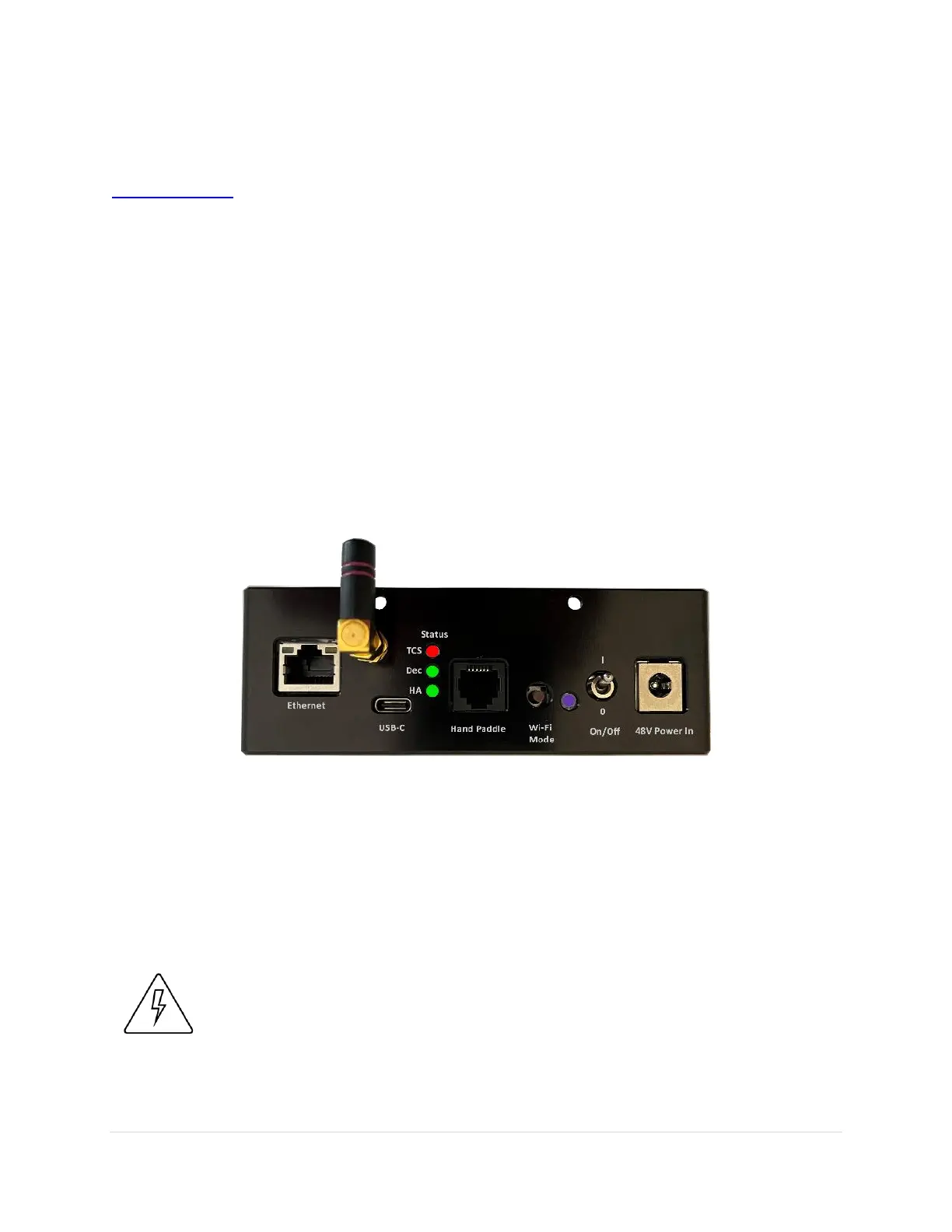
The Electronics Box includes the mount power switch, USB-C input, status lights, ports that can be used
to run power through the mount to the Instrument Panel, .
Figure 29: Electronics Box components.
Electronics Box Components
External Power (Power In)
This 4-pin DC power connector can be used to run up to 20V 7.5 amps DC maximum power through the
mount to the Instrument Panel. See “Powering Devices (Yellow XT60 Ports)” on page 62 for specifications
for this connector and the internal cabling.
The Paramount External power ports and through the mount cabling
are intended to be used with direct current (DC) power sources only.
Never power devices through the mount with an alternating current
(AC) power source.



 To Next Page