Paramount GEM User Guide
160 | P a g e
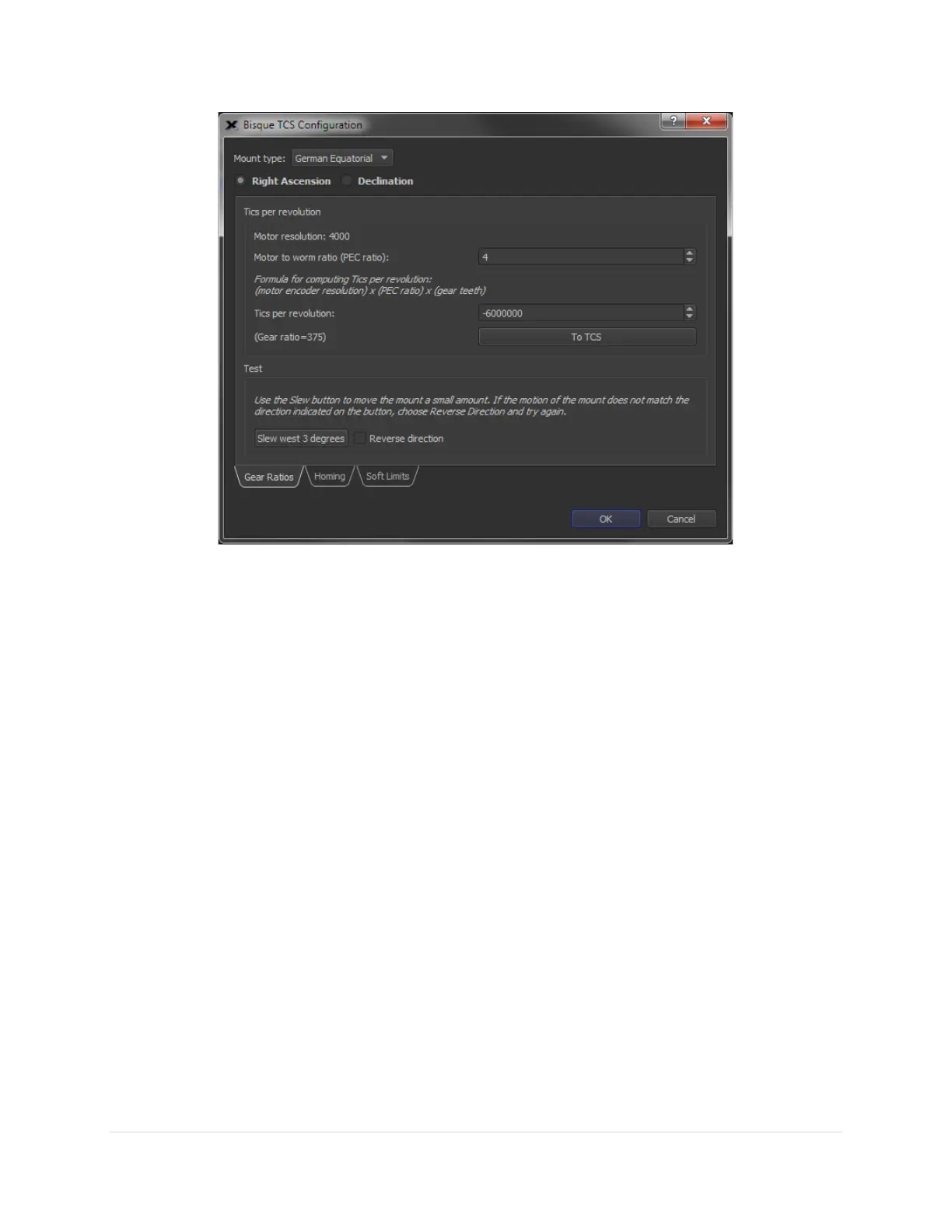
Figure 81: The Bisque TCS Configuration window is used to configure control-system specific settings for custom mounts.
On-Axis Encoders Tab
Paramount Series 6 models are available with absolute, on-axis encoders. Absolute on-axis encoders offer
the following benefits:
• Eliminate the need to home the mount
• Effectively eliminate periodic error caused by the worms and pulleys
• Produce exceptional telescope models with fewer pointing calibration samples
The On-Axis Encoder tab provides a report that shows the status of the on-axis encoders, and the angular
difference between motor’s encoders and the on-axis encoders. These values can be helpful for
troubleshooting on-axis encoder issues.
Using ProTrack™
ProTrack™ is TPoint-specific software and Paramount-specific hardware technology that improves the
Paramount’s tracking accuracy. ProTrack uses a pointing model to periodically issue small corrections
telescope’s position that compensate for mechanical tracking errors, such as tube flexure and out of round
gears as well as other systematic errors, such as atmospheric refraction and flexure of the declination axis.
This same tracking enhancement technology is used on many of the world’s largest telescopes, such as
the 8-meter Gemini telescope.
ProTrack gives amateur astronomers the ability to take long unguided exposures (up to 15 minutes or
longer at 100-inch focal length are possible) with pinpoint stars. Unguided exposures of this duration at



 To Next Page