Paramount GEM User Guide
157 | P a g e
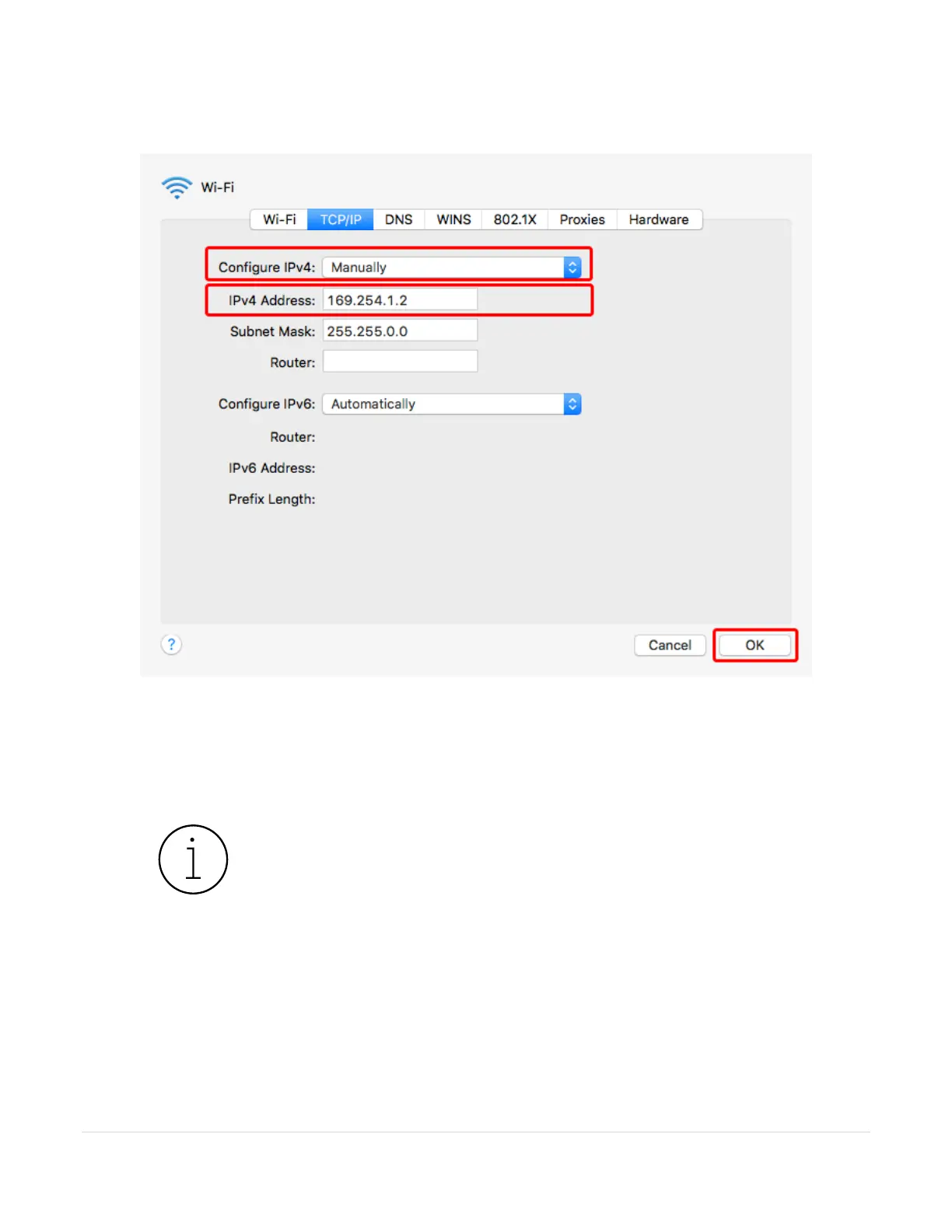
7. Important! Click the Advanced button on the Network window to manually configure the networks
settings.
Figure 78: Manually configure the network's IP address.
a. Choose Manually from the Configure IPv4 pop-up menu.
b. Enter 169.254.1.2 for the IPv4 Address and click OK.
8. Click the Apply button to join this ad hoc network.
Joining the Paramount’s ad hoc network can take a minute or so. While
the device is connecting to the network, the Status text on the Network
window reads, Wi-Fi does not have an IP address and cannot connect to
the Internet.
Once connection is established, the status message reads, Wi-Fi has the
self-assigned IP address 169.254.1.2 and will not be able to connect to the
Internet.



 To Next Page