Paramount GEM User Guide
158 | P a g e
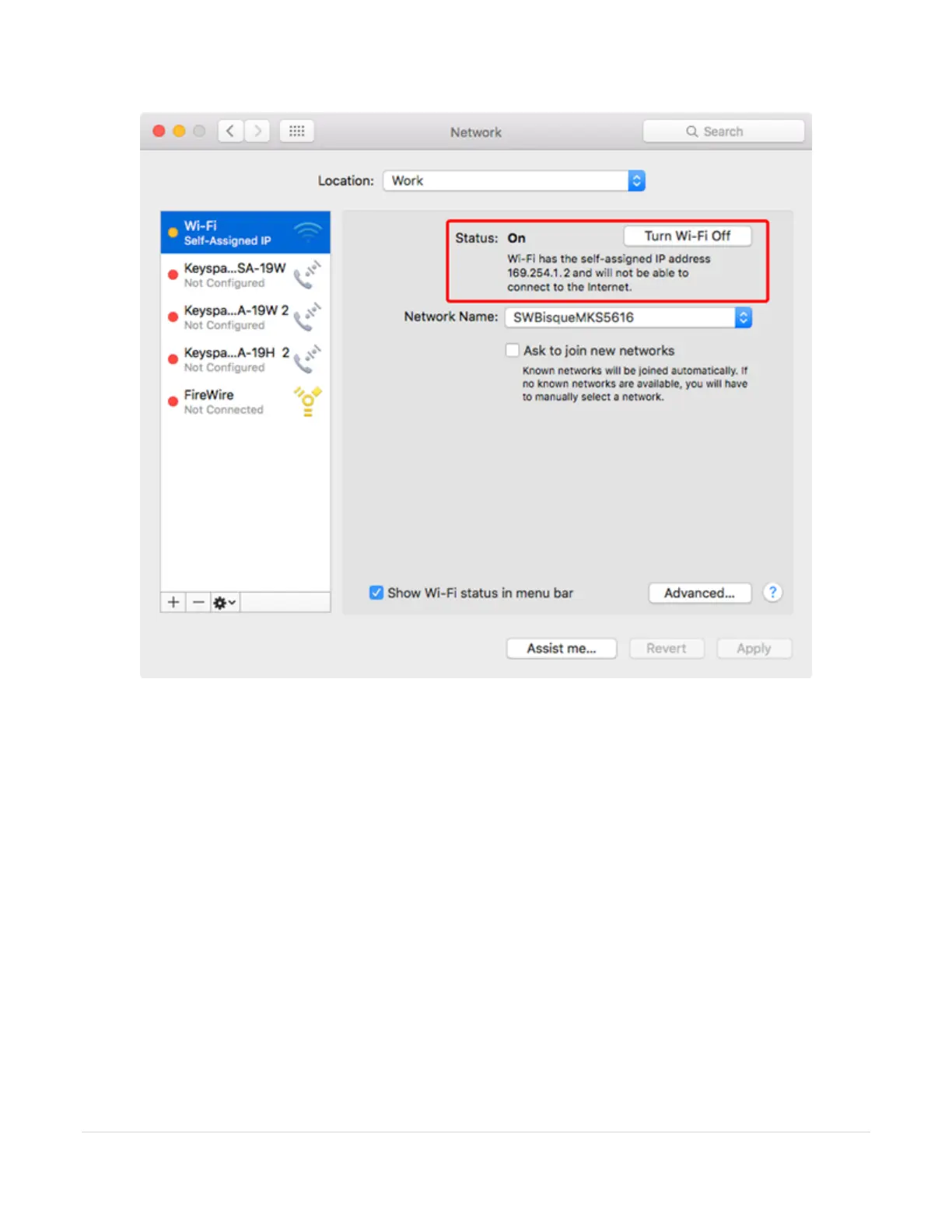
Figure 79: The Status text shows the IP address that is assigned to the ad hoc network.
The Mac is now successfully connected to the WiSky’s ad hoc network. The next step is to configure
TheSky Pro to communicate with the mount through the WiSky’s IP address on this ad hoc network.
9. If necessary, from TheSky Pro, click the Connect command from the Telescope window to terminate the
USB-based connection with the Paramount.
10. Click the Telescope Setup command from the Telescope window, then click the Settings command from
the Mount Setup pop-up menu.
11. On the Serial Device window, choose TCP/IP from the Serial Device list.
12. For the TCP/IP Host enter 169.254.1.1 (a unique address on the ad hoc network; do not use the IPv4
address that was used to connect the Mac computer to the network), and enter 2000 for the TCP/IP
port, then click OK.
13. Choose the Connect command from the Telescope Setup pop-up menu to connect to the Paramount
wirelessly.



 To Next Page