Paramount GEM User Guide
73 | P a g e
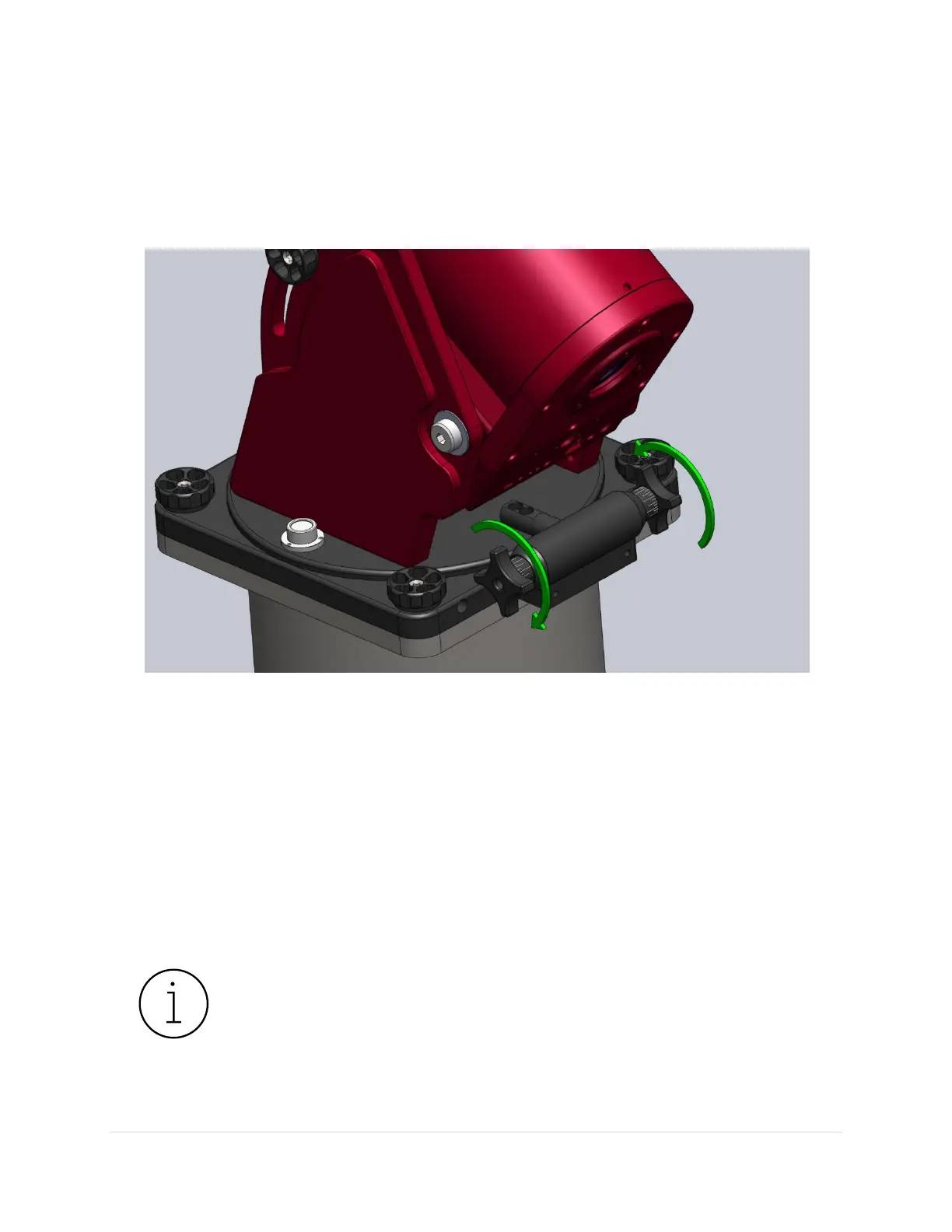
• Rotate both knobs counterclockwise until both are just tight. This effectively squeezes the
rotating bar and serves as a good zero point. To avoid deforming the rotating bar, do not over
tighten the knobs.
• First loosen the knob on the opposite side of the direction of rotation the suggested number of
tics, then tighten the other knob until it is “just tight” again.
Figure 32: Rotate the Azimuth Adjuster Knobs to adjust the azimuth axis (Paramount MX pictured above).
Azimuth Vernier Scale
Both Azimuth Adjuster Knobs include Vernier scales that can be used for refining the position of the
azimuth axis. The longest tic marks represent approximately 4 arcminutes rotation in azimuth. The
medium length marks are approximately 2 arcminutes rotation, and the shortest tics marks are
approximately 1 arcminute.
So, for example, if TPoint’s Polar Alignment Report suggests to “rotate the azimuth axis 180 arcseconds
east,” you would have to rotate the right knob clockwise three tics (about three arcminutes) on the
Vernier scale.
The azimuth axis polar axis adjustment range is plus or minus seven (7) degrees from
center position. To be safe, make sure to orient your permanent pier within three (3)
degrees (or so) of the celestial pole so that polar alignment can be achieved without
having to rotate the permanently mounted pier itself.
• Software Bisque Permanent piers have slotted mounting holes that provide
additional azimuth rotation (plus or minus five degrees from the center position).



 To Next Page