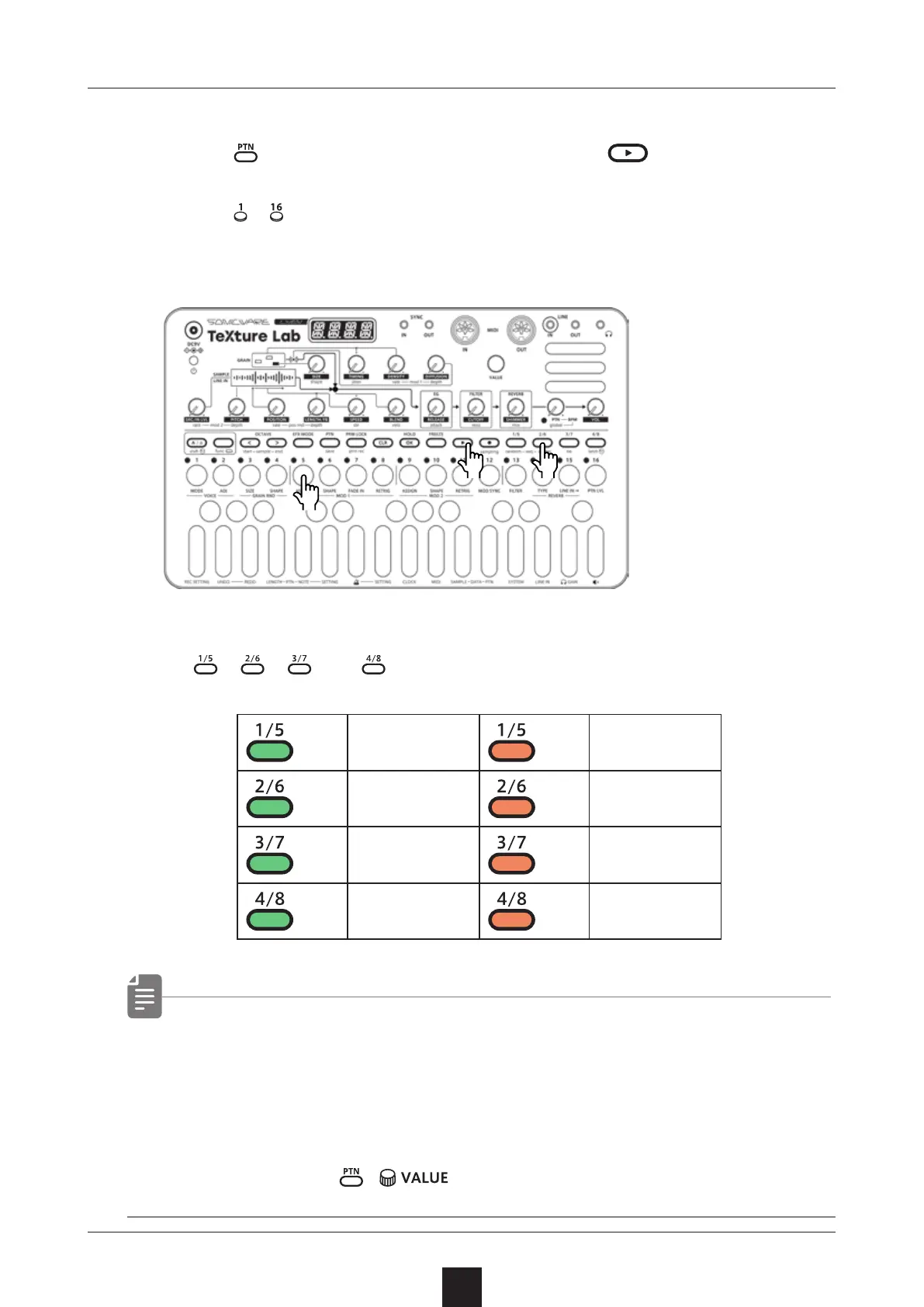
Selecting patterns
1
Press .
2
Press
– .
→ This selects a pattern.
(STEP 1 for pattern 1… STEP 16 for pattern 16)
Selecting pattern 17 and higher
Press 、 、 and after procedure 1 to change the bank, en-
abling selection of pattern 17 and higher.
Bank1 Bank5
Bank2
Bank6
Bank3 Bank7
Bank4 Bank8
• If a dierent pattern is selected during pattern playback, it will
be readied but will not start playing immediately.
Playback will switch to the selected pattern after the playing
pattern completes.
• After pressing
, can also be used to select patterns.
Playing patterns
3
Press .
Press it again to stop.
Basic pattern operation
14
●❶●❸
●❷



 To Next Page