26
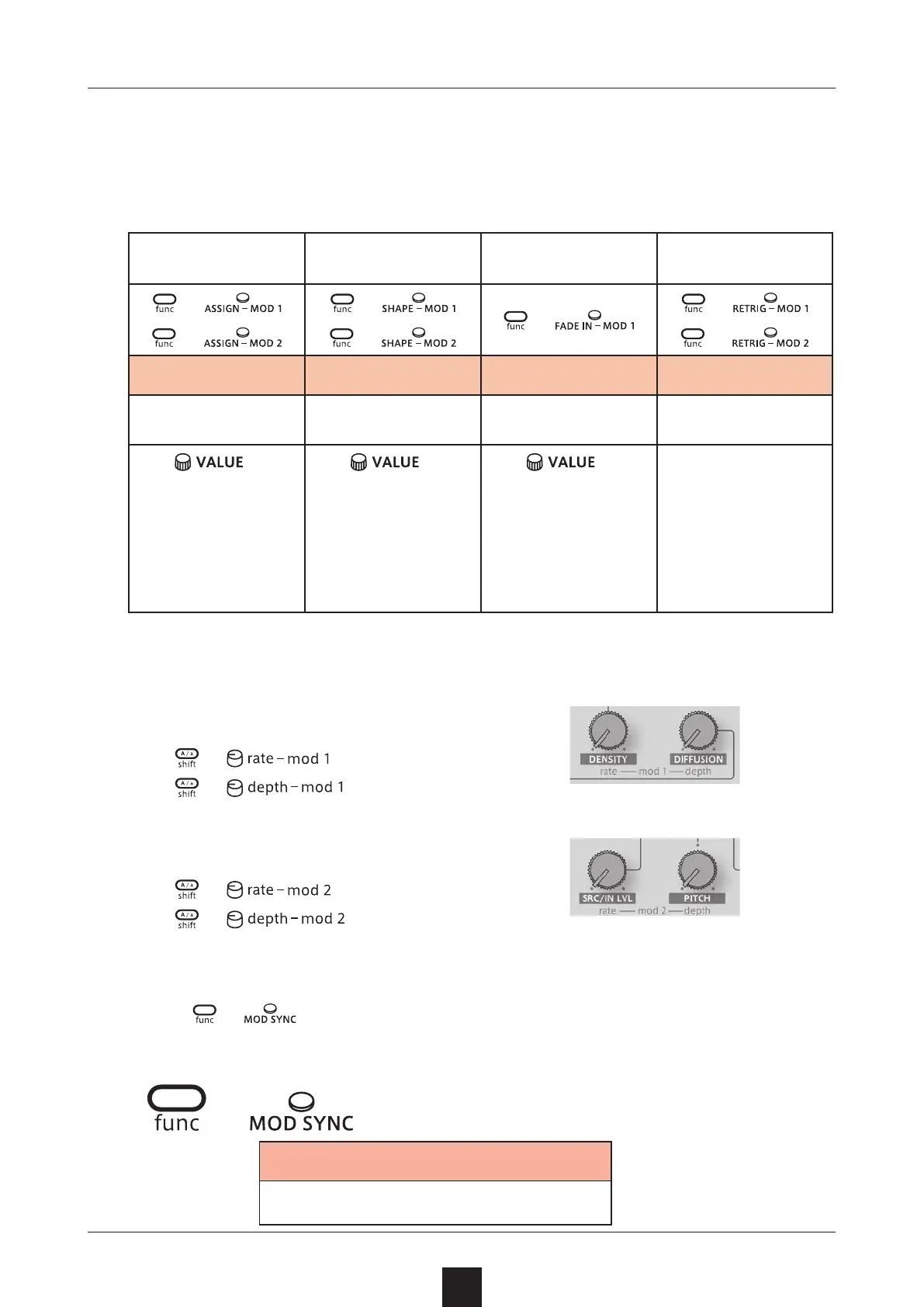
Texture Lab has two modulators that can apply LFOs to various pa-
rameters including grain parameters.
Modulation settings
Adjusting modulation speed and depth
Modulator 1
Use + to adjust the speed.
Use
+ to adjust the depth.
Modulator 2
Use + to adjust the speed.
Use
+ to adjust the depth.
Modulation tempo syncing
Press + to turn on/off tempo syncing for modulation.
When on, the modulation speed can be set to 4/1 – 1/32.
+
Mod Sync
4/1 – 1/32
Modulation
Modulation desti-
nation parameter
LFO waveform Fade-in time Retriggering
+
+
+
+
+
+
+
Assign LFO Shape Fade In Retrigger
See the list on the
next page
See the list on the
next page
0 – 127 ON, OFF
Use
to se-
lect the parameter
to be modulated.
Use
to
select the LFO
waveform to use for
modulation.
Use
to set
the time until the
modulation starts
(0 – 8000 millisec
-
onds).
MOD 2 does not
have this parame
-
ter.
This turns retrig
-
gering on/off.



 To Next Page