Creating sequences – Direct recording
49
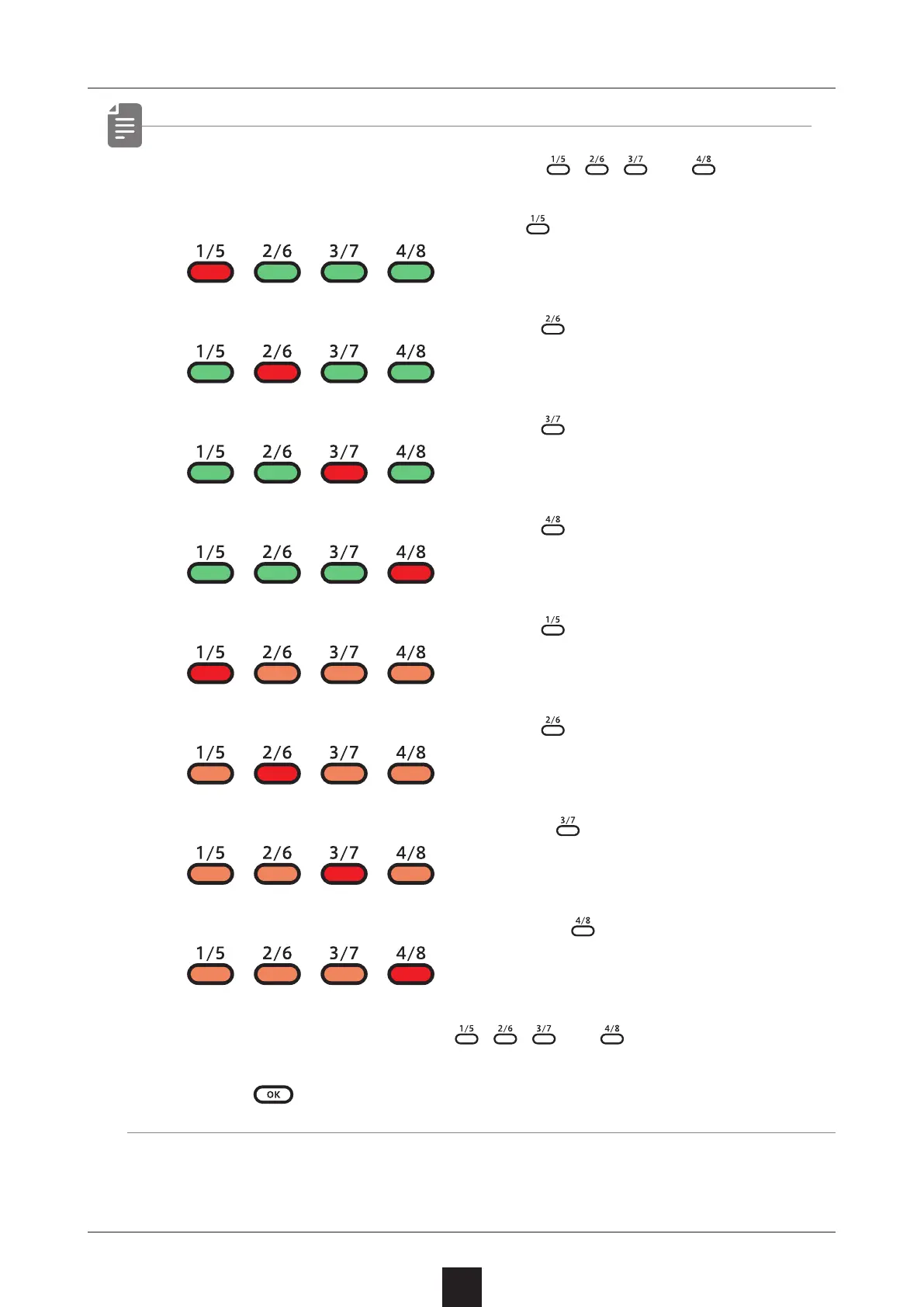
• After procedure number one, press 、 、 and to select
steps 17 and higher.
To select steps 1–16, press the button.
To select steps 17–32, press the button.
To select steps 33–48, press the button.
To select steps 49–64, press the button.
To select steps 65–80, press the button twice.
To select steps 81–96, press the button twice.
To select steps 97–112, press the button twice.
To select steps 113–128, press the button twice.
• During playback, pressing 、 、 and will lock the page
shown.
Press to unlock the page.



 To Next Page