— 5 —
SERVICE NOTE
1. POWER SUPPLY DURING REPAIRS
In this unit, about 10 seconds after power is supplied (4.2V) to the
battery terminal using the regulated power supply, the power is shut
off so that the unit cannot operate.
This following two methods are available to prevent this. Take note
of which to use during repairs.
Method 1.
Connect the servicing remote commander RM-95 (J-6082-053-B)
to the LANC jack, and set the remote commander switch to the
“ADJ” side.
Method 2.
Use the AC power adaptor.
2. HOW TO TAKE A CASSETTE OUT
WHEN THE MAIN POWER CANNOT
BE TURNED ON
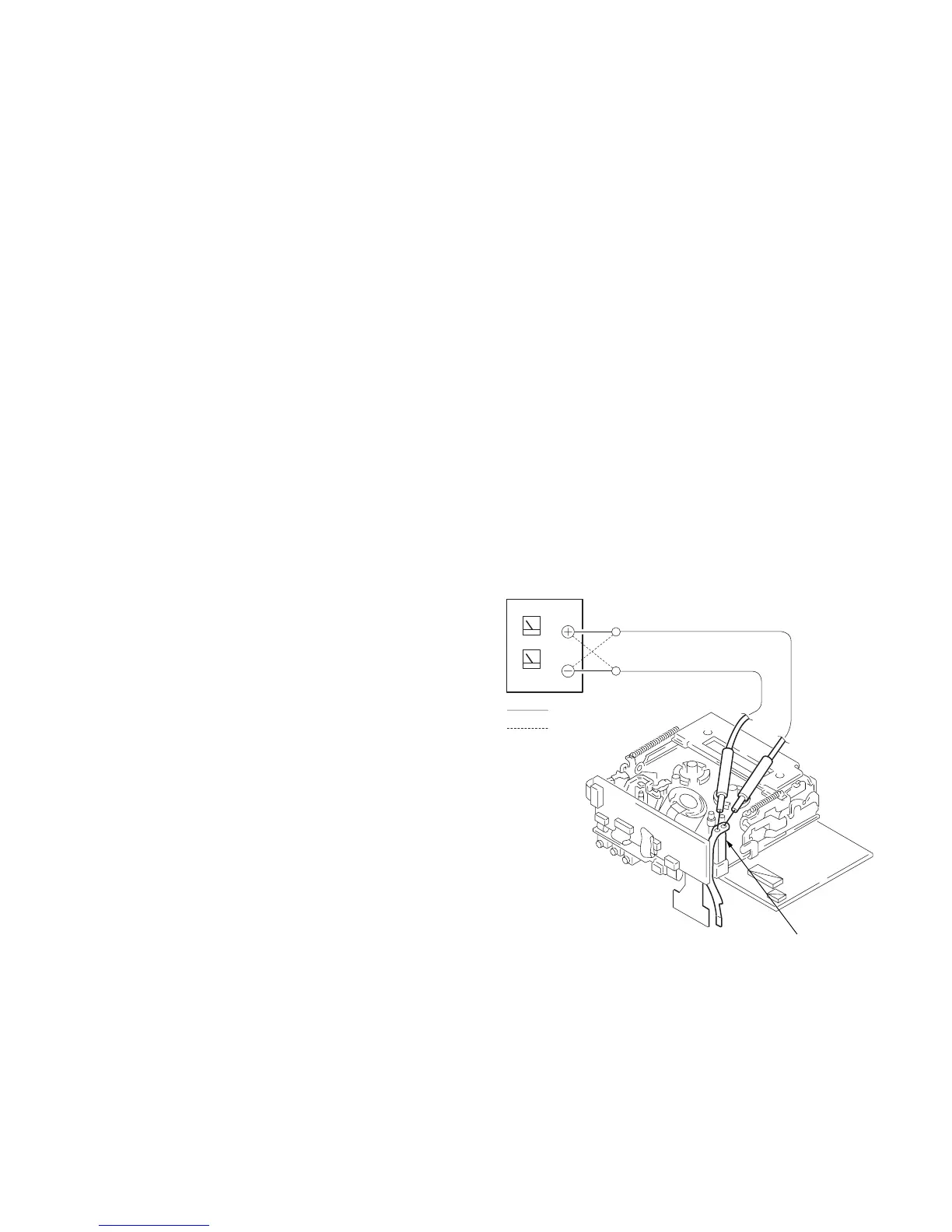
Note: To take a cassette out forcibly as follows when the main power
cannot be turned on, remove the cabinet (L) assembly. Apply +4.5
V power from an external power supply to the loading motor, as
shown below. Refer to sections 2-1 and 2-2 for the procedure to
remove the cabinet (L) assembly.
Procedure:
1) Disconnect the CN2504 of the MR-40 board.
2) Apply +4.5 V directly to the loading motor as shown to drive
the loading motor that ejects a cassette.
:unloading
:loading
Loading motor



 To Next Page