5-4
1-1-3. Precaution
1. Setting the Switch
Unless otherwise specified, set the switches as follows and perform
adjustments without loading cassette.
1. POWER switch (FK4780) ..................................... CAMERA
2. DEMO MODE (Menu display) .......................................OFF
3. DIGITAL ZOOM (Menu display) ...................................OFF
4. STEADY SHOT (Menu display) .....................................OFF
5. DISPLAY (ME4780) ........................................................ ON
6. DISPLAY (Menu display) ................................. V-OUT/LCD
7. FOCUS (FK4780) ................................................. MANUAL
8. DIGITAL EFFECT (ME4780).........................................OFF
9. PROGRAM AE (Menu display) .................................. AUTO
10. PICTURE EFFECT (Menu display) ................................OFF
11. WHITE BALANCE (Menu display) ........................... AUTO
12. AUTO SHUTTER (Menu display) ..................................OFF
13. 16 : 9 WIDE (Menu display)............................................OFF
2. Order of Adjustments
Basically carry out adjustments in the order given.
H
A=B
C=D
AB B
CD
A
Enlargement
V
Electronic beam scanning frame
CRT picture frame
B
A
Difference in level
Yellow
Cyan
Green
White
Magenta
Red
Blue
Yellow
Cyan
Green
White
Magenta
Red
Blue
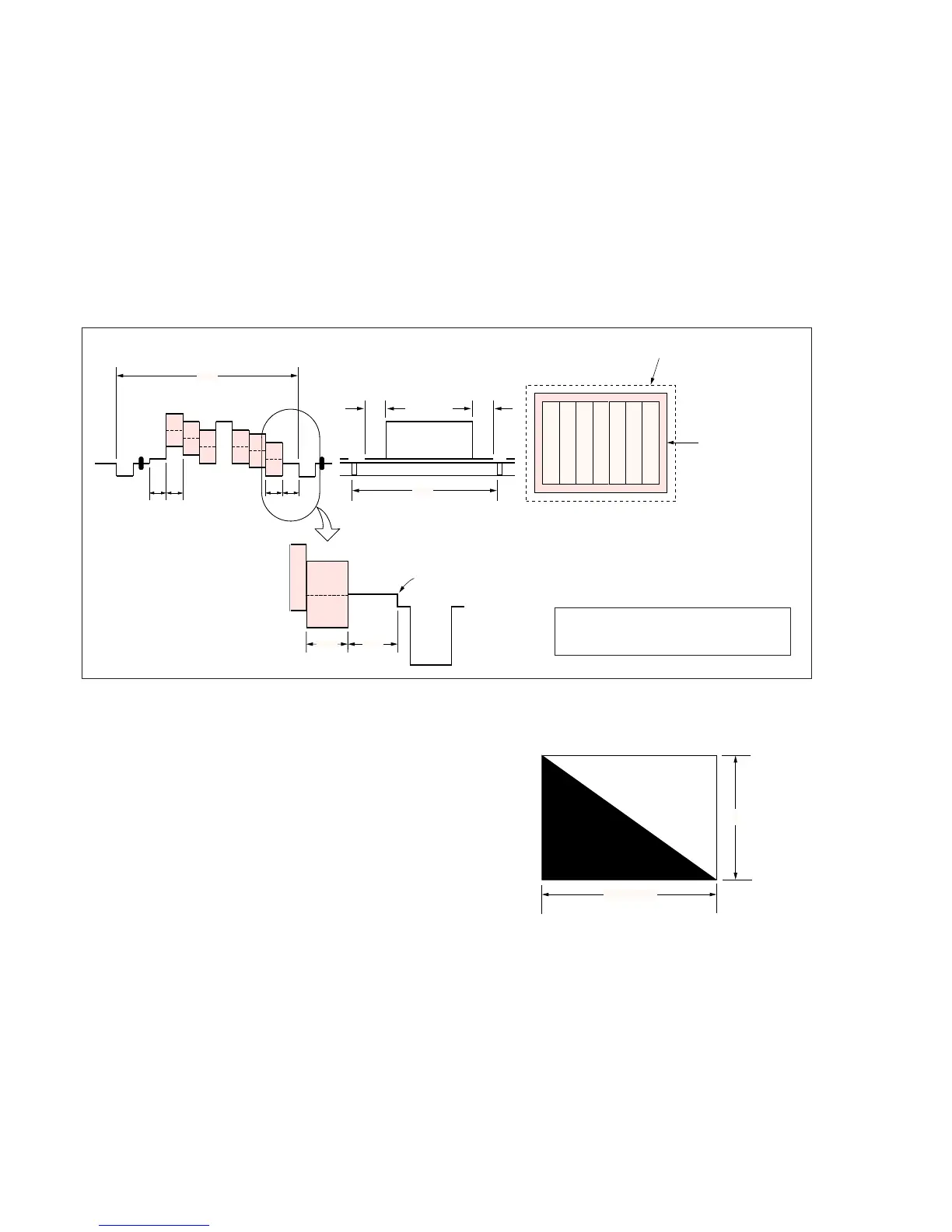
Color bar chart standard picture frame
Fig. a
(VIDEO IN/OUT terminal
output waveform)
Fig. b (monitor TV picture)
Adjust the camera zoom and direction to
obtain the output waveform shown in Fig. a
and the monitor TV display shown in Fig. b.
Fig. 5-1-4
3. Subjects
1) Color bar chart (Standard picture frame)
When performing adjustments using the color bar chart, adjust
the picture frame as shown in Fig. 5-1-4 with the equipment
setup shown in Fig. 5-1-2. (Standard picture frame)
2) Clear chart
Remove the color bar chart from the pattern box and insert a
clear chart in its place after the “Color bar chart standard picture
frame” is established. (Do not perform zoom operations after
the “Color bar chart standard picture frame” is established.)
3) Flange back adjustment chart
Make the chart shown in Fig. 5-1-5 using A0 size (1189 mm ×
841 mm) black and white vellum paper.
White
Black
841m



 To Next Page