3-31
DSR-2000/2000P
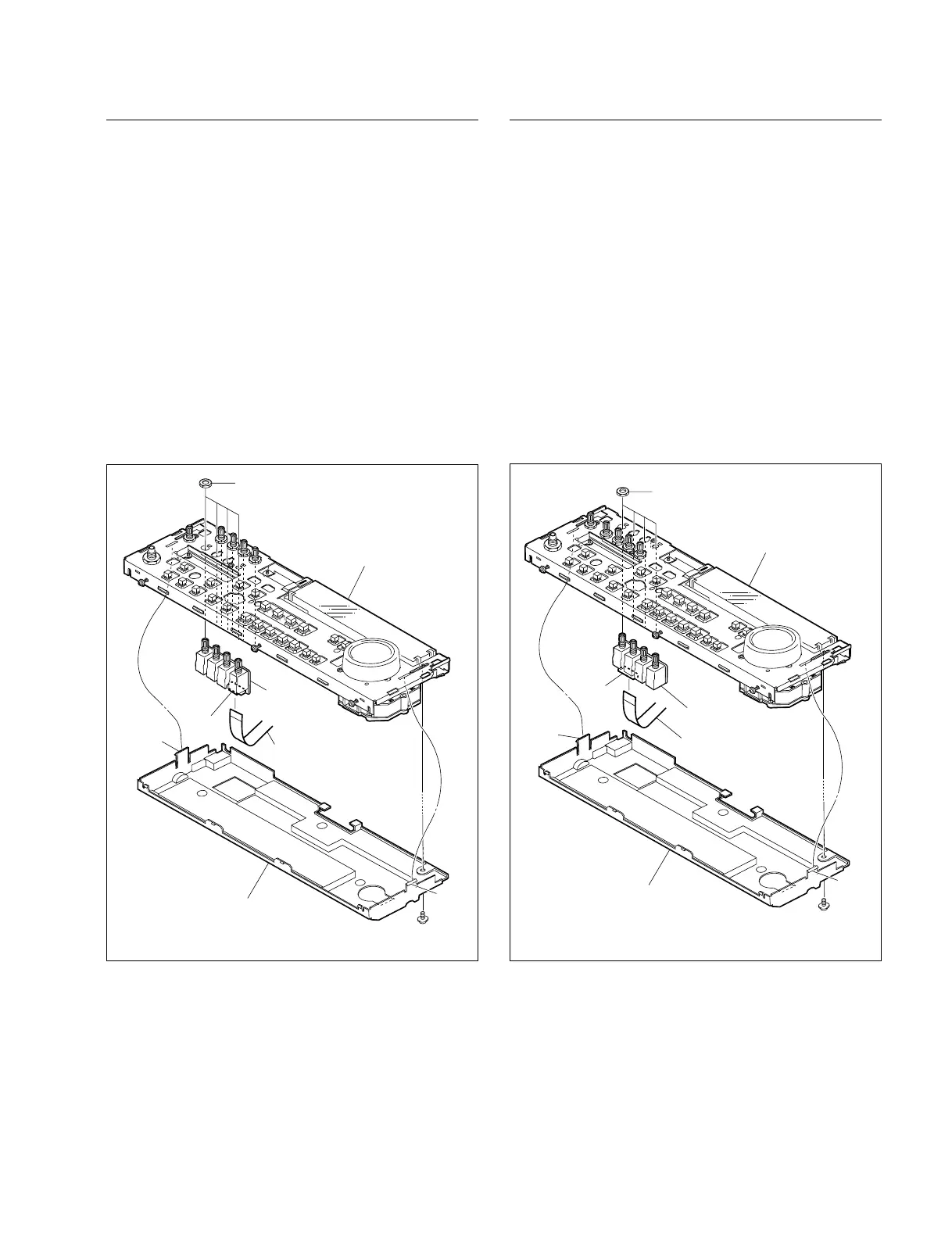
Removal/Reattachment of the VR-259 board
(1) Remove the control frame assembly. Refer to this
section Removal/Reattachment of the HP-99 board,
steps (1) to (4).
(2) Remove the screw (PWH3 x 6) and release the two
claws from the rear side, and remove the KY cover.
(3) Disconnect the flexible card wire from the connector
(CN1) of the VR-259 board.
(4) Remove the four nuts to remove the VR-259 board.
n
Support the VR-259 board from the rear side when
removing the nuts.
(5) Reattach the VR-259 board in the reverse order of the
removing steps (1) to (4).
Removal/Reattachment of the VR-260
(1) Remove the control frame assembly. Refer to this
section Removal/Reattachment of the HP-99 board,
steps (1) to (4).
(2) Remove the screw (PWH3 x 6) and release the claws
from the rear side and remove the KY cover.
(3) Disconnect the flexible card wire from the connector
(CN1) of the VR-260 board.
(4) Remove the four nuts to remove the VR-260 board.
n
Support the VR-260 board form the rear side when
removing the nuts.
(5) Reattach the VR-260 in the reverse order of the
removing steps (1) to (4).
Screw
PWH3 x 6
Claw
KY cover
Flexible card wire
Attached nuts
Claw
Control frame assembly
VR-259 board
CN1
Screw
PWH3 x 6
Claw
KY cover
Flexible card wire
Attached nuts
Claw
Control frame assembly
VR-260 board
CN1
3-5. Removal/Reattachment of the Boards



 To Next Page