5-38
DSR-2000/2000P
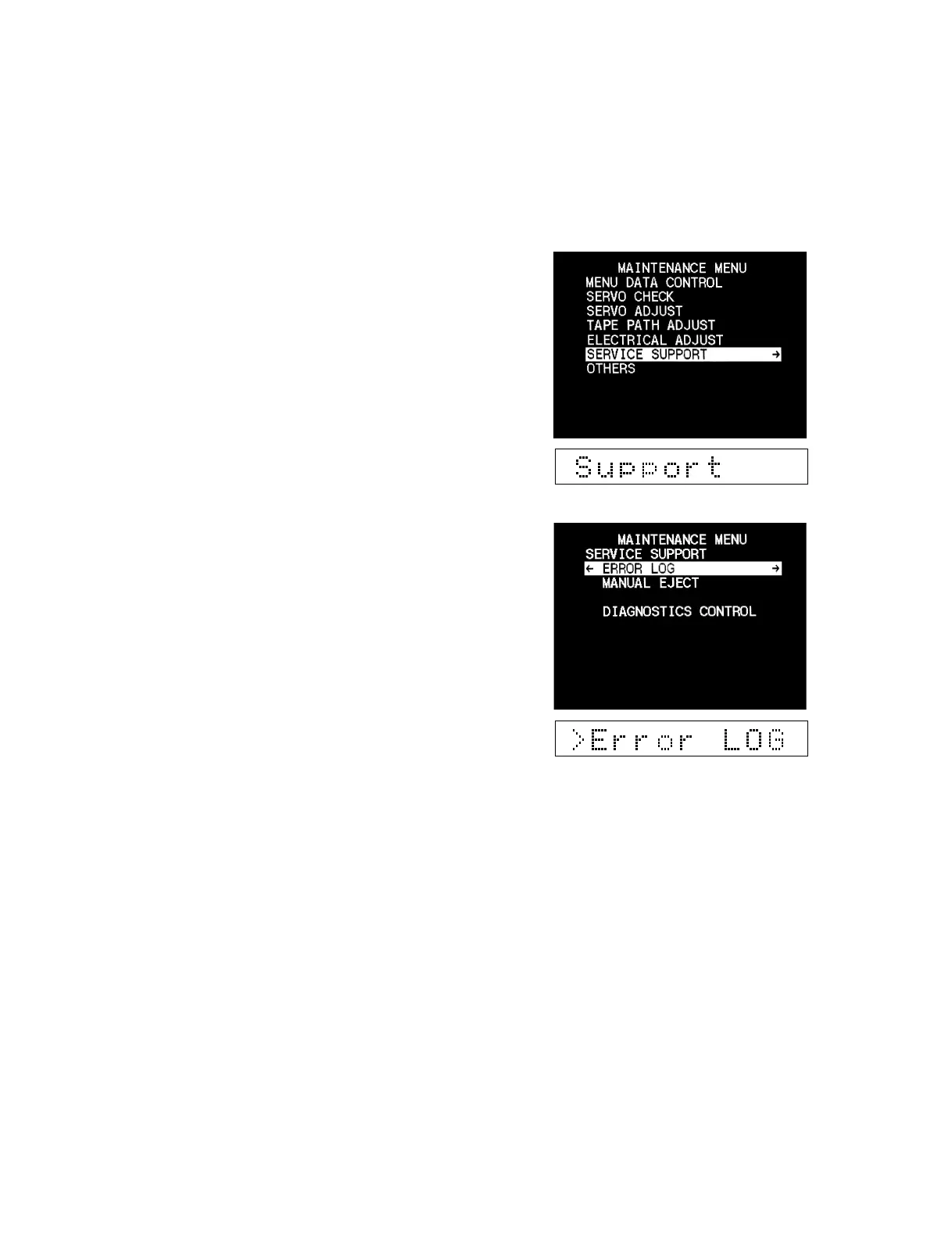
5-3-6. Service Support
Displays the error codes and error contents which occurred in the
past and provides the diagnosis.
Operating procedure
1. Enter the maintenance menu.
2. Move the cursor to “SERVICE SUPPORT” which is displayed
with a white background using the [AUDIO|IN] (↑), [IN] (↓)
keys.
3. Press the [ENTRY] (→) key.
“SERVICE SUPPORT” is selected and its lower layer sub-
menu appears.
4. Move the cursor displayed with a white background to a
desired item using the [AUDIO|IN] (↑), [IN] (↓) keys.
5. Press the [ENTRY] (→) key to select the desired item.
(Refer to the respective menu description for the check
procedure.)
6. After completing the check, press the [MENU] key to return
to the main menu.
7. To check other menus and submenus, repeat steps 4 to 6.
8. Press the [MENU] key to exit the maintenance menu.
5-3. Contents of Maintenance Menu
5-3-6. Service Support



 To Next Page