5-34
DSR-2000/2000P
or
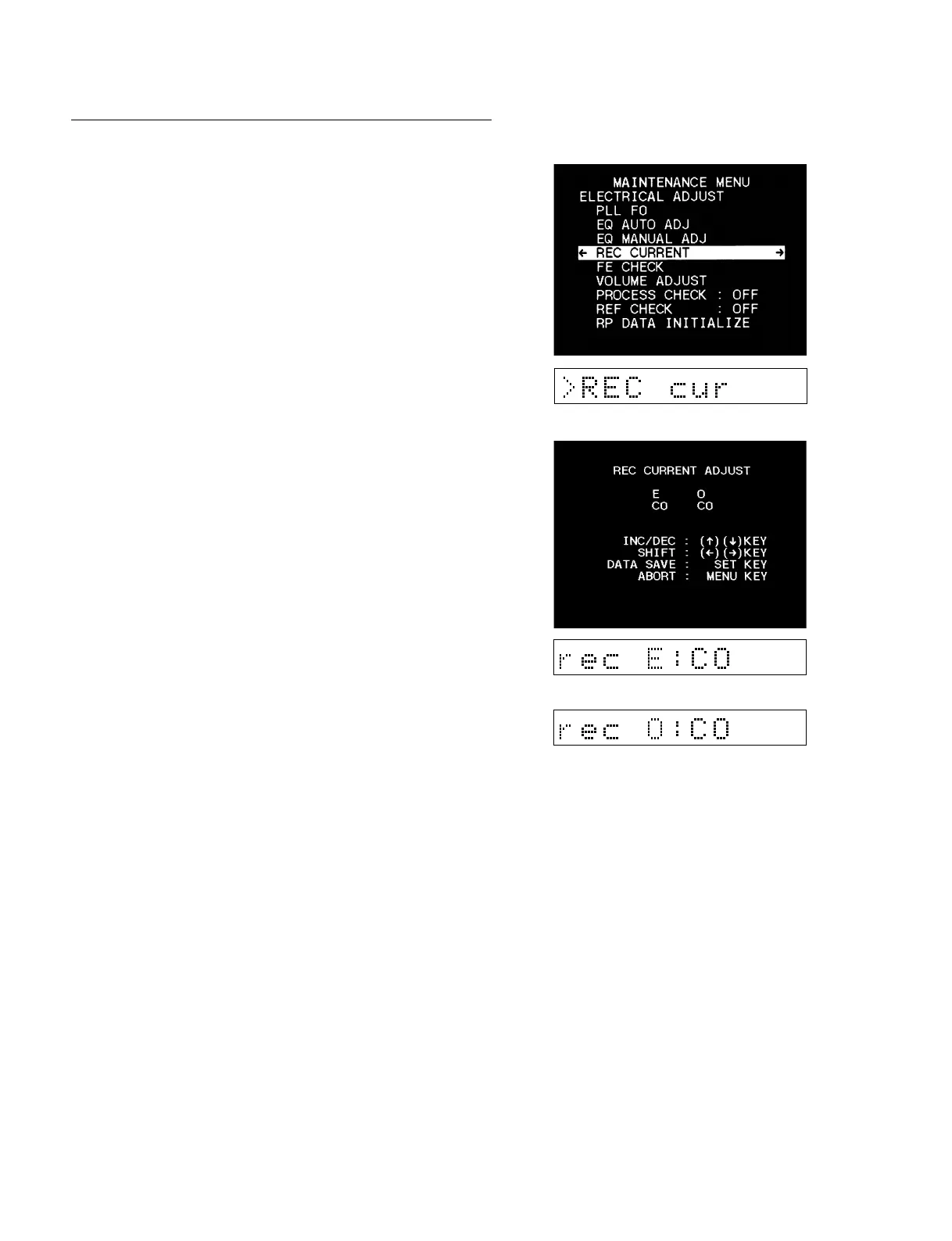
4. REC CURRENT
1. Selected the REC CURRENT.
2. Press the [AUDIO|IN] (↑), [IN] (↓) keys and the [DELETE]
(←), [ENTRY] (→) keys to adjust the data to “C0”.
3. Press the [SET] key to save the data.
5-3. Contents of Maintenance Menu
5-3-5. Electrical Adjust



 To Next Page