8-2
DSR-2000/2000P
3. Information to use the tracking alignment tape (XH2-1AST)
Check the following items before entering the tracking adjustment mode.
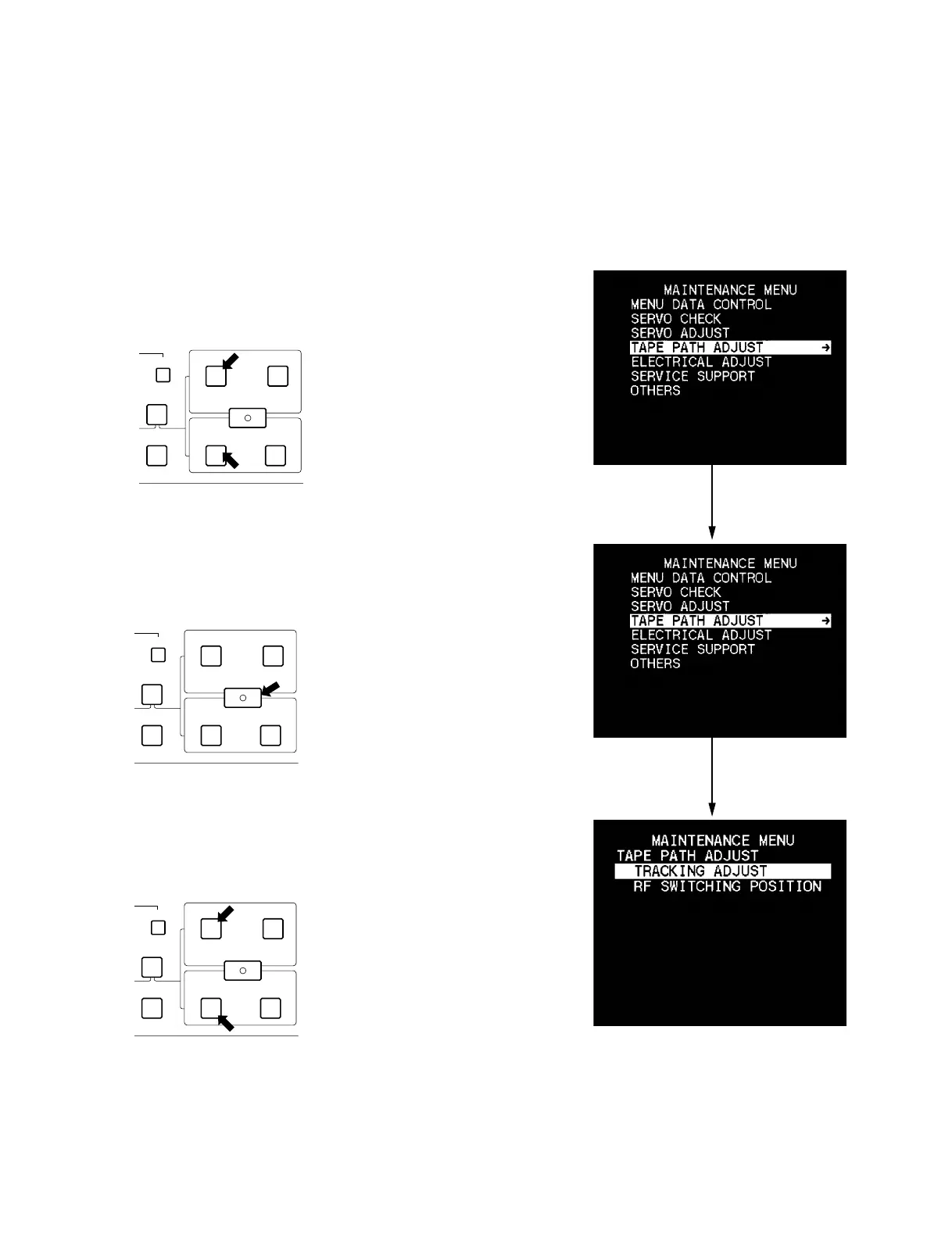
. How to enter the maintenance menu, refer to Section 5-2-2.
. How to exit the maintenance menu, refer to Section 5-2-3.
4. Operating procedures of tracking adjustment
(1) Enter the maintenance menu.
(2) Move the cursor to “TAPE PATH ADJUST” which is
displayed with a white background using the
[AUDIO|IN] (9) or [IN] (0) key.
(3) Press the [ENTRY|SHIFT] (8) key.
This selects “TAPE PATH ADJUST” and menu of the
lower level directory appears.
(4) Move the cursor to “TRACKING ADJUST” which is
displayed with a white background using the
[AUDIO|IN] (9), or [IN] (0) key.
DELETE
ENTRY SHIFT
AUDIO
TC
IN OUT
IN OUT
CH-4
REVIEW
EDIT
(9)
(0)
DELETE
ENTRY SHIFT
AUDIO
TC
IN OUT
IN OUT
CH-4
REVIEW
EDIT
(8)
DELETE
ENTRY SHIFT
AUDIO
TC
IN OUT
IN OUT
CH-4
REVIEW
EDIT
(9)
(0)
8-1. General Information for Tape Path Adjustment



 To Next Page