28
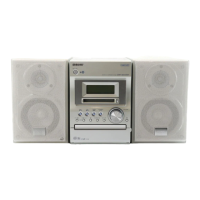
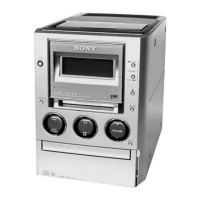
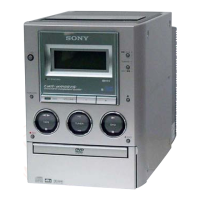
HCD-M333
SECTION 4
TEST MODE
1. Cold Reset
•The cold reset clears all data including preset data stored in the RAM to initial conditions. Execute this mode when returning the set to
the customers.
Procedure:
1. Press the ?/1 button to turn the power on.
2. Press three buttons x , ENTER/START and ?/1 simultaneously.
3. When this button is operated, all of the settings are reset. Then the POWER is turned off and the watch display appears.
2. Panel Test Mode
•This mode is used to check the software version, LCD, LED and keyboard.
Procedure:
1. Press the ?/1 button to turn on the power.
2. Press the FUNCTION button to enter mode other than “TUNER”.
3. Press three bottons x , ENTER/START and TUNER/BAND simultaneously.
4. When the panel test mode is activated, LEDs and LCD segments are all turned on.
2-1. Version check
1. When entering panel test mode, press the FM MODE/REPEAT button. The model name (“M333NT”) and destination are displayed,
and the MD , CD and TAPE segments flash.
2. Each time the FM MODE/REPEAT button is pressed, the display changes “MC, GC, CD, CDD, CDMA, CDMB, BDA, BDB, ST,
TA, TM, TC and MD” (returns to MC) in this order, and returns to the top of the version display.
3. When the REC MODE button is pressed while the version numbers are being displayed, year, month and day of the software
creation appear. When the REC MODE button is pressed again, the display returns to the software version display.When
the FM MODE/REPEAT button is pressed while year, month and day of the software creation are being displayed, the year, month
and day of creation of the software versions are displayed in the same order of version display.
2-2. Key check
1. Press the TUNING MODE/PLAY MODE button, and the key check mode is activated. In the key check mode, the LCD displays “K
0 J 0 V 0”. Each time a button is pressed, “K 0” value increases. However, once a button is pressed, it is no longer taken into
account. It is end at “K21J 0V 0”.
A turn of VOLUME knob changes value of “V” between 0 and 9. If it turns to the right, a value will increase, and if it turns to the
left, a value will decrease.
2. To exit from this mode, press three buttons in the same manner as step 3, or disconnect the power cord.
Note 1:About “R”
As this unit has only a few buttons, some operations require the use of remote commander (RM-SM100W/provided with unit) buttons. These
operations are indicated as “R” in this manual.
Example: MENU/NO “R” ...Press the MENU/NO button of the remote commander.
Note 2:Incorrect operations may be performed if the test mode is not entered properly.
In this case, press the ?/1 button to turn the power off, and retry to enter the test mode.
3. Common Test Mode
Procedure:
1. Press the ?/1 button to turn the power on.
2. Press three buttons x , ENTER/START and TAPE Y simultaneously.
3. The set goes to the common test mode and the MD and TAPE segments flash.
3-1. Amp Test Mode
1. In the common test mode, every time you press the BASS/TRE “R” button, the following items changes in the order as shown below.
“TONE MAX”
“TONE MIN”
“TONE FLAT”
(BASS/TRE MAX, VOL MAX)
(BASS/TRE MIN, VOL MAX)
(BASS/TRE FLAT, VOL MAX)
2. When the VOLUME knob is turn clockwise or VOLUME + “R” button is pressed, VOLUME goes MAX.
3. When the VOLUME knob is turn counterclockwise or VOLUME – “R” button is pressed, VOLUME goes MIN.
4. To exit from this mode, press the
?/1
button or disconnect the power cord.
3-2. Tape Test
1. Check the set is in the common test mode.
2. Insert a recordable cassette tape.
3. Input audio signal into the analog input (SJ302).
4. Press the z TAPE button.
5. Select the recording direction with the TAPE Y button.
6. Press the X TAPE button to start recording.
7. When the lm – or + ML button knob against the tape recording direction is pressed, the tape returns to the recording
started point and the set starts playback.
8. To exit from this mode, press the ?/1 button or disconnect the power cord.
w
w
w
.
x
i
a
o
y
u
1
6
3
.
c
o
m
Q
Q
3
7
6
3
1
5
1
5
0
9
9
2
8
9
4
2
9
8
T
E
L
1
3
9
4
2
2
9
6
5
1
3
9
9
2
8
9
4
2
9
8
0
5
1
5
1
3
6
7
3
Q
Q
TEL 13942296513 QQ 376315150 892498299
TEL 13942296513 QQ 376315150 892498299
http://www.xiaoyu163.com
http://www.xiaoyu163.com






 To Next Page