13
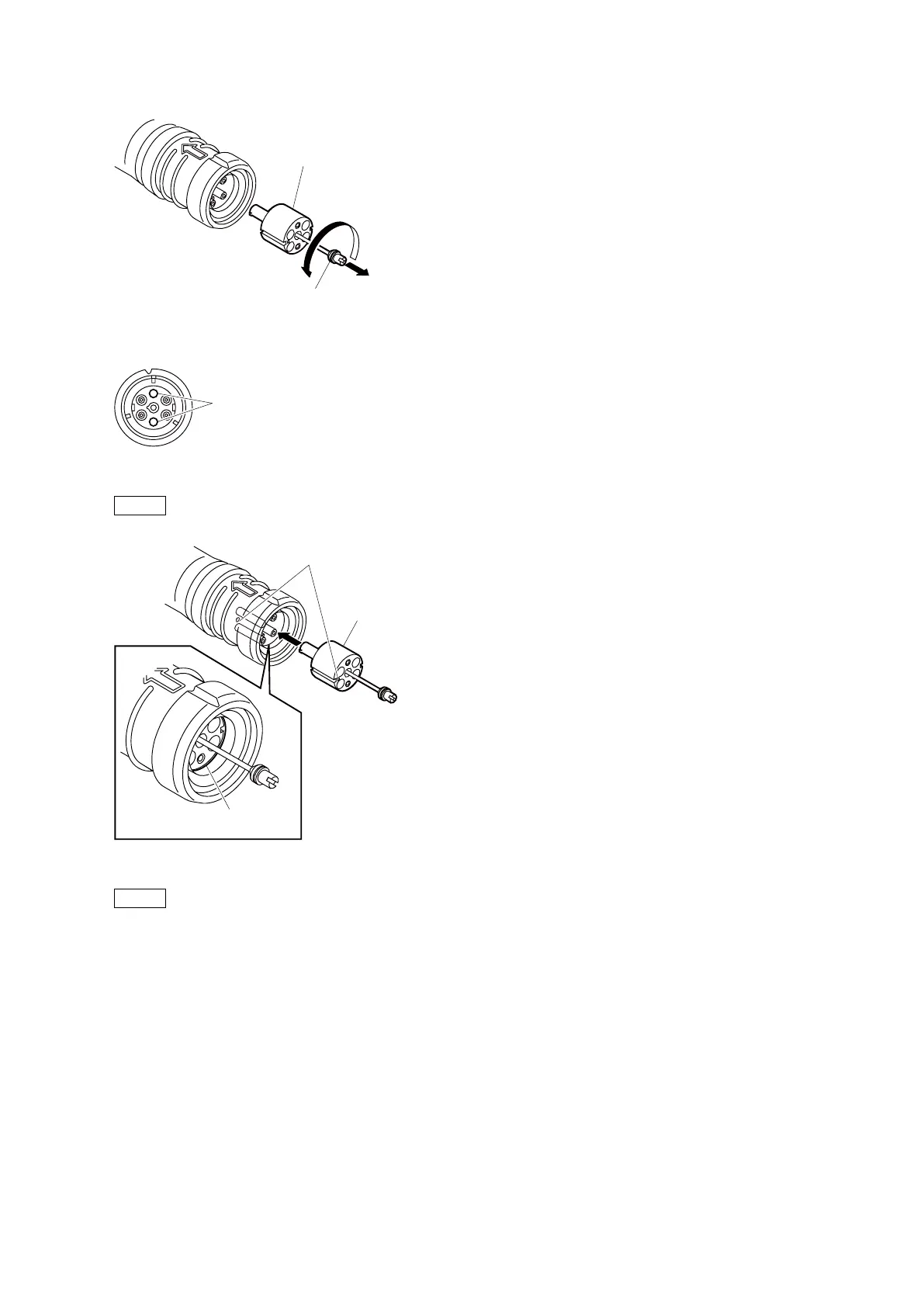
2. Pull the adapter pin out of the connector in the arrow direction. Remove the adapter from the connector.
3. Clean the optical contacts (white) with a cotton swab moistened with alcohol.
4. Match the positioning marks of the adapter and the connector, and then push the adapter into the connector.
Note
Push the adapter until the confirmation groove comes in sight as shown in the figure.
5. Tighten the adapter pin clockwise until being lightly fixed.
Note
Do not fully tighten the adapter pin. (Extent where adapter pin is lightly fixed)
Adapter
Positioning marks
Confirmation
groove



 To Next Page