70
Section 4
Menu Settings
This unit can display the unit status and entire system status on the monitor connected to the SDI output connectors to check or
change settings.
4-1. Preparations
4-1-1. Display/Hide the Status Screen
To display the status screen
Turn the DISP/MENU lever to the DISP side.
Tip
Turning the control knob changes the displayed page.
To exit the status screen display
In status screen display mode, set the DISP/MENU lever to the DISP position.
4-1-2. Starting and Exiting the SERVICE Menu
Starting
1. When the status screen or menu screen is displayed, hide the screen.
• When the status screen is displayed, turn the DISP/MENU lever to the DISP side once.
• When the menu screen is displayed, turn the DISP/MENU lever to the MENU side once.
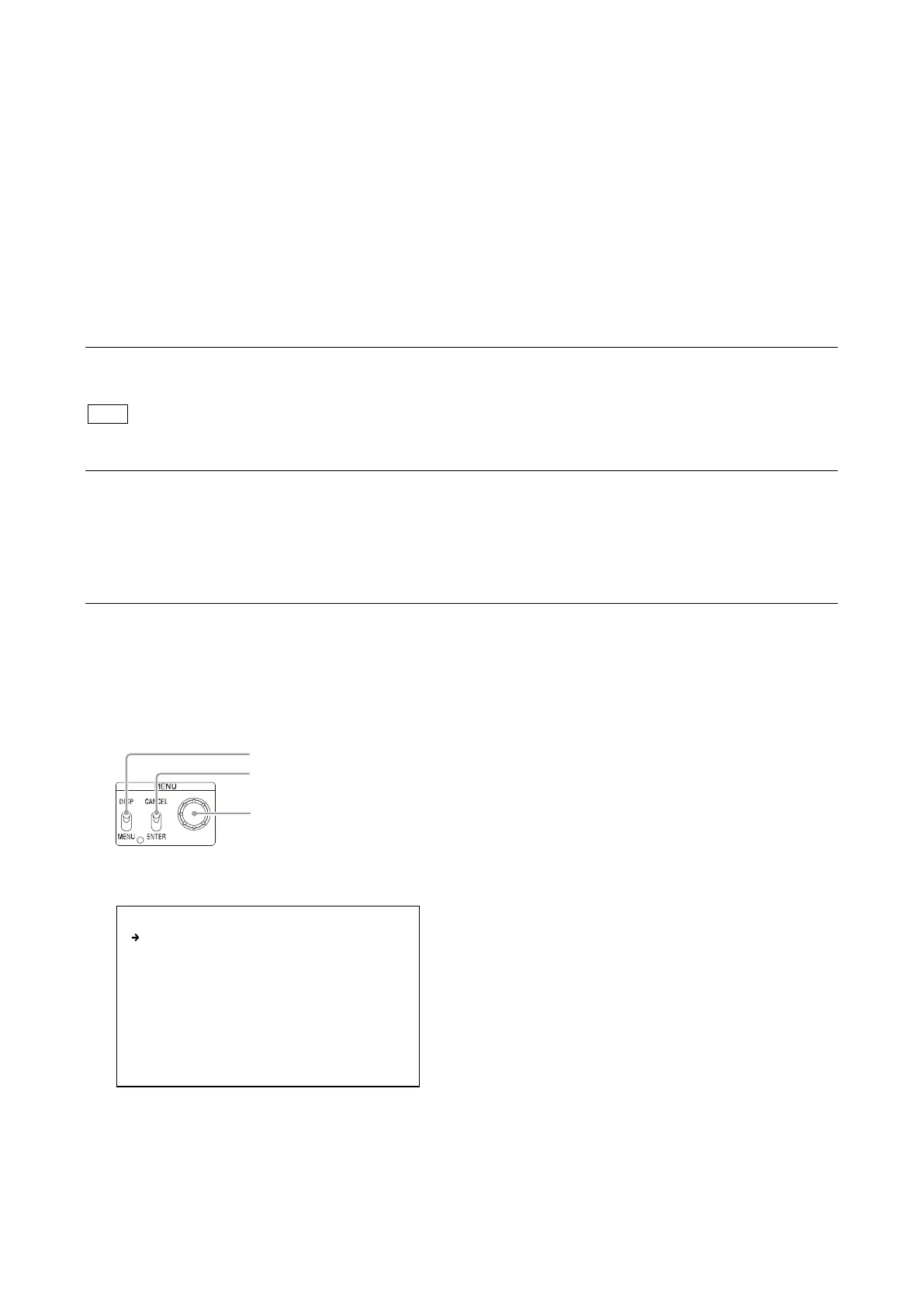
2. While pressing the control knob, turn the CANCEL/ENTER lever quickly to the ENTER side twice.
3. Turn the DISP/MENU lever to the MENU side within two seconds.
4. Check that the following screen appears. If it does not appear, repeat steps 1 to 3.
5. Set the cursor to [SERVICE] and press the control knob.
The SERVICE menu is displayed.
Control knob
CANCEL/ENTER lever
DISP/MENU lever
<CCU MENU>
SYSTEM OPERATION
VIDEO/MONITOR
AUDIO/INTERCOM
MAINTENANCE
FILE
NETWORK
DIAGNOSIS
SERVICE



 To Next Page