52
2-9. DC Fan (60 x 15)
Tip
The following part cannot be reused. When replacing the DC fan (60 x 15), use the new one.
• Fan cushion
Preparation
1. Remove the top cover. (Refer to “2-2. Top Cover”.)
2. Remove the optical multi fiber cable. (Refer to “2-7. Optical Multi Fiber Cables”.)
3. Remove the CN-4132 board. (Refer to “2-8. CN-4132 Board”.)
Procedure
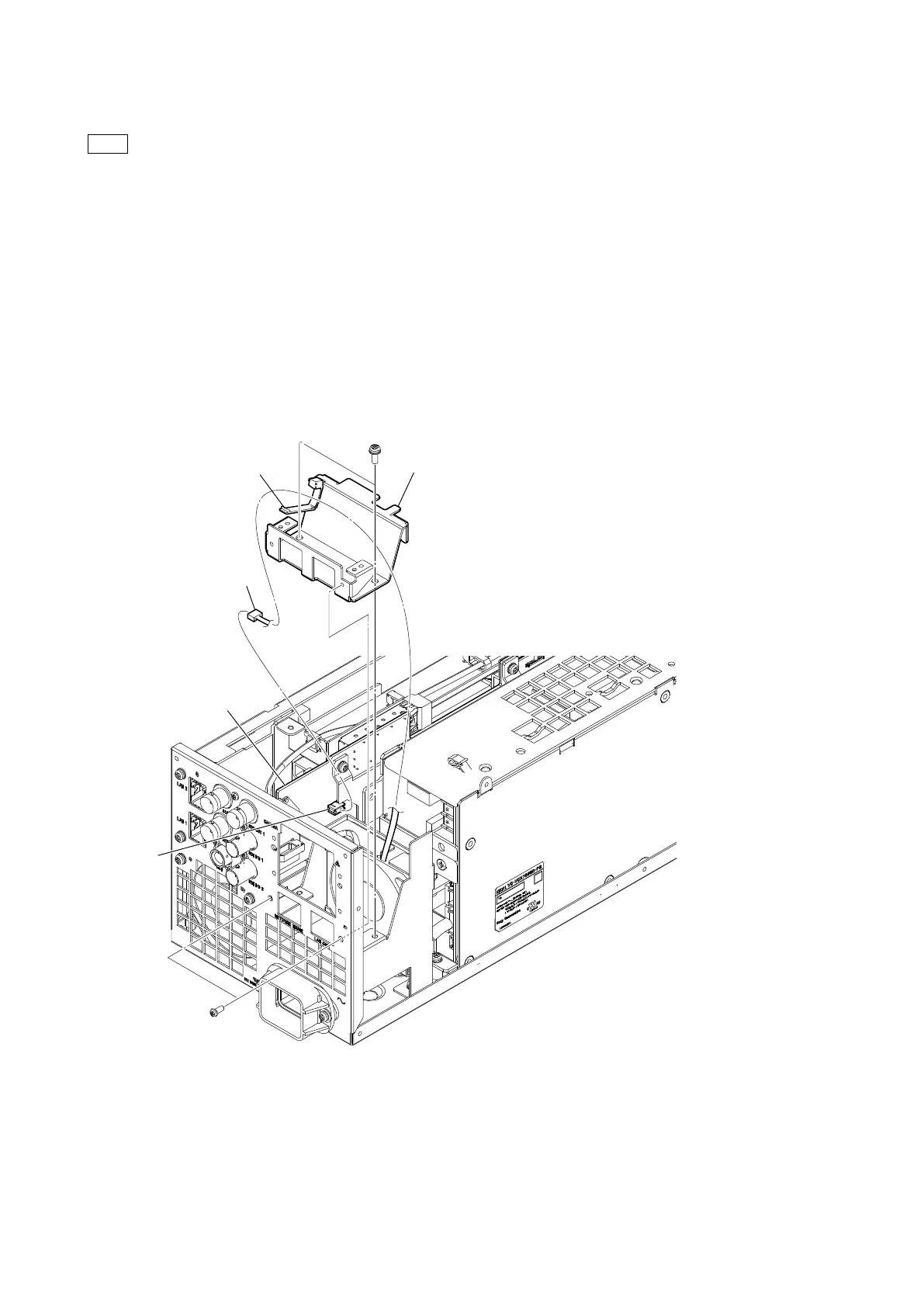
1. Release the harness from the cable clamp.
2. Disconnect the fine-wire coaxial cable from the connector (CN302) on the VIF-82 board.
3. Remove the two screws (PSW3 x 8) and the two screws (P2.6 x 5), and then remove the LAN CN bracket.
PSW
3 x 8
LAN CN bracket
VIF-82 board
P2.6 x 5
CN302
Cable clamp
Harness



 To Next Page