35
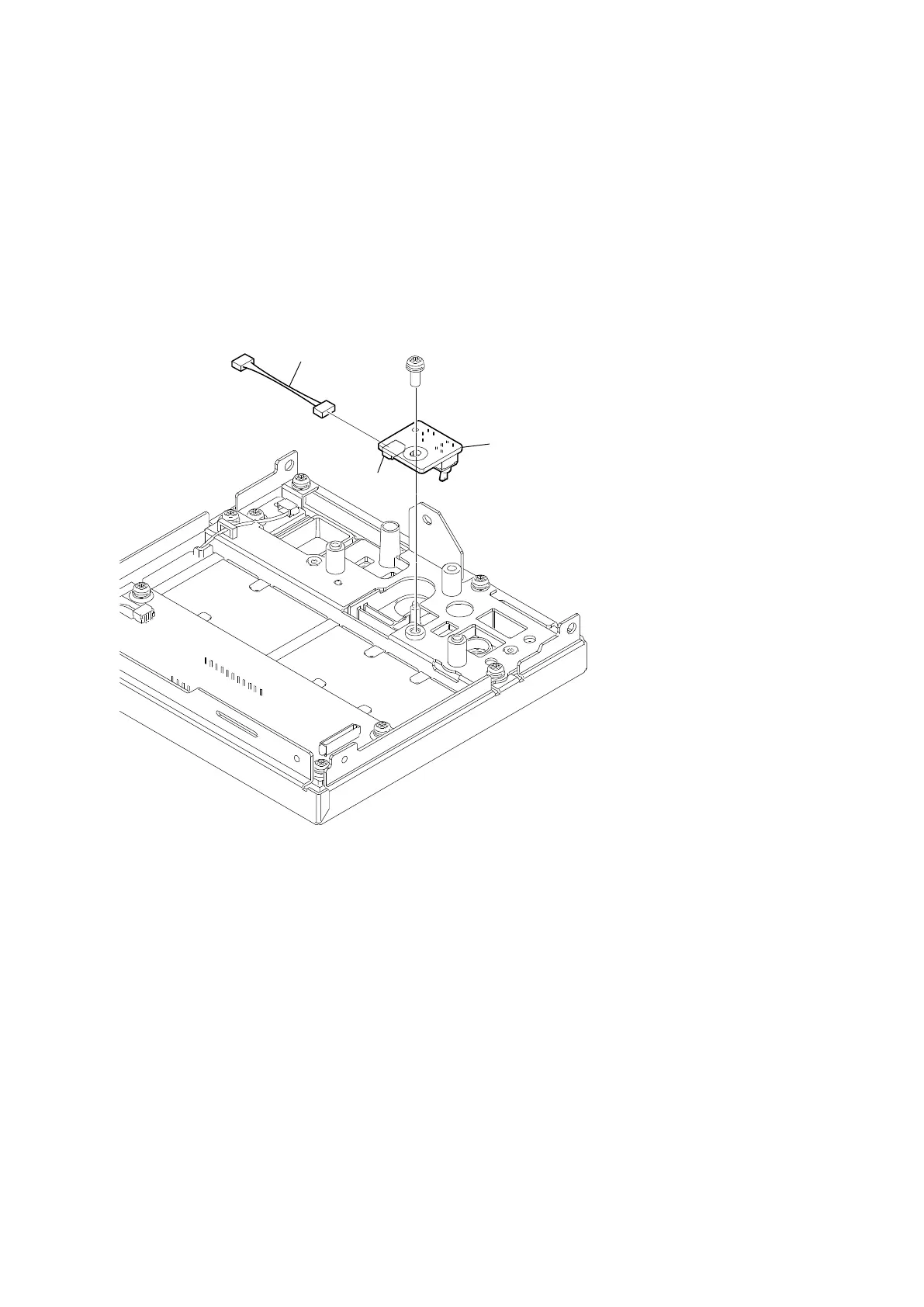
2-4-4. SW-1775 Board
Preparation
1. Remove the top cover. (Refer to “2-2. Top Cover”.)
2. Remove the NET-37 board assembly. (Refer to “2-3. NET-37 Board Assembly”.)
3. Remove the front panel assembly. (Refer to “2-4. Front Panel Assembly”.)
4. Remove the FP-322 board. (Refer to “2-4-2. FP-322 Board”.)
Procedure
1. Remove the screw, and then remove the SW-1775 board.
2. Disconnect the harness from the connector (CN001) on the SW-1775 board.
3. Install the removed parts by reversing the steps of removal.
PSW
3 x 8
SW-1775 board
CN001
Harness



 To Next Page