30
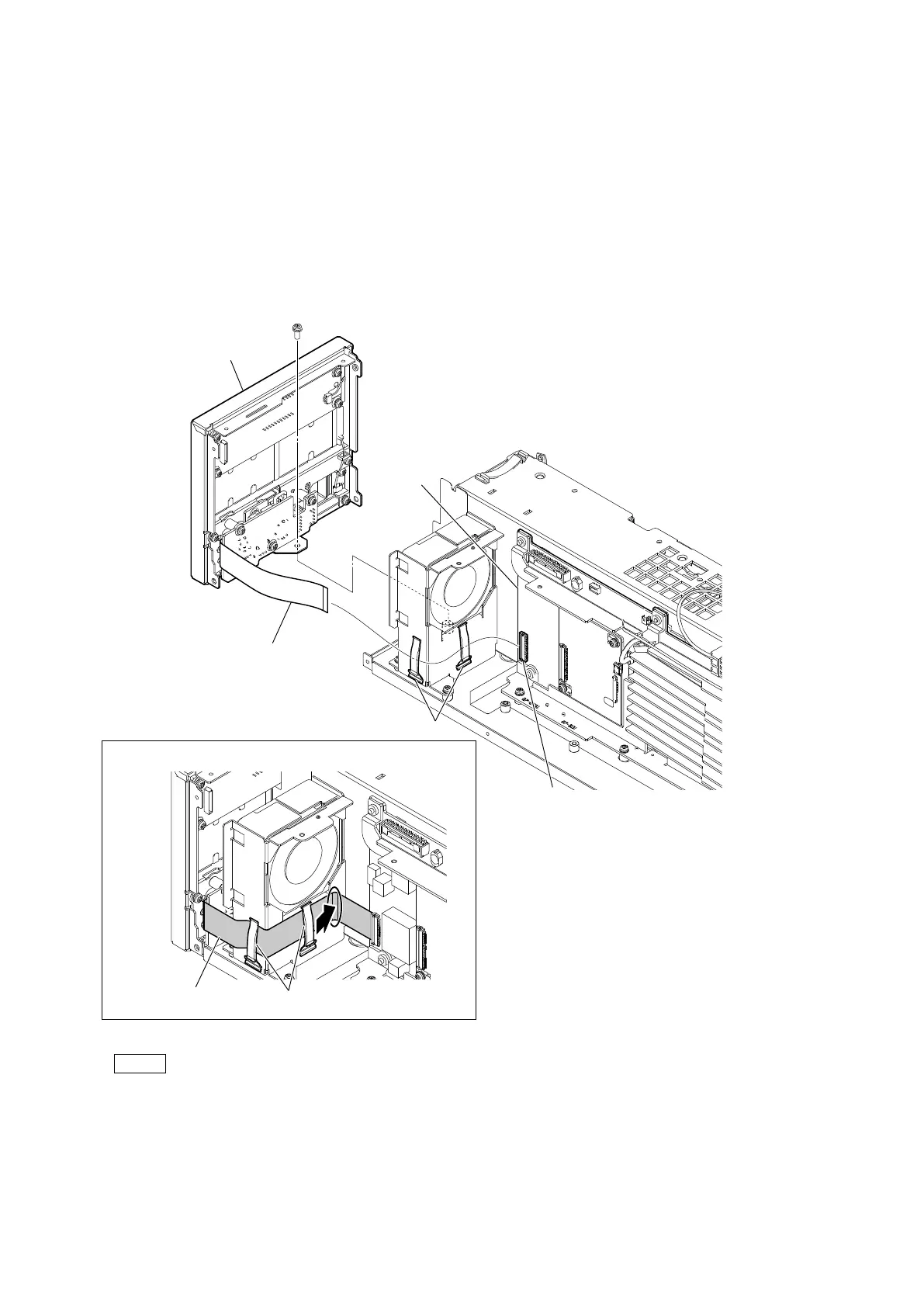
2-4. Front Panel Assembly
Preparation
1. Remove the top cover. (Refer to “2-2. Top Cover”.)
2. Remove the NET-37 board assembly. (Refer to “2-3. NET-37 Board Assembly”.)
Procedure
1. Disconnect the flexible flat cable from the connector (CN401) on the VIF-82 board.
2. Release the flexible flat cable from the two cable clamps.
3. Remove the screw, and then remove the front panel assembly.
Note
At the time of the installation, clamp the flexible flat cable with the two cable clamps and push it in the direction of the arrow.
4. Install the removed parts by reversing the steps of removal.
PSW
3 x 8
Arrangement of the flexible flat cable
Cable clamps
Flexible flat cable
Flexible flat cable
Cable clamps
VIF-82 board
Front panel assembly
CN401



 To Next Page