31
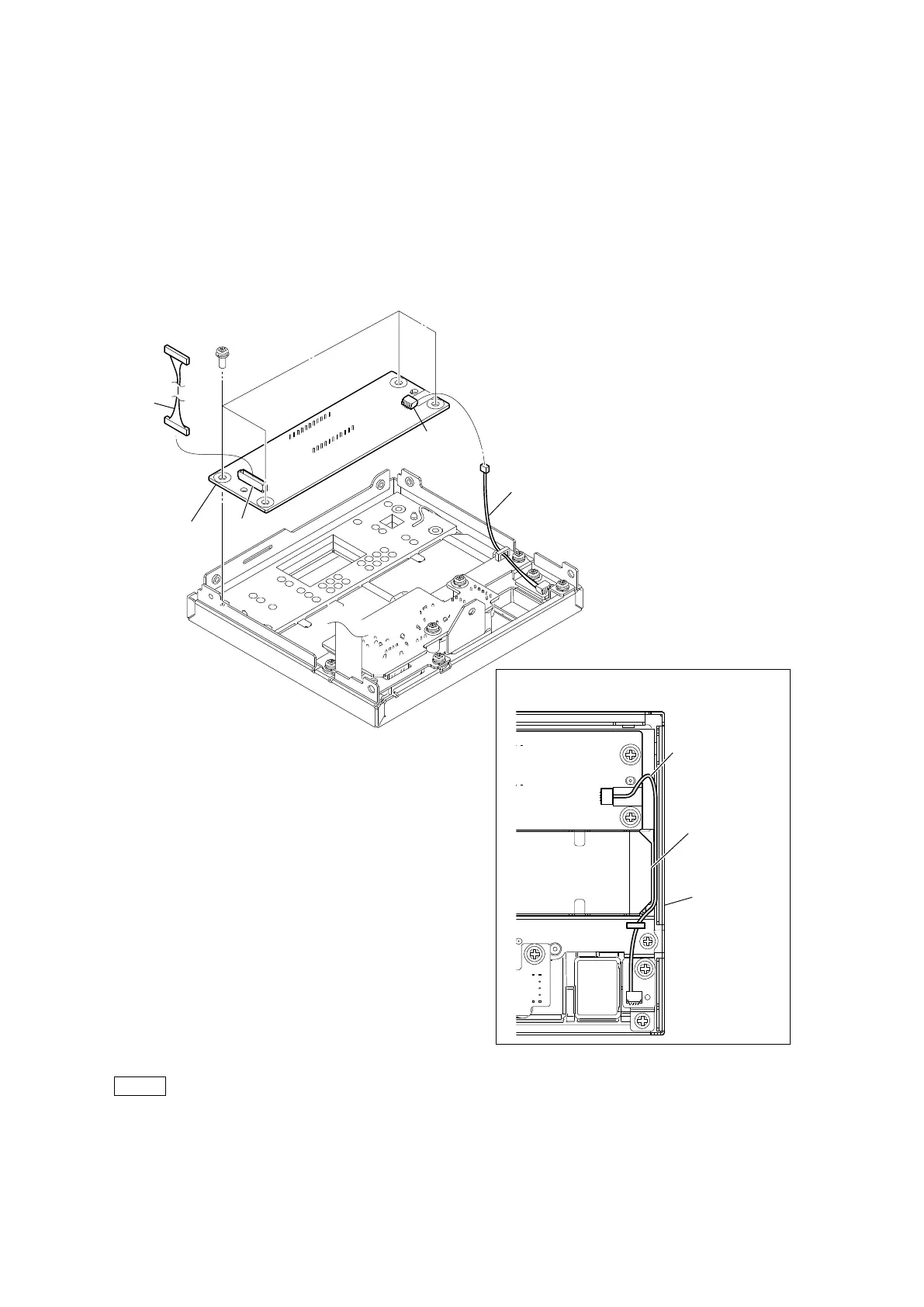
2-4-1. LE-436 Board
Preparation
1. Remove the top cover. (Refer to “2-2. Top Cover”.)
2. Remove the NET-37 board assembly. (Refer to “2-3. NET-37 Board Assembly”.)
3. Remove the front panel assembly. (Refer to “2-4. Front Panel Assembly”.)
Procedure
1. Disconnect the two harnesses from the connectors (CN001, CN002) on the LE-436 board.
2. Remove the four screws, and then remove the LE-436 board.
Note
At the time of the installation, pass the harness (A) along the inside of the front panel.
3. Install the removed parts by reversing the steps of removal.
PSW
3 x 8
Arrangement of the harness
Harness (A)
CN002
Harness (A)
Filter
Front panel
Harness
LE-436 board
CN001



 To Next Page