17
Connecting
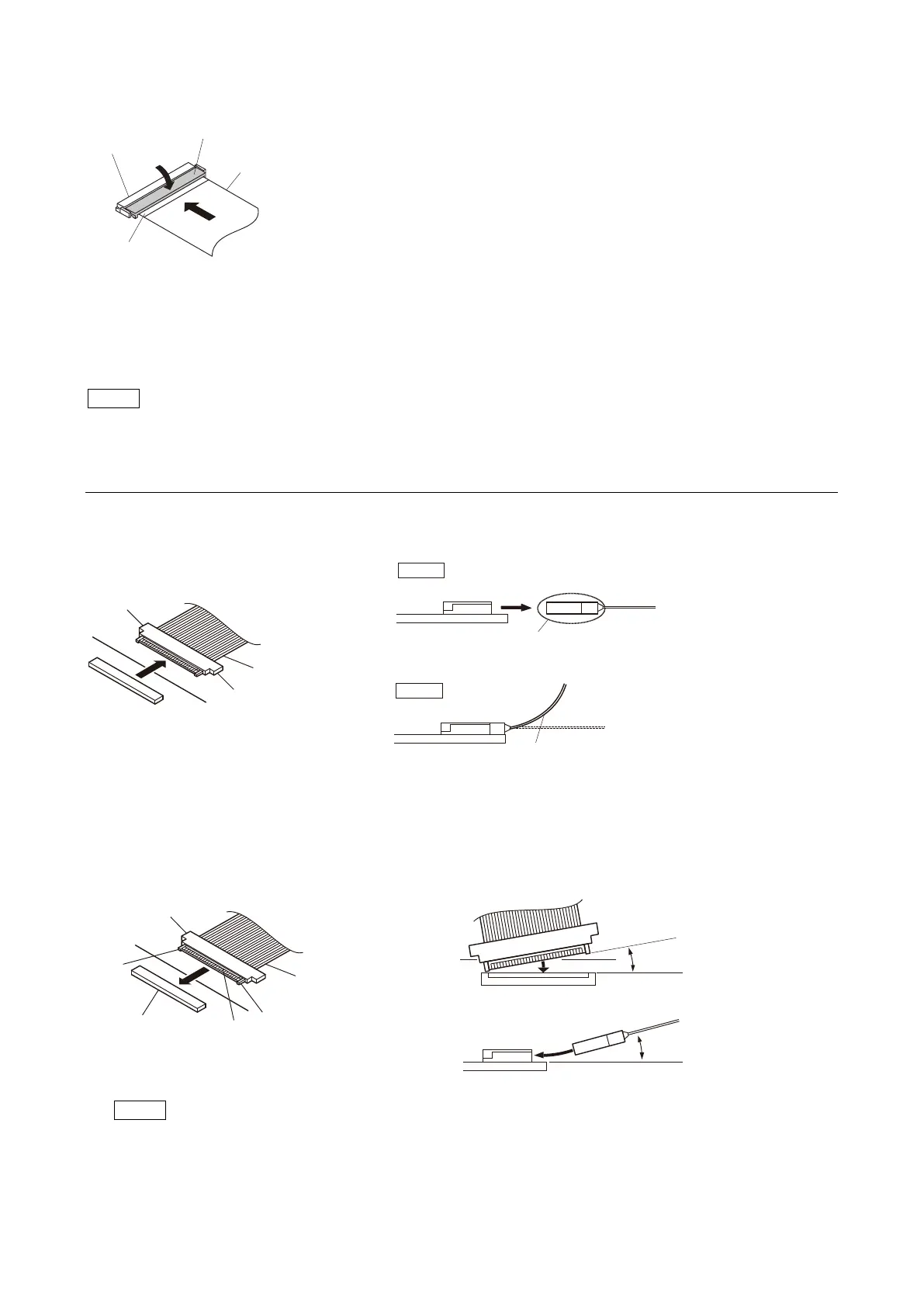
1. Insert the flexible flat cable firmly as far as it will go with the insulated side up.
2. Close the latch of the connector in the direction of arrow B to lock the flexible flat cable.
1-8-2. Disconnecting/Connecting Fine-Wire Coaxial Cable
Note
• Be very careful when handling the fine-wire coaxial cable so that fine wires are not disconnected.
• When disconnecting the fine-wire coaxial cable, be sure to hold the connector. Do not attempt to pull the cable.
• Check that the contact surface of the fine-wire coaxial cable connector is not contaminated.
Type A
Disconnecting
1. Hold both sides of the fine-wire coaxial cable connector, and pull the connector straight to disconnect it.
Connecting
Note
Insert the connector carefully so that the connector guides are not caught by the edge of the mating connector.
1. Hold both sides of the fine-wire coaxial cable connector with the contact surface facing up.
2. Insert the connector straight to meet the angle specified.
B
Flexible card wire
Connector
Latch
Insulated side
Hold the connector to disconnect.
Correct
Do not attempt to disconnect by
pulling the cable.
Wrong
Connector
Connector
Fine-wire coaxial cable
Connector
Guide
Guide
Contact surface
Less than 5°
Less than 2°
Connecting connector
Fine-wire coaxial cable
Angle regulation



 To Next Page