53
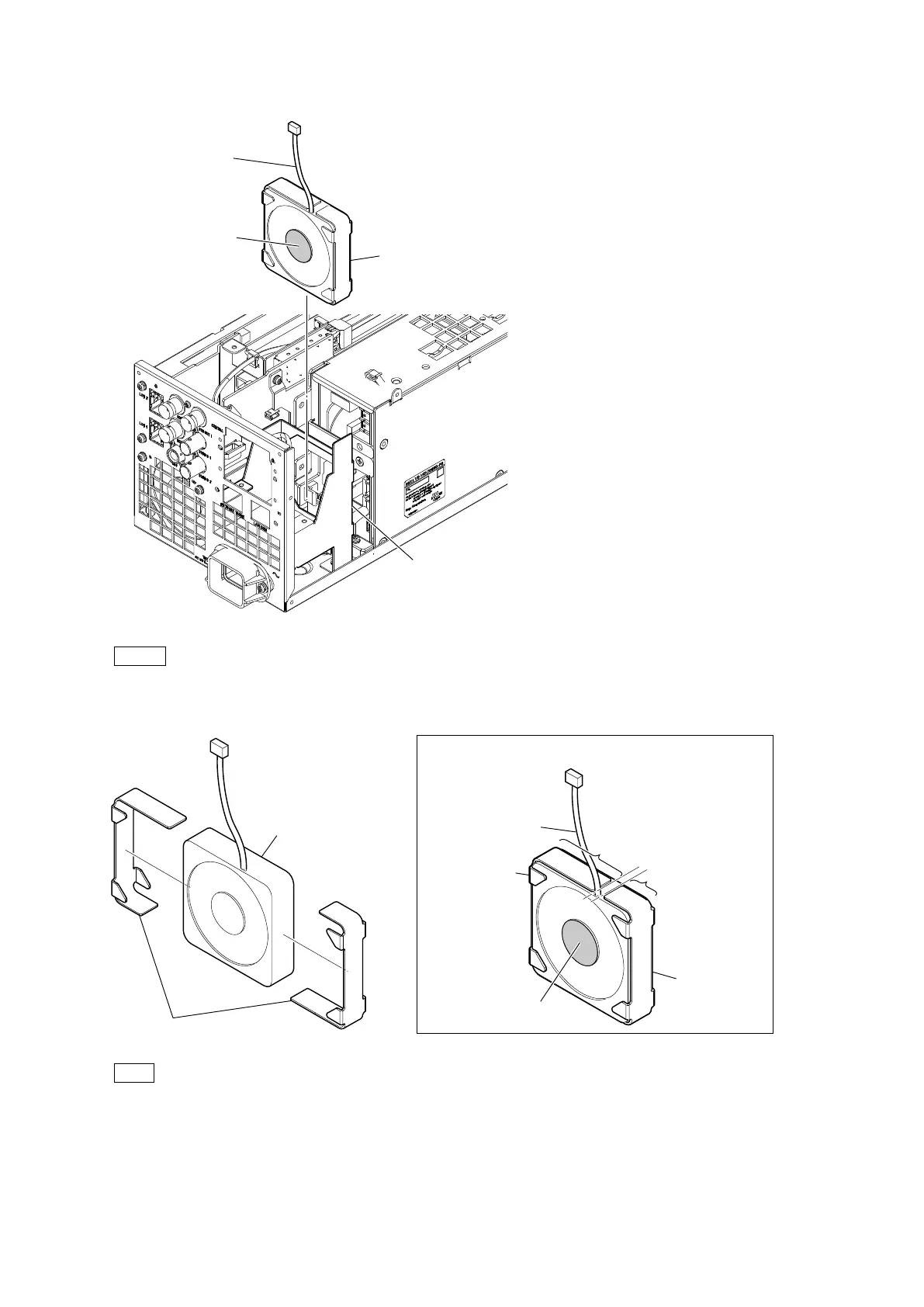
4. Remove the DC fan subassembly from the power fan mounting bracket.
Note
When attaching the DC fan subassembly, pay attention to the position of label and harness.
5. Remove the two fan cushions from the DC fan (60 x 15).
Tip
When replacing the DC fan (60 x 15), attach two new fan cushions paying attention to the positions of the harness and the label.
6. Install the removed parts by reversing the steps of removal.
Power fan mounting bracket
DC fan subassembly
Label
Harness
Fan cushions
DC fan (60 x 15)
Fan cushion
Fan cushion
Short
Long
Label
Harness
Attaching position of the fan cushion



 To Next Page