37
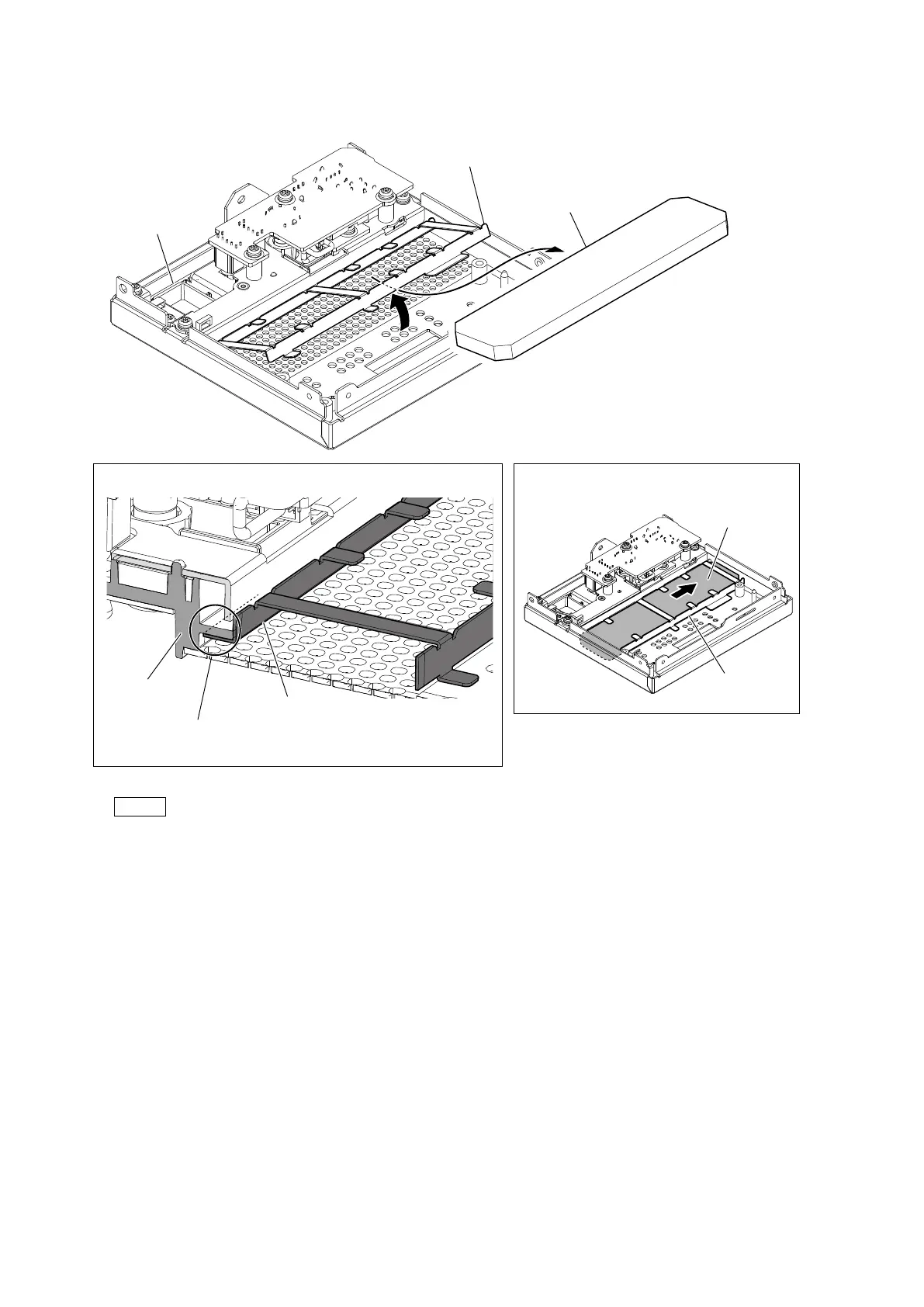
2. Lift one side of the filter holder as shown below.
3. Remove the filter.
Note
• At the time of the installation, check that the filter holder is installed under the front cover before inserting the filter.
• At the time of the installation, install the filter under the filter holder, and then push the filter in the direction of the arrow.
4. Install the removed parts by reversing the steps of removal.
Filter holder
Filter holder
Filter holder
Check that the filter holder is installed under the front cover
before inserting the filter
.
Inserting the filter holder (cross-sectional view)
Direction to push the filter at the time of
the installation
Front cover
Filter
Filter
Front cover



 To Next Page