EasyManua.ls Logo

Sony SLV-286EE - Channel Set; Basic Operations | 15

Sony SLV-286EE
112 pages
Print Icon
To Next Page IconTo Next Page
To Previous Page IconTo Previous Page
Loading...
2b
Additional
tuning
instructions
14
|
Getting
Started
If
the
picture
is
not
clear
Normally,
the
Auto
Fine
Tuning
(AFT)
function
automatically
tunes
in
Basle
Operations
channels
clearly.
If,
however,
the
picture
is
not
clear,
you
may
also
use
Playing
a
tape
the
manual
tuning
function.
1
Press
PROG
+/-
to
select
the
programme
number
for
which
you
cannot
obtain
a
clear
picture.
2
Press
MENU,
then
select
TUNER
PRESET
and
press
EXECUTE.
3
Select
FINE
TUNING.
The
fine
tuning
meter
appears.
TUNER
PRESET
PROGZ3
SYSTEM
20
ox
NOAMCATY
«NORM
CATV
CHANNEL
SET
68
oF
OFF
aft
FINE
TUNING
4
EJECT
4
Press
the
CURSOR
(4=/=>)
buttons
to
get
a
clearer
picture,
then
press
EXECUTE.
Note
that
the
AFT
(Auto
Fine
Tuning)
setting
switches
to
OFF.
Disabling
unwanted
programme
positions
After
tuning
the
TV
channels,
you
can
disable
unused
programme
positions.
Positions
that
are
disabled
will
be
skipped
later
when
you
press
the
PROG
+/-
buttons.
1
Press
MENU,
then
select
TUNER
PRESET
and
press
EXECUTE.
2
Press
PROG
+/~
until
the
programme
position
you
want
to
disable
appears
beside
PROG.
3
Press
number
button
“0”
twice
to
display
the
number
“0”
beside
CHANNEL
SET.
Repeat
steps
2
and
3
for
other
positions
you
want
to
disable.
Press
EXECUTE.
Ub
PAUSE
DUAL
MODE
SHUTTLE
>
PLAY
va
m@
STOP
Tip
¢
For
further
information
on
searching
and
playback
functions,
see
“Playing/
searching
at
various
speeds”
on
page
25.
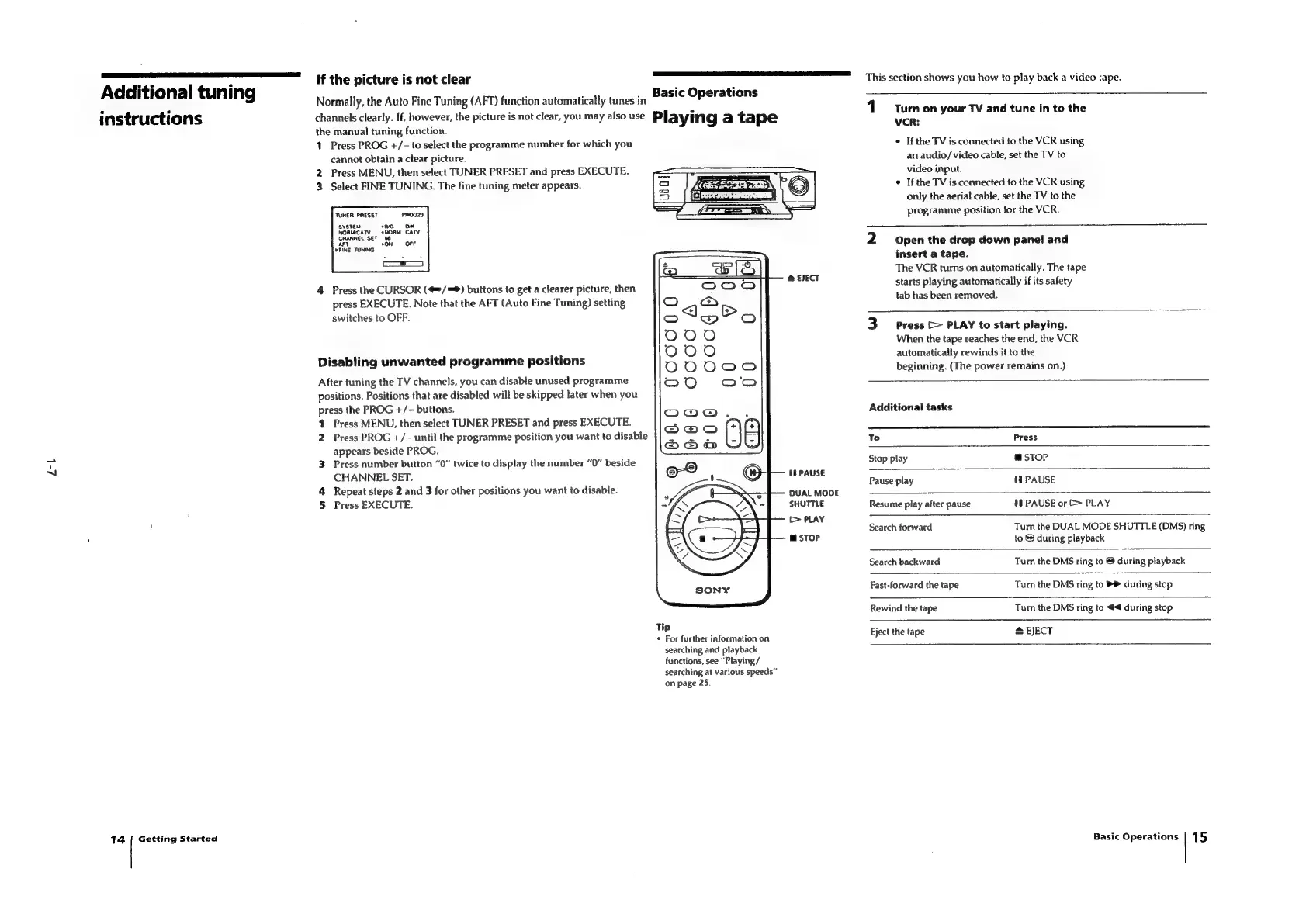
This
section
shows
you
how
to
play
back
a
video
tape.
1
Turn
on
your
TV
and
tune
in
to
the
VCR:
*
If
the
TV
is
connected
to
the
VCR
using
an
audio/video
cable,
set
the
TV
to
video
input.
If
the
TV
is
connected
to
the
VCR
using
only
the
aerial
cable,
set
the
TV
to
the
programme
position
for
the
VCR.
NI
Open
the
drop
down
panel
and
insert
a
tape.
The
VCR
tums
on
automatically.
The
tape
starts
playing
automatically
if
its
safety
tab
has
been
removed.
WwW
Press
[>
PLAY
to
start
playing.
When
the
tape
reaches
the
end,
the
VCR
automatically
rewinds
it
to
the
beginning.
(The
power
remains
on.)
Additional
tasks
TS
To
Press
Stop
play
m@
sToP
Pause
play
MH
PAUSE
08
PAUSE
or
>
PLAY
Resume
play
after
pause
Search
forward
Turn
the
DUAL
MODE
SHUTTLE
(DMS)
ring
to
$
during
playback
Search
backward
Tum
the
DMS
ring
to
&
during
playback
Fast-forward
the
tape
Turn
the
DMS
ring
to
>>
during
stop
Rewind
the
tape
Turn
the
DMS
ring
to
4
during
stop
Eject
the
tape
*
EJECT
Basic
Operations
|
15

Table of Contents

Related product manuals