SPACE s.r.l.
Soc.a socio unico
PFB035 SERIES – PFB040 SERIES
PFB045 SERIES – PFB060 SERIES
SPRT102/4 SERIES – SPRT102/5 SERIES
SPRT102/6 SERIES – SPRT102/7 SERIES
Code M0247 - Ver.1.4
(09/2016)
SPACE s.r.l. – 10090 TRANA (TO) Via Sangano, 48
Tel. (+39) 011/ 934 40 300 – Fax (+39) 011/ 933 88 64
e-mail: info@spacetest.it - www.spacetest.com
4. INSTALLATION OF THE BTS2 SOFTWARE
The BTS2 software can be installed on any PC that satisfies the minimum requirements described
below:
- Processor 1,5 GHz / RAM 2Gb/ Hard Disk 80 GB
- 4 USB; 1 COM; 1 LAN Ethernet 10/100/1000Mb;
- Operative system WIN XP sp3 , WIN 7 or WIN 8
- Video output 1366x768 Pixels HD Ready
This procedure will take several minutes, it could ask for several restarts.
A series of pre-required software will be installed and then the main BTS2 software.
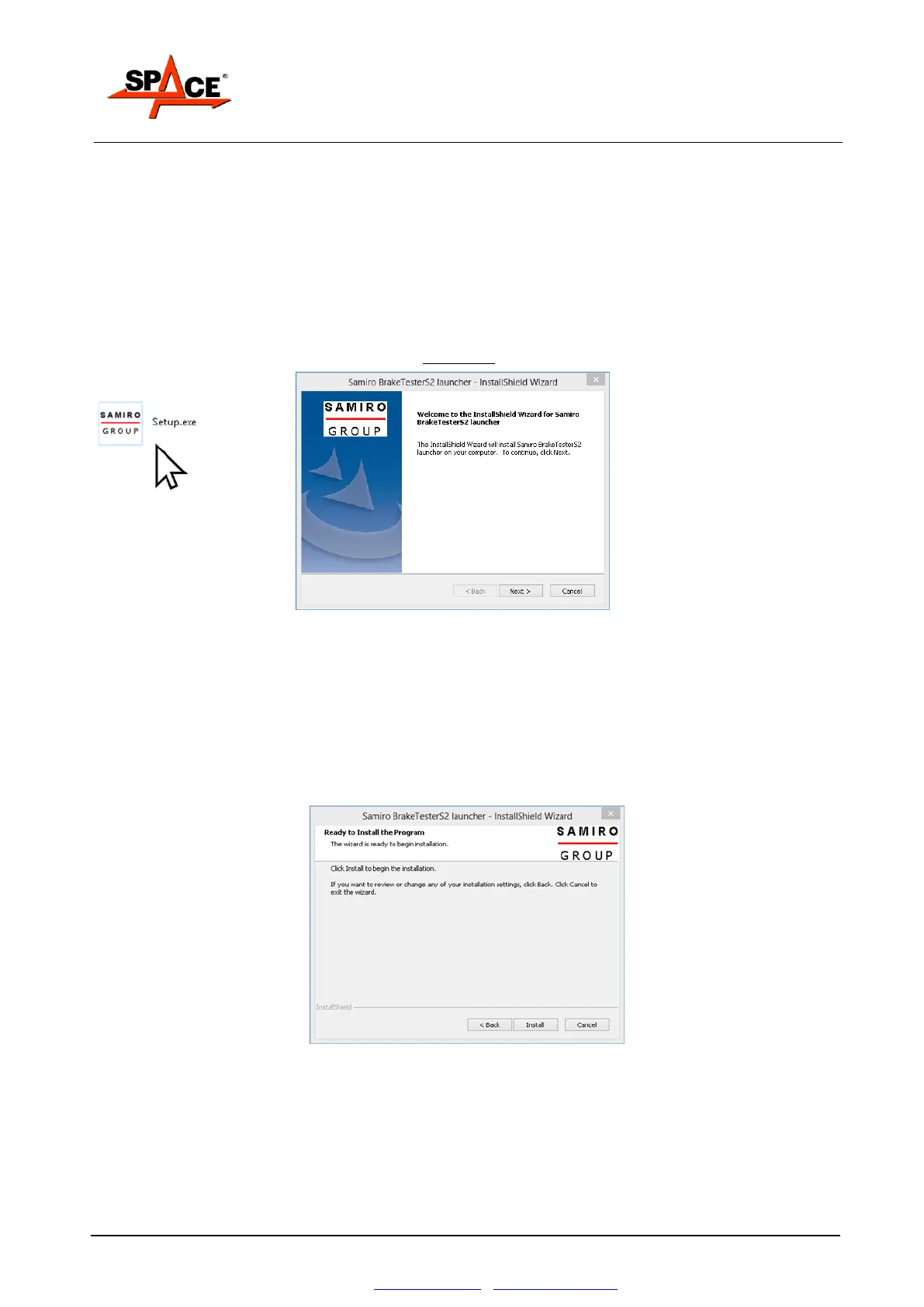
To install the BTS2 software the batch file Setup.exe (double click) must be executed.
Figure 16
The installation is composed by three parts:
Launcher (the software that prepare and control the installation),
Pre-required software installation,
Main software
4.1. Part 1: Launcher installation
The software will start with a double click on the batch file setup.bat; then it will prepare all that
is needed to correctly complete the installation. The UAC is automatically set to the lower level
and all the needed rules in the firewall are created.
Figure 17
Click on Finish to end the preparation part and start the installation (attention: the main
installation has not started yet).
4.2. Part 2: Pre-required software installation
The installer is able to automatically recognize the operative system and the software already
installed. Based on what it can find, it will decide which software it has to install.



 To Next Page