SPACE s.r.l.
Soc.a socio unico
PFB035 SERIES – PFB040 SERIES
PFB045 SERIES – PFB060 SERIES
SPRT102/4 SERIES – SPRT102/5 SERIES
SPRT102/6 SERIES – SPRT102/7 SERIES
Code M0247 - Ver.1.4
(09/2016)
SPACE s.r.l. – 10090 TRANA (TO) Via Sangano, 48
Tel. (+39) 011/ 934 40 300 – Fax (+39) 011/ 933 88 64
e-mail: info@spacetest.it - www.spacetest.com
8.3. Brake test on the rear axel
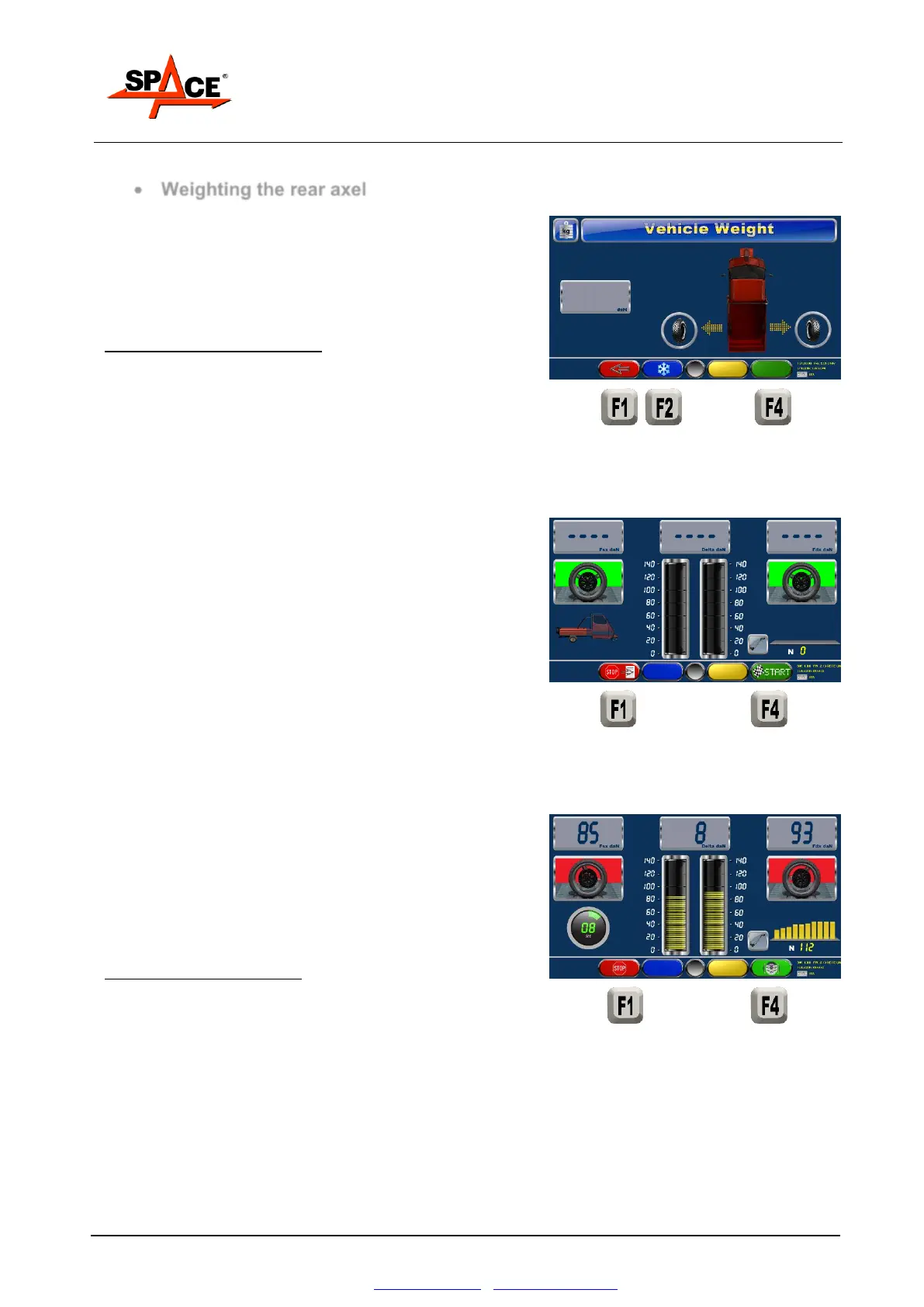
Cover the roller not used in the test of the single wheel,
drive the vehicle on the roller, as shown by the program.
Wait for the axel weight to be shown.
After few seconds of stable weight, the system will
automatically store the axel weight.
POSSIBLE SELECTIONS:
The operator can press “F2” to stop the automatic
continuation of the test and proceed manually.
Press “F1” to abort the test.
Press “START/F4” to proceed
When the roller block is committed, the system can start
the rollers and start the braking procedure.
Press “START” to start the rollers.
When the rollers are still the icons of the wheels are green;
when the rollers start moving the icons are red.
Slowly and gradually operate the brake pedal, observe the
braking effort and the pedal pressure readings on the
analog and digital indicators and assess their
simultaneous progression.
POSSIBLE SELECTIONS:
Press “F1” to stop the rollers
Press “F4” to start the ovality procedure.



 To Next Page