SPACE s.r.l.
Soc.a socio unico
PFB035 SERIES – PFB040 SERIES
PFB045 SERIES – PFB060 SERIES
SPRT102/4 SERIES – SPRT102/5 SERIES
SPRT102/6 SERIES – SPRT102/7 SERIES
Code M0247 - Ver.1.4
(09/2016)
SPACE s.r.l. – 10090 TRANA (TO) Via Sangano, 48
Tel. (+39) 011/ 934 40 300 – Fax (+39) 011/ 933 88 64
e-mail: info@spacetest.it - www.spacetest.com
9. DATA PRINT
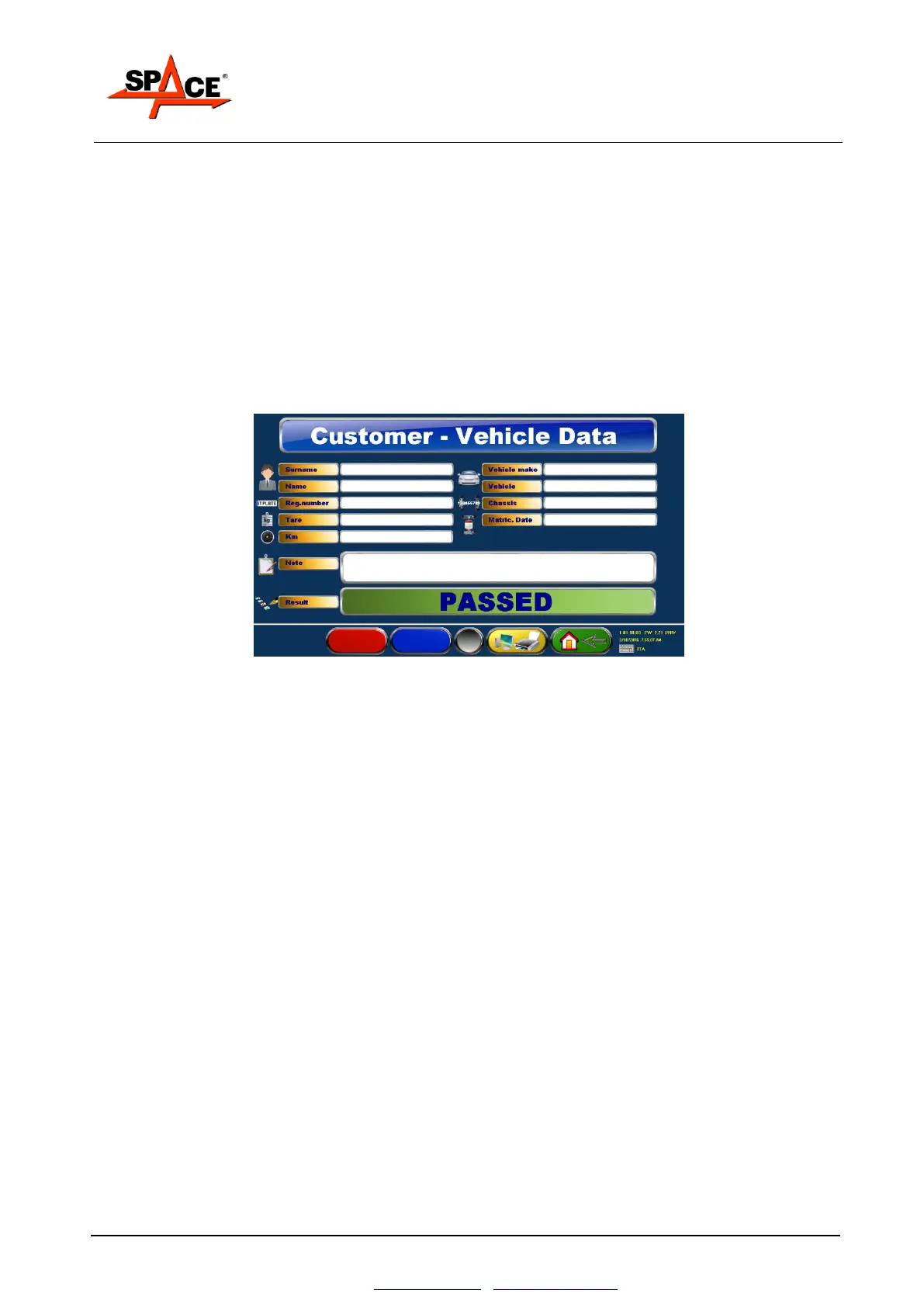
At the end of all the tests, a page is presented where the vehicle and client data can be entered to
be shown on the printout.
Press key F2 to print the test graphs.
Press key F3/PRINT to print a copy.
Press key F4 if you do not wish to print or to start the test on a new vehicle.
If several copies are required, simply press the F2 or the F3 key several times
It only takes a few moments to send the data to the printer. During this time, the screen shows
the wording “wait please”. When the sending of the data to the printer is complete and no more
printing operations are required, press F4 to start the test on a new vehicle; the initial display
page of Figure 27 will appear.
Figure 78
This page also shows the result of the test (in this example it is OK).
If the performed test had been unsuccessful, before this page appeared, the user would have been
asked to enter the test result – REPEAT or SUSPENDED.
NOTE: The values of the out-of-tolerance tests will be shown on the printout in characters:
bold black if the printer features B/W cartridge
red if the printer features color cartridge
Two types of printouts are available:
Complete printout
Short printout (only for the cars – it must be set in the parameters configuration reserved
to authorized personnel).


 To Next Page