SPACE s.r.l.
Soc.a socio unico
PFB035 SERIES – PFB040 SERIES
PFB045 SERIES – PFB060 SERIES
SPRT102/4 SERIES – SPRT102/5 SERIES
SPRT102/6 SERIES – SPRT102/7 SERIES
Code M0247 - Ver.1.4
(09/2016)
SPACE s.r.l. – 10090 TRANA (TO) Via Sangano, 48
Tel. (+39) 011/ 934 40 300 – Fax (+39) 011/ 933 88 64
e-mail: info@spacetest.it - www.spacetest.com
4.5. System Info view
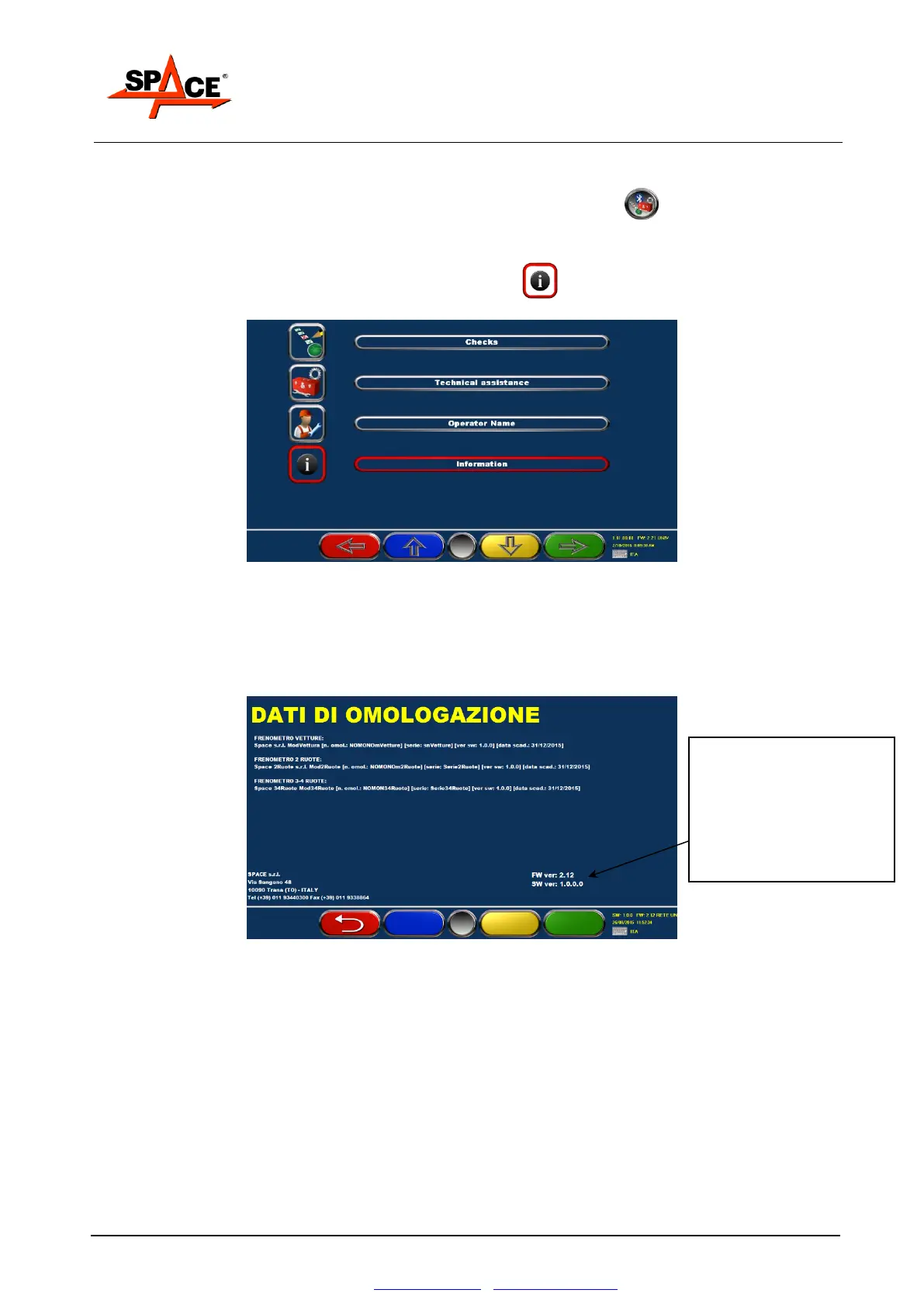
From the main page (logo) shown in Figure 27 press the key F5 , it appears the menu
in Figure 25.
Move with the key F2 on the icon “Information” and press ENTER/F4 to confirm.
In the next menu, select the option “Information” and confirm with ENTER/F4.
Figure 25
A page appears as in the example in Figure 26 that shows alle the system info:
certification number, serial number, sw version and expiring date for the periodic control,
for every module (brake tester 2, 3/4 wheels and cars) present.
Figure 26
The software version is
indicated with a 4 numbers
series separated by “.”
In the example, 1 . 0 . 0 . 0
The first number (1) can change
just if there is a change in the
Regulations, so the device
could need a new certification.


 To Next Page