SPACE s.r.l.
Soc.a socio unico
PFB035 SERIES – PFB040 SERIES
PFB045 SERIES – PFB060 SERIES
SPRT102/4 SERIES – SPRT102/5 SERIES
SPRT102/6 SERIES – SPRT102/7 SERIES
Code M0247 - Ver.1.4
(09/2016)
SPACE s.r.l. – 10090 TRANA (TO) Via Sangano, 48
Tel. (+39) 011/ 934 40 300 – Fax (+39) 011/ 933 88 64
e-mail: info@spacetest.it - www.spacetest.com
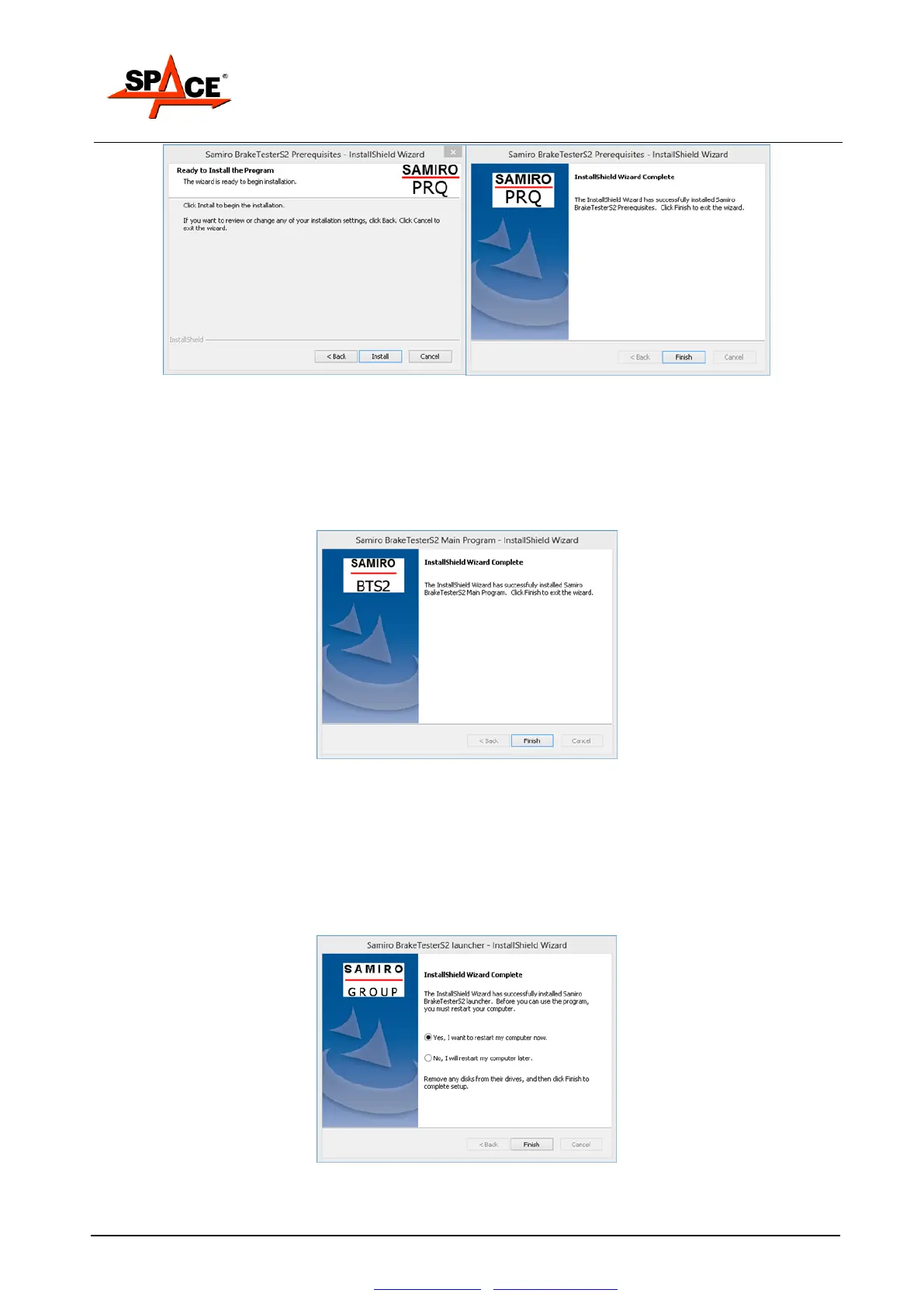
Figure 18
Click on Install and at the end on Finish to end this part and start the following.
4.3. Parts 3: Installation of the main software
It’s not necessary to manually disable the firewall, because the necessary rules are automatically
created.
Attention: now the installer show the message: end of the preparation procedure.
Figure 19
Clicking on “Finish”, the installer starts to copy on the hard disk the primary and secondary files
of the software.
Select in the next window the installation mode DIR or RETE (network), see chap. 6 for more
details, and the type of roller installed (cars, motorcycle, cars + speed tester and/or suspension
tester).
NB: for a universal installation, select cars and then in the parameters configuration select also
the motorcycle mode).
Follow the procedure and click on “Finish”. At the end a reboot is recommended.
Select “Yes, I will restart my computer now”; the installation is complete and the PC will reboot.
The software is modifiable with the option allowed by the Smart Card (see chapter 5.1 for further
details).


 To Next Page