SPACE s.r.l.
Soc.a socio unico
PFB035 SERIES – PFB040 SERIES
PFB045 SERIES – PFB060 SERIES
SPRT102/4 SERIES – SPRT102/5 SERIES
SPRT102/6 SERIES – SPRT102/7 SERIES
Code M0247 - Ver.1.4
(09/2016)
SPACE s.r.l. – 10090 TRANA (TO) Via Sangano, 48
Tel. (+39) 011/ 934 40 300 – Fax (+39) 011/ 933 88 64
e-mail: info@spacetest.it - www.spacetest.com
5.2. Smart Card to protect the software
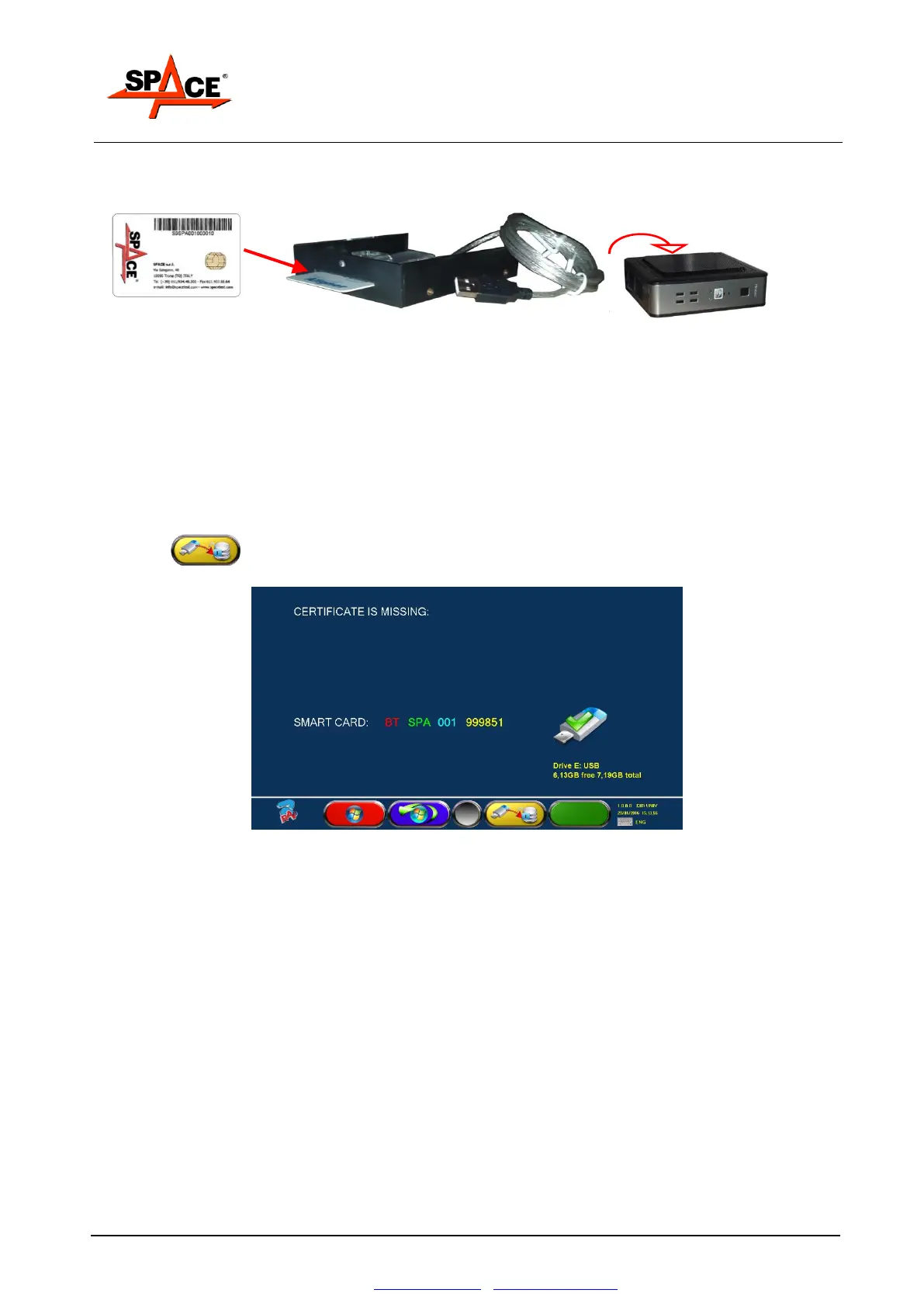
The SPACE brake testers are equipped with a PC with a SMARTCARD reader.
The SMARTCARD allows the software functioning and enables the possibility (or not) to activate
the various tests.
Every console is provided with its own SMARTCARD that absolutely cannot be changed with
another one from another console.
If a SMARTCARD need to be removed or changed, a program will show an error message and it
will not authorize the start of the software.
After the software installation, at the first start of the program the page in Figure 26 is shown: in
here is requested to copy the “Token” file in the PC to allow the execution of the program. Simply
press F3 to copy the file from the equipment USB memory key, where the Token file is
stored.
Figure 29


 To Next Page