SPACE s.r.l.
Soc.a socio unico
PFB035 SERIES – PFB040 SERIES
PFB045 SERIES – PFB060 SERIES
SPRT102/4 SERIES – SPRT102/5 SERIES
SPRT102/6 SERIES – SPRT102/7 SERIES
Code M0247 - Ver.1.4
(09/2016)
SPACE s.r.l. – 10090 TRANA (TO) Via Sangano, 48
Tel. (+39) 011/ 934 40 300 – Fax (+39) 011/ 933 88 64
e-mail: info@spacetest.it - www.spacetest.com
5.3.3. Environnemental conditions
Before starting to proceed with the normal line measuring
cycle, the environmental condition values must be entered
as required by Italian law.
These values can be entered manually or by means of the
device for the automatic detection of environmental
conditions.
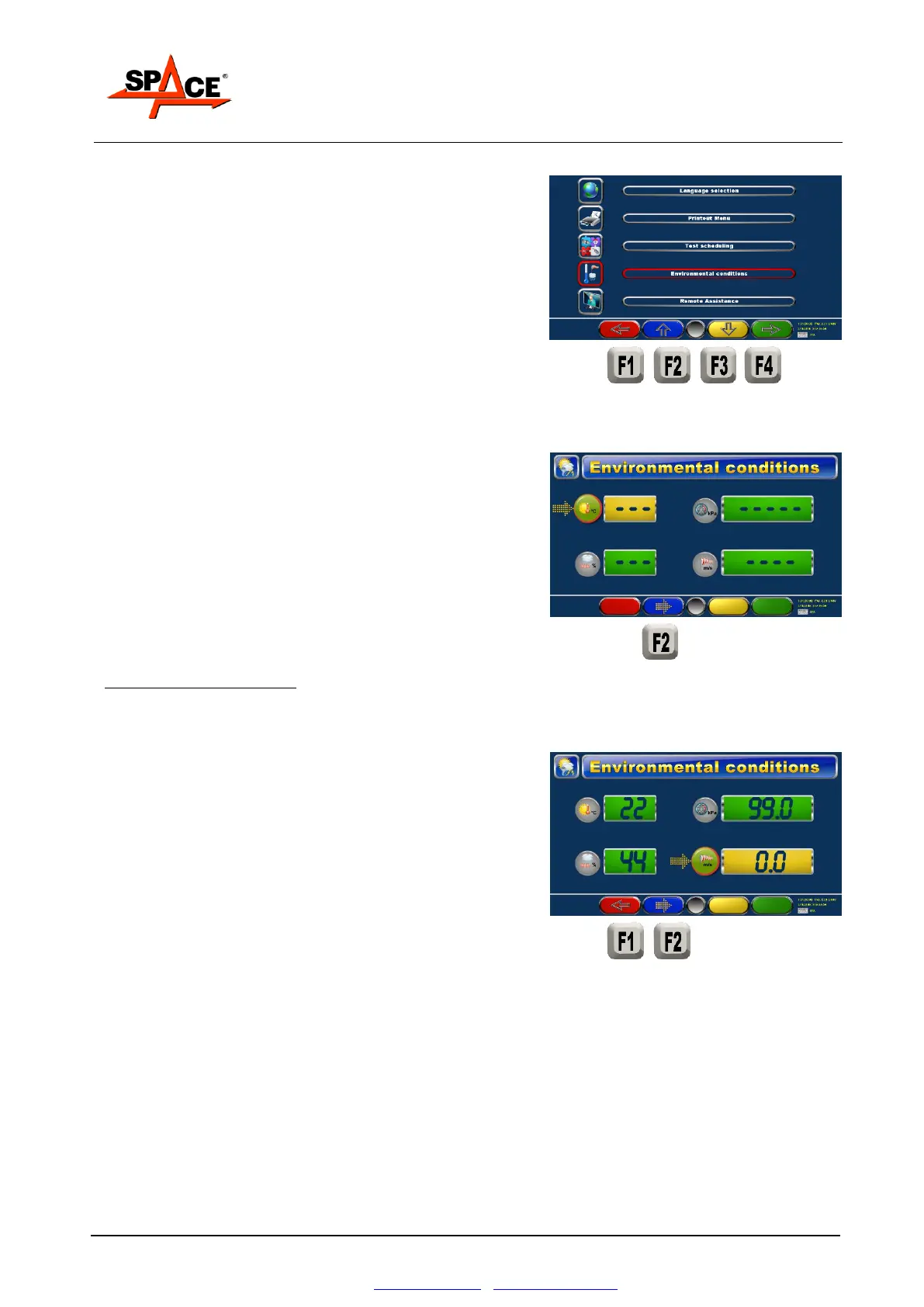
To introduce the environmental condition data, press
“F2”, from the initial page, to display the configuration
page (Figure 37), move to the environmental condition
icon using key “F2” and press ENTER/F4 to confirm.
The data must be entered manually or else they are
detected automatically by means of the device for
detecting environmental conditions.
If the data are entered manually:
Press key “F2” to move the cursor onto the relevant
data to be entered.
The entered values can be changed by positioning with
key “F2” on the desired box and entering the digit to
modify the previous data.
POSSIBLE SELECTIONS:
Press key “F1” to return to the previous page.
Once the correct values have been entered, press
“START/F4” to start performing the test. The entered
data will be displayed on the data printout.
NOTE: The environmental condition values must be
entered every prearranged time rage.



 To Next Page