SPACE s.r.l.
Soc.a socio unico
PFB035 SERIES – PFB040 SERIES
PFB045 SERIES – PFB060 SERIES
SPRT102/4 SERIES – SPRT102/5 SERIES
SPRT102/6 SERIES – SPRT102/7 SERIES
Code M0247 - Ver.1.4
(09/2016)
SPACE s.r.l. – 10090 TRANA (TO) Via Sangano, 48
Tel. (+39) 011/ 934 40 300 – Fax (+39) 011/ 933 88 64
e-mail: info@spacetest.it - www.spacetest.com
Continue to slowly and gradually operate the brake pedal
until the wheels stop moving, observe the max braking
pressure readings and respective pedal pressure on the
analog and digital indicators.
The mid upper indicator also shows the braking dynamic
unbalance reading; at this stage, assess whether this is
within tolerance; if it is outside tolerance, the reading is
displayed in RED.
At the end of the rear axle and handbrake braking
procedure and the parking brake the system is already
able to assess the % braking efficiency of the service
brakes and parking brake.
8.4. Parking brake test
If the operator choose to make the parking brake test on
the rear axle at the end of the procedure of the service
brake on the rear axle, the system will automatically make
the parking brake test.
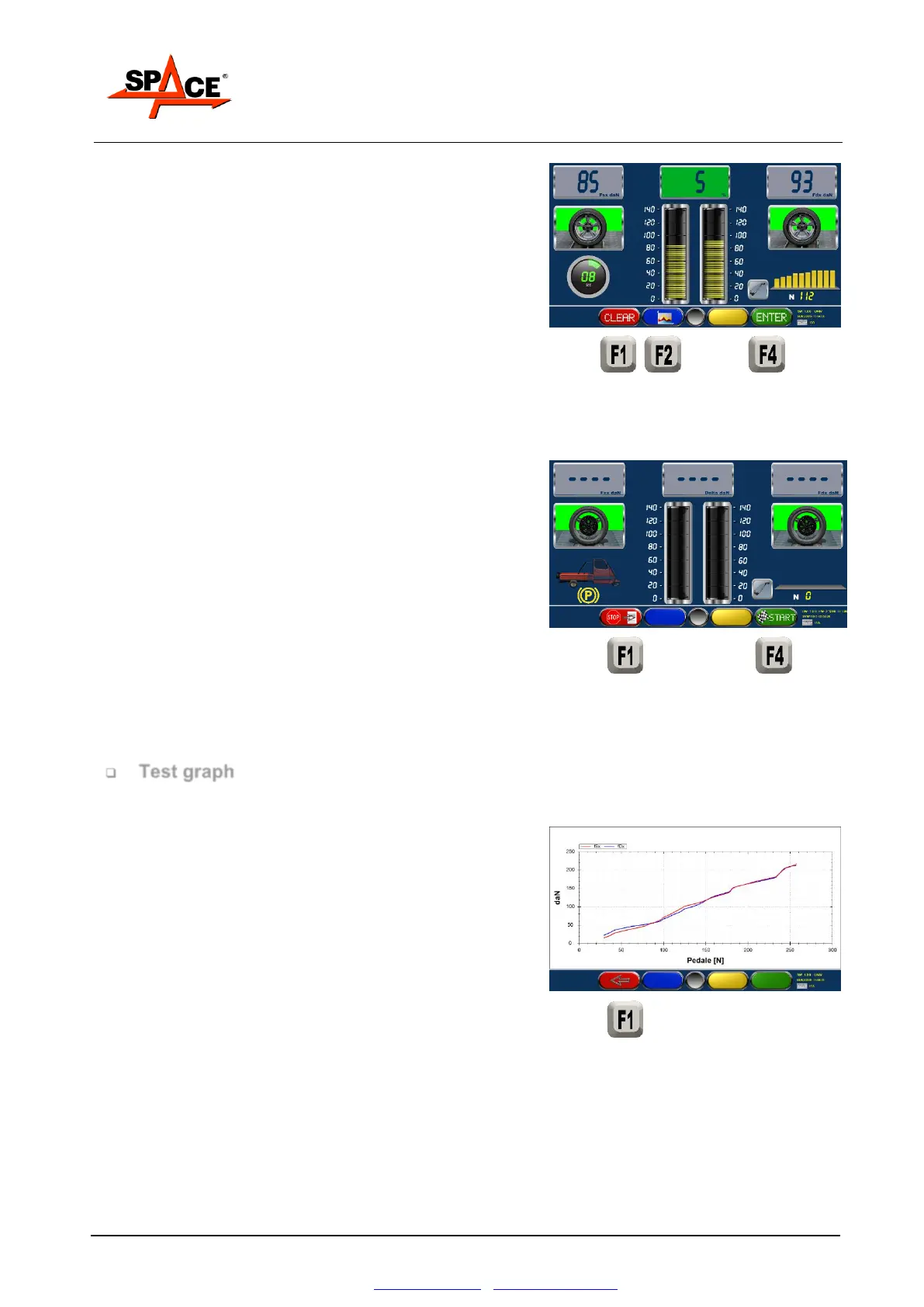
Press “START” to start the rollers.
Slowly and gradually operate the parking brake, until
the wheels lock.
Press “F1” to come back to the summary page.
8.5. Test graph and final summary
At the end of the braking procedures on front axle, rear
axle and parking brake press “F2” (see as example par.
8.4 at page 57) to see a graph with the braking force
pattern.
The x – axis shows the left and right braking forces, while
the y – axis shows the time that has passed or the force
applied to the brake lever and / or to the brake pedal if
the system features a measuring unit.
NOTE. The graph shows up to 15 seconds of test from
when the minimum braking threshold is passed.
Press “STOP/F1” to exit from the graph display and
come back in the numerical display of the test.



 To Next Page