SPACE s.r.l.
Soc.a socio unico
PFB035 SERIES – PFB040 SERIES
PFB045 SERIES – PFB060 SERIES
SPRT102/4 SERIES – SPRT102/5 SERIES
SPRT102/6 SERIES – SPRT102/7 SERIES
Code M0247 - Ver.1.4
(09/2016)
SPACE s.r.l. – 10090 TRANA (TO) Via Sangano, 48
Tel. (+39) 011/ 934 40 300 – Fax (+39) 011/ 933 88 64
e-mail: info@spacetest.it - www.spacetest.com
5.3.2. Test line layout
Press F2 from the initial page (par. 5.1, page 26). The system will display Figure 30. With the key
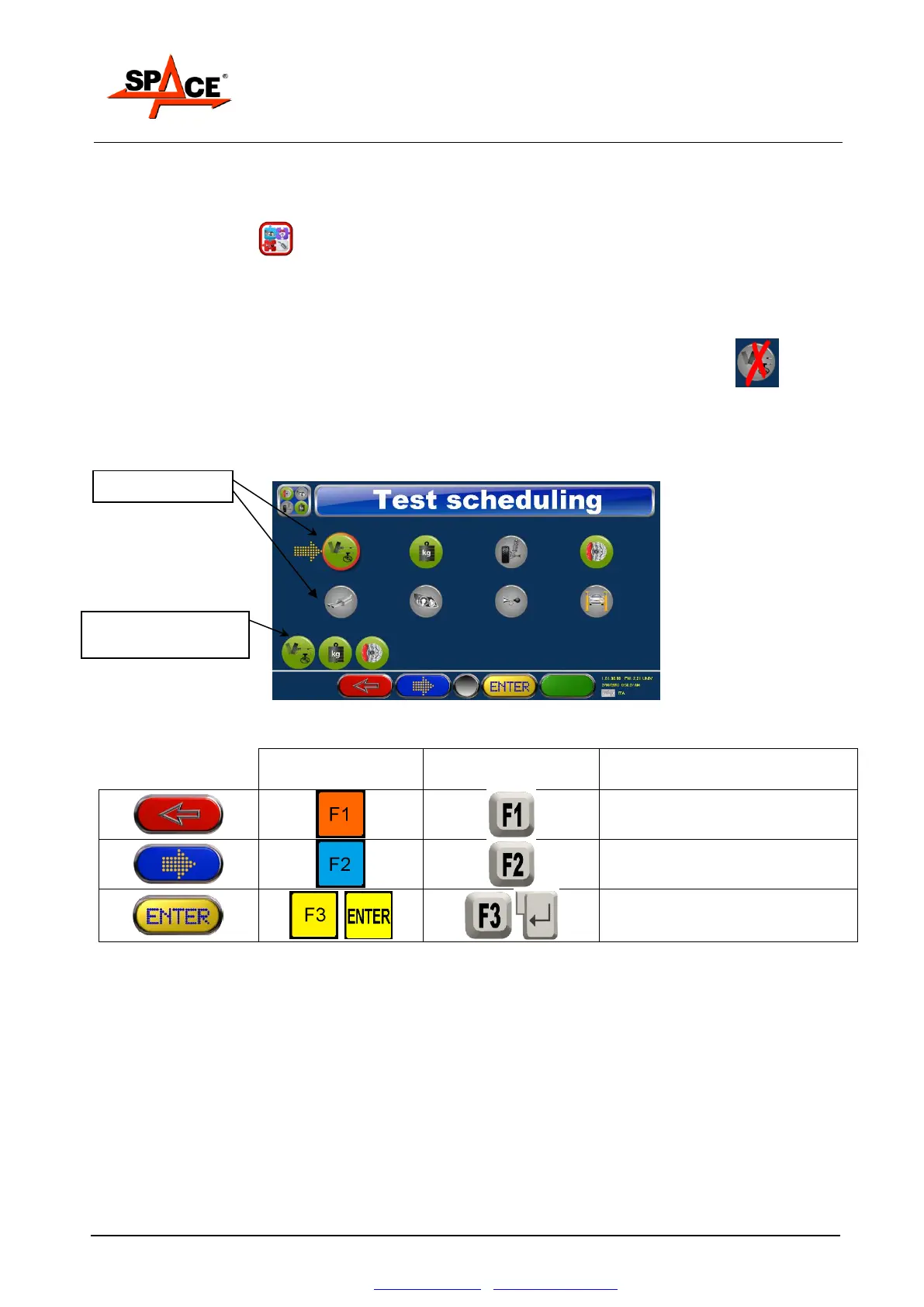
F2 move on the icon «TEST SCHEDULING» and press ENTER/F4 to display Figure 36.
Set the test sequence as required, moving the cursor onto the different icons.
Line tests are shown in green.
NOTE: Only the test available in the Smart Card are achievable (see chapter 5.2).
The not achievable tests are marked with a red cross.
Set the test sequence as required, moving the cursor onto the different icons and then switch off
the test by means of the “ENTER/F3” key.
The tests, in order sequence, are shown below.
Figure 36
Confirm the order and return to
the configuration page
Start or stop the selected test
Press F1 to confirm the introduced sequence and return to the “program configuration” menu
(Figure 30).
Sequence of tests
actually performed



 To Next Page