SPACE s.r.l.
Soc.a socio unico
PFB035 SERIES – PFB040 SERIES
PFB045 SERIES – PFB060 SERIES
SPRT102/4 SERIES – SPRT102/5 SERIES
SPRT102/6 SERIES – SPRT102/7 SERIES
Code M0247 - Ver.1.4
(09/2016)
SPACE s.r.l. – 10090 TRANA (TO) Via Sangano, 48
Tel. (+39) 011/ 934 40 300 – Fax (+39) 011/ 933 88 64
e-mail: info@spacetest.it - www.spacetest.com
PRINT CALIBRATION REPORT
Press F5 from the main page (Figure 27).
Select with “F2/F3” the menu “Calibration Check” (see Figure 31) and confirm with ENTER/F4.
Select the icon “PRINT CALIBRATION REPORT” and confirm the selection.
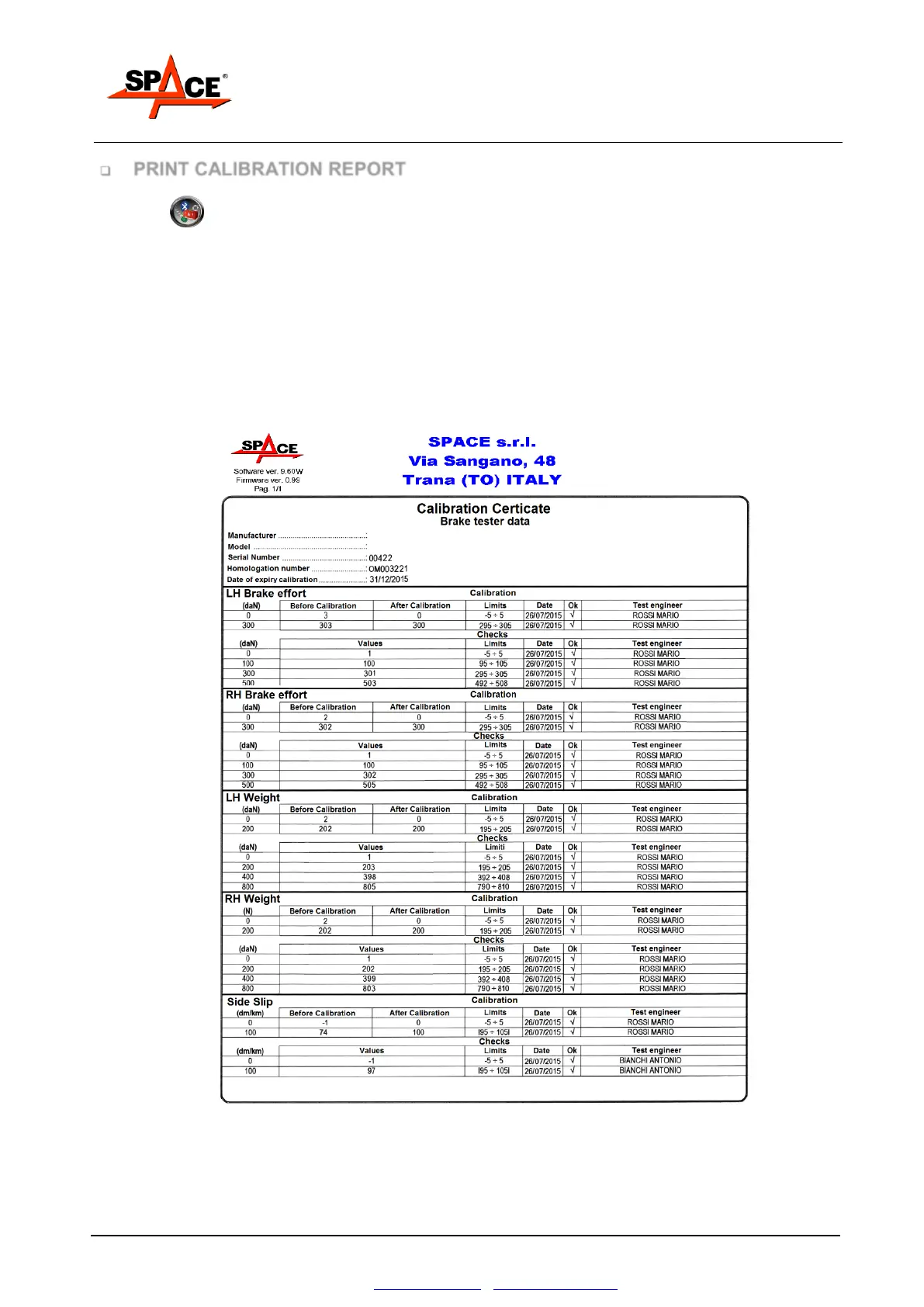
One report regarding the last CALIBRATION and/or CHECKS will be printed.
See the following example.



 To Next Page