SPACE s.r.l.
Soc.a socio unico
PFB035 SERIES – PFB040 SERIES
PFB045 SERIES – PFB060 SERIES
SPRT102/4 SERIES – SPRT102/5 SERIES
SPRT102/6 SERIES – SPRT102/7 SERIES
Code M0247 - Ver.1.4
(09/2016)
SPACE s.r.l. – 10090 TRANA (TO) Via Sangano, 48
Tel. (+39) 011/ 934 40 300 – Fax (+39) 011/ 933 88 64
e-mail: info@spacetest.it - www.spacetest.com
7. CARS MEASUREMENTS CYCLE
7.1. Enter data
ATTENTION: If the software is set to work in MCTC Net, the test mode and all the vehicle data, as
shown hereunder, are not editable. Just confirm the selection with F4.
7.1.1. Selecting the type of test
If you do not wish to perform the complete line measuring cycle, but want to proceed with a specific
measurement, after the initial logo (Figure 27) appears, press F3: the list of available tests will
appear (see example Figure 42).
Select the measurements to be made by pressing ENTER/F3; the logo representing the tests will
appear in green. Press the START/F4 key to begin tests. During the course of the cycle, to eliminate
a selected test, press STOP/F1 (and then START/F4 to confirm).
To cancel the entire measuring cycle and return to the initial logo, press ESC on the keyboard
(and then START/F4 to confirm).
Figure 42
7.1.2. Choosing the vehicle category
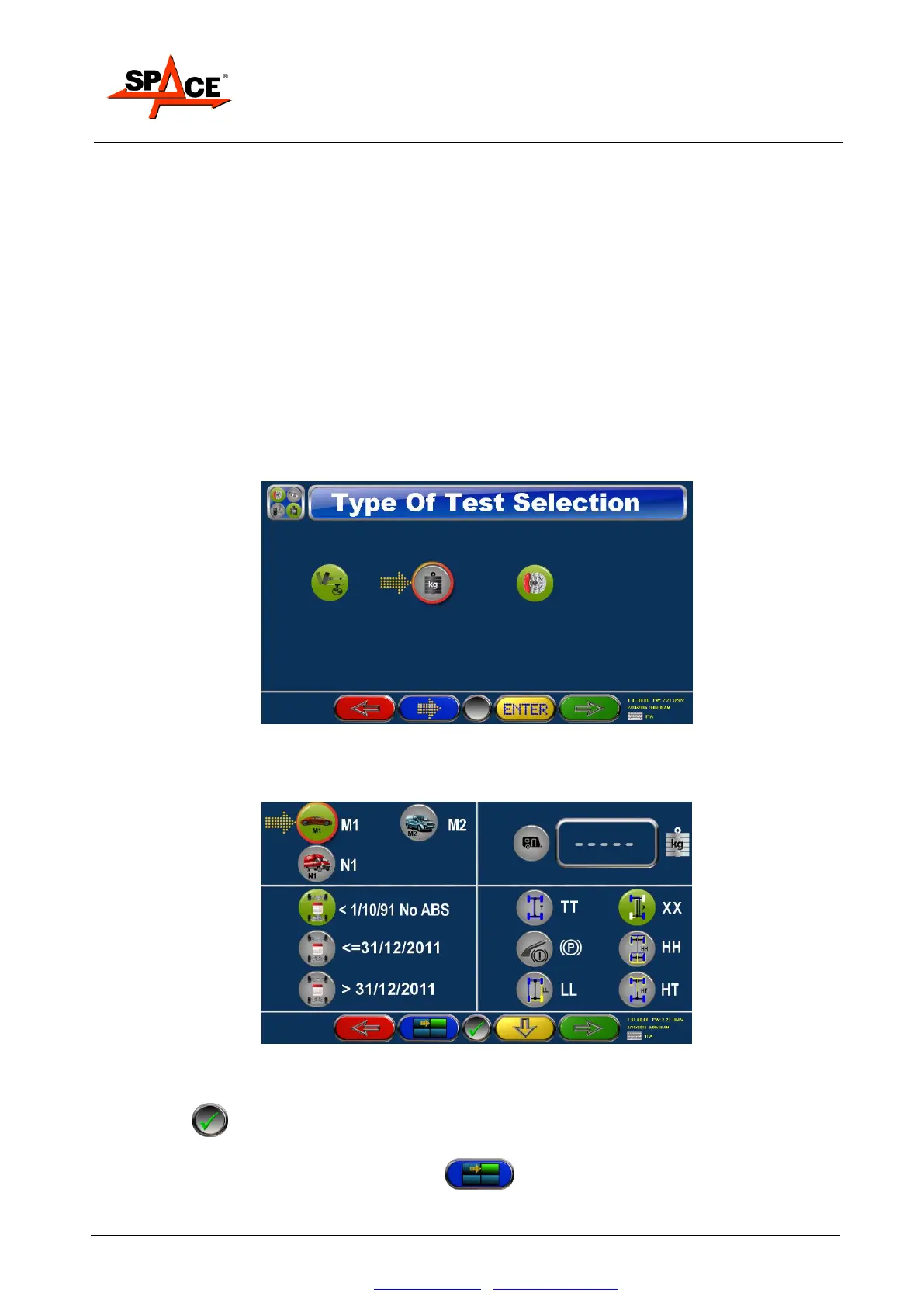
Press F4 to start the cycle, a page appears with the choice of the category and the vehicle data.
Figure 43
Select the category, M1,M2 or N1, moving the pointer with the key F3 on the desired category and
press Enter : the chosen category is highlighted in green.
Move the pointer on the others panel with F2 , select the manufacture year and the type
of emergency brake (at X, at TT, at LL, at HH, at HT or the same as the parking brake).



 To Next Page