8-3Lasair® Pro Aerosol Particle Counter Operations Manual
Chapter 8 : Locations
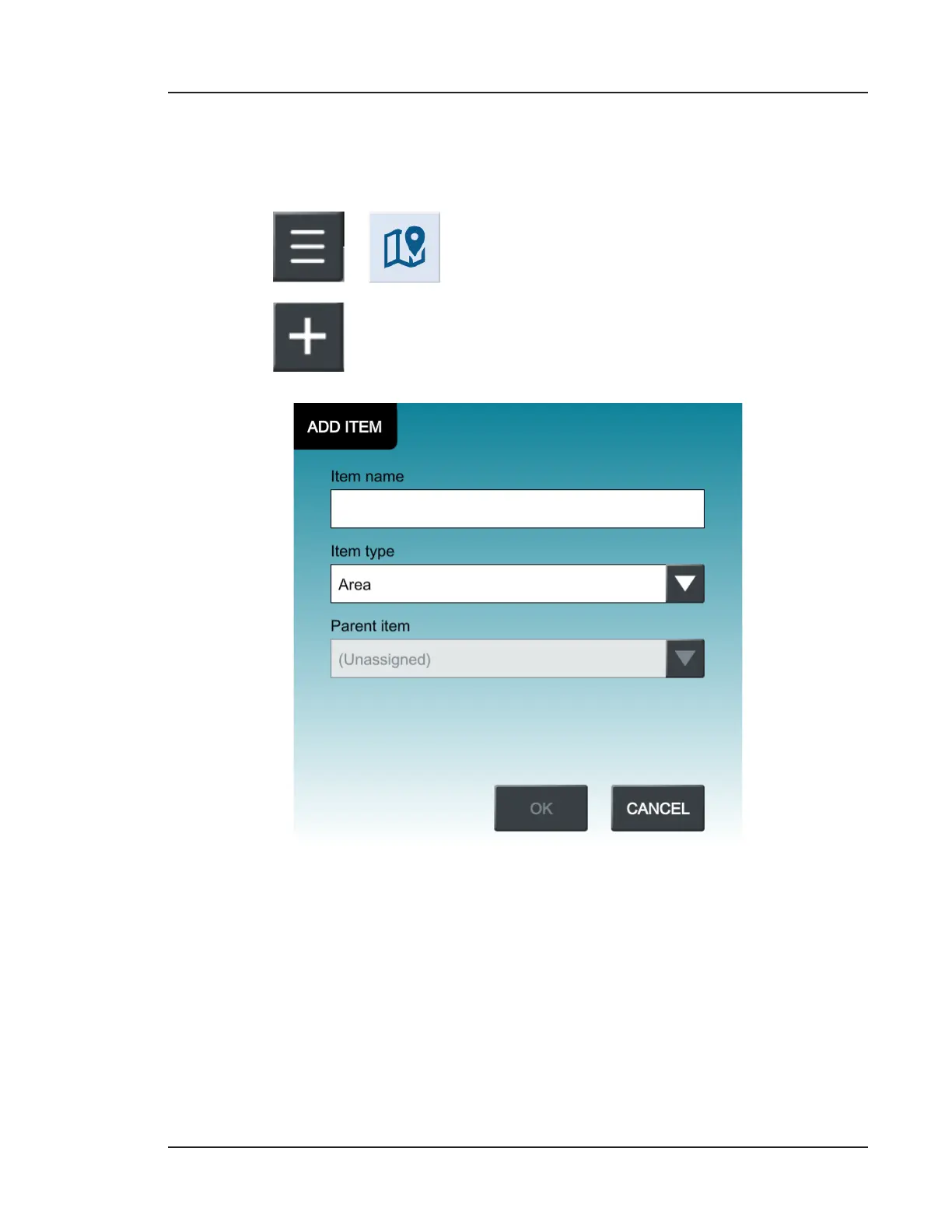
Adding a New Area, Room, and Location
If you plan to use the Lasair Pro for multiple sampling points, you can add these locations
and organize them ahead of time to ensure sampling data is appropriately labeled.
1. Go to
> (LOCATIONS).
2. Press .
Figure 8-4. Add Item window
3. If using the full hierarchy, it is best to create areas, rooms, and locations in that
order. Select Area as the Item type and press the Item name field to open the
keyboard.
4. Press OK to confirm the Item name, then OK again to add the item.


 To Next Page