4-23Lasair® Pro Aerosol Particle Counter Operations Manual
Chapter 4 : Connections
NOTE: If you don’t see “Ethernet” as a network option, choose “LAN” or “Local Area
Connection”.
NOTE: Do not select anything with the word “Wireless” or the word “Virtual”.
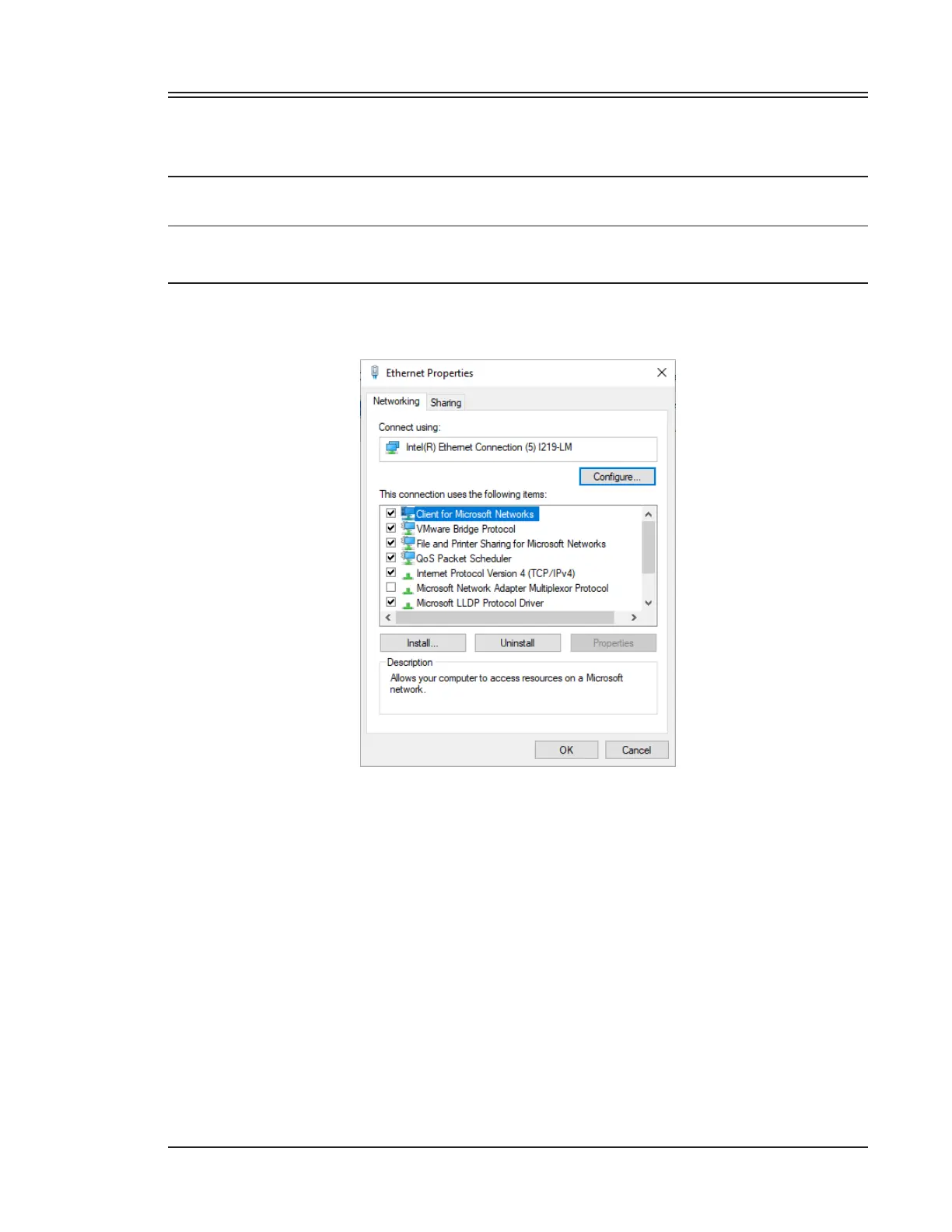
ii. You should see a window similar to the following:
Figure 4-11. Ethernet/LAN Properties window
b. Select Internet Protocol Version 4 (TCP/IPv4), and click Properties.
c. Record the existing properties, including IP address and Subnet mask. These
settings will need to be restored later.
d. Change the IP address and Subnet mask as described in Step 2. The Default
gateway and DNS server values should be le blank.



 To Next Page