Chapter 4 : Connections
4-24 Lasair® Pro Aerosol Particle Counter Operations Manual
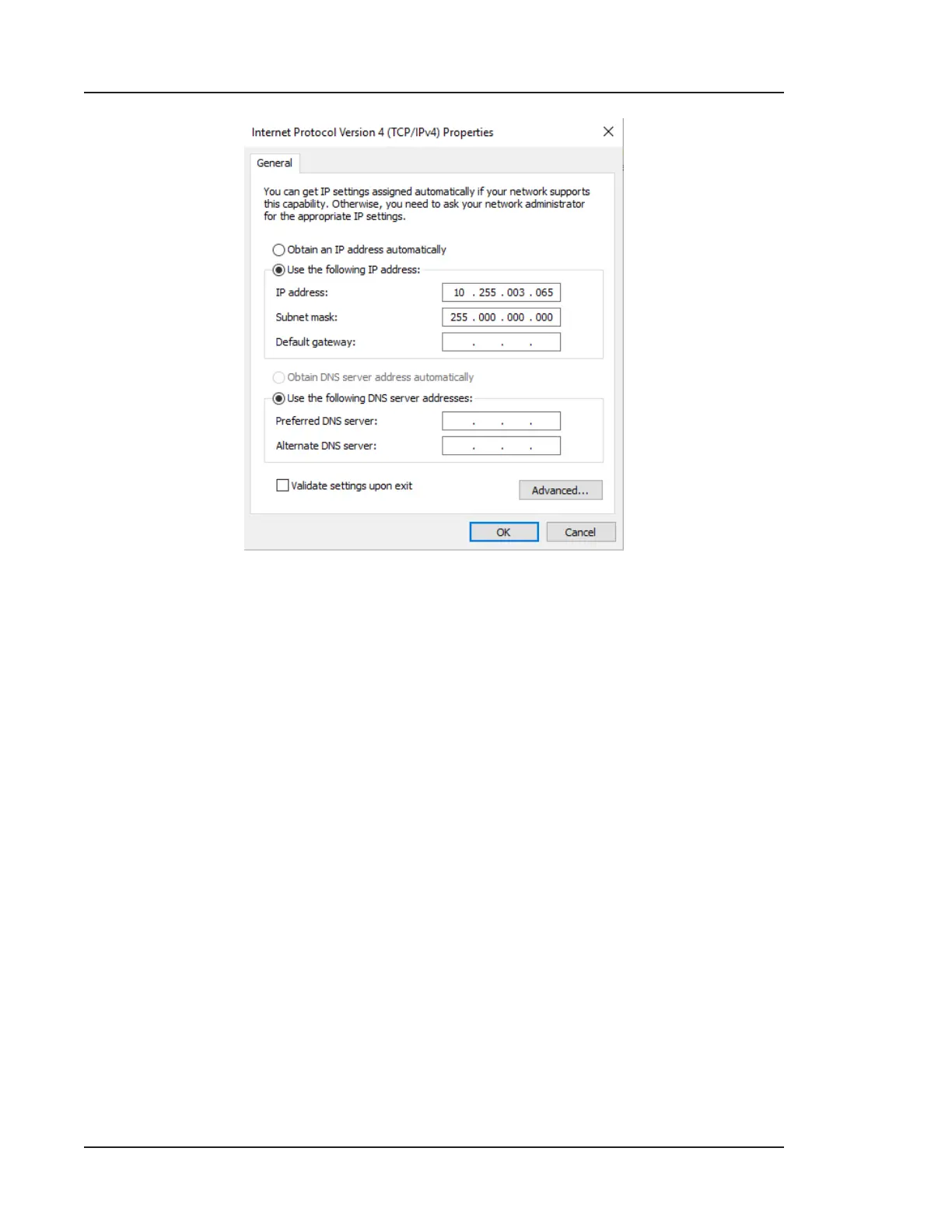
Figure 4-12. Adjusted internet protocol properties
e. Click the OK button to close the window. Click OK again to exit LAN
configuration.
4. Attach a network cable between the PC and the instrument.
5. In your internet browser, type the IP address of the Lasair Pro. If security is
enabled, you will be prompted to enter credentials. If not, you will see the HOME
screen of the Lasair Pro. Functionality is identical to the touchscreen.



 To Next Page