Appendix D: Serial Port and Telnet Commands
Overview of the Serial Command Set
120 | SmartBits 600x/6000x Installation Guide
Overview of the Serial Command Set
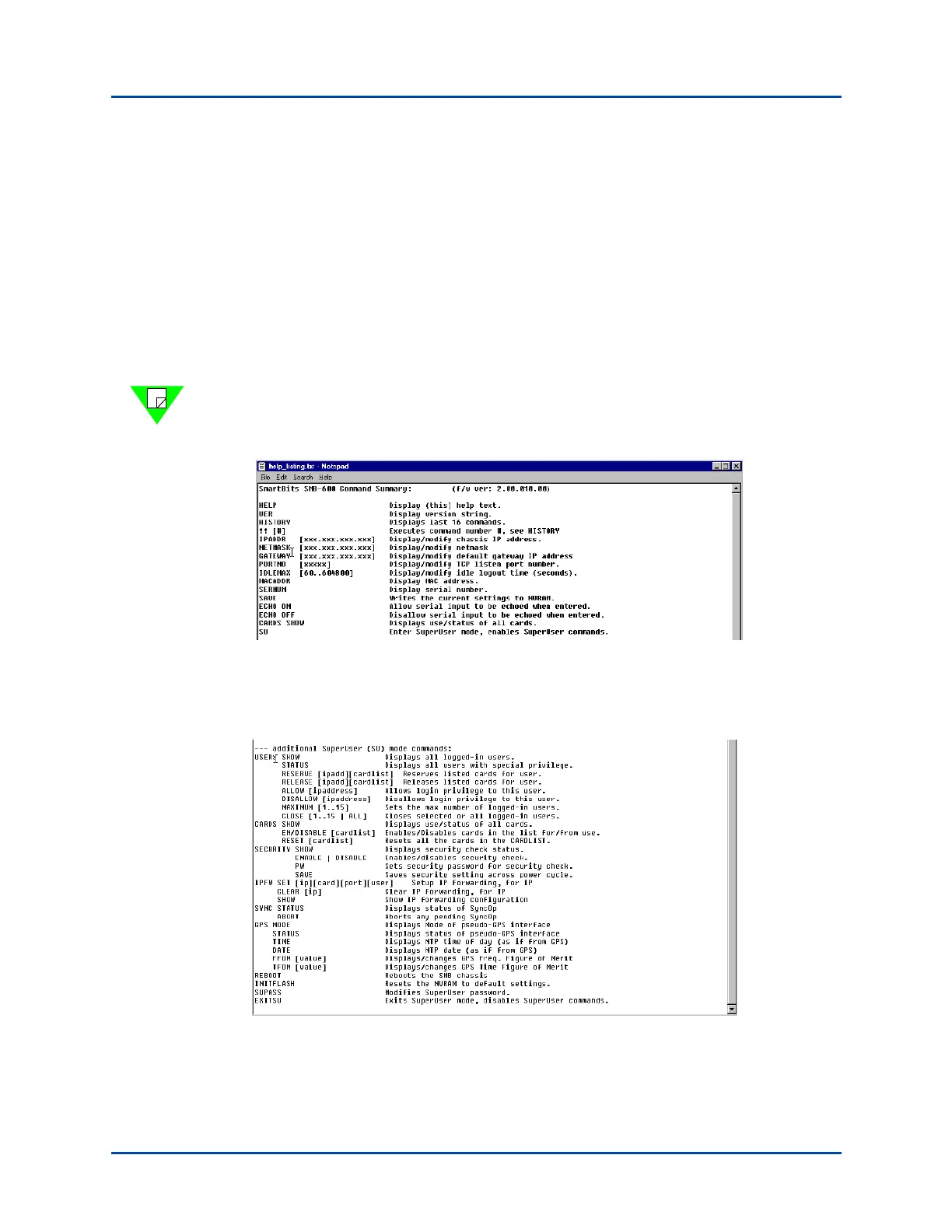
This appendix contains the serial port commands, shown in Figure D-1 and Figure D-2.
You can send these commands from your PC directly over a serial port connection to a
SmartBits 600x/6000x chassis using HyperTerminal or an equivalent terminal emulation
program.
The following SmartBits firmware commands are available when you connect your PC
HyperTerminal program using a serial port to a SmartBits 600x/6000x chassis. To view
each help window and the chassis firmware version level, enter the HELP command and
press Return, in the HyperTerminal window.
Note: Figure D-1 and Figure D-2 are examples of the Help menu. Some release versions
may vary and the actual content may change in presentation and content with respect to
the version you are using.
Figure D-1. SmartBits 600x/6000x Firmware Commands Available Using HyperTerminal
The SmartBits 600x/6000x chassis offers a superuser mode with additional commands as
shown in Figure D-2.
Figure D-2. SmartBits 600x/6000x Firmware Commands Using Superuser Mode
Artisan Technology Group - Quality Instrumentation ... Guaranteed | (888) 88-SOURCE | www.artisantg.com



 To Next Page