Chapter 1: About SmartBits Chassis
SmartBits 6000C Chassis
16 | SmartBits 600x/6000x Installation Guide
SmartBits 6000B Cover Replacement
The SmartBits 6000B chassis offers a new cover replacement (P/N 300-4181-011) that
maximizes optimal ventilation, thereby allowing more flexibility in the use of SmartBits
modules.
This cover removes the previous restriction of not being able to use more than four POS-
3518As/A
R or POS-3519As/AR modules per chassis. This cover also optimizes the chassis
cooling when the chassis is populated with XLW-3720A and XLW-3721A XENPAK
modules.
It is also recommended that all SmartBits 6000B chassis receive a cover replacement
upgrade prior to operating SmartMetrics/TeraMetrics XD modules.
To purchase a new cover, contact your Spirent Communications Sales Representative.
SmartBits 6000C Chassis Enhancements
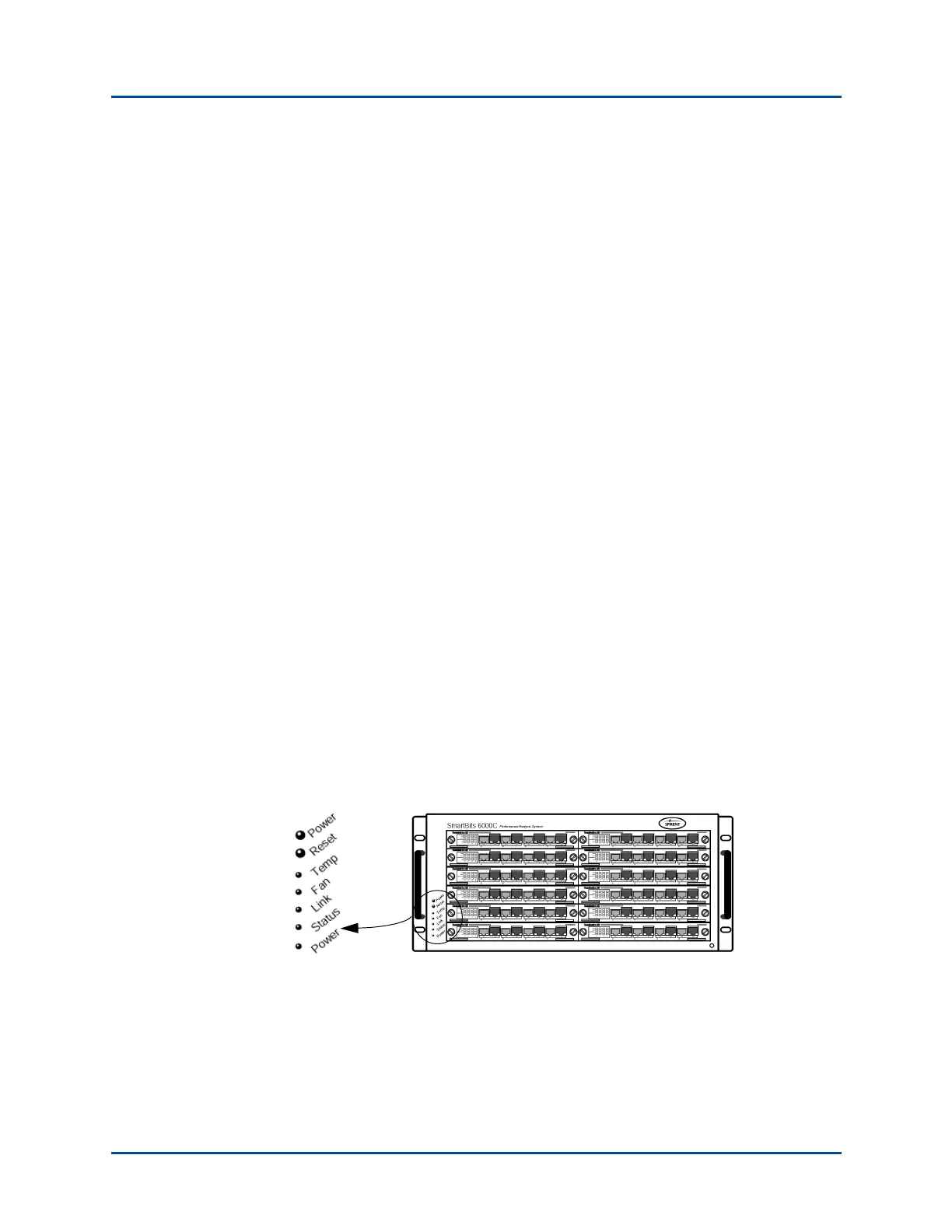
The SmartBits 6000C chassis (Figure 1-6) is like the SmartBits 6000B but with the
following enhancements:
• Front panel Power button. This allows safe removal and insertion of SmartBits
modules without having to use the master (AC) power switch on the rear of the
chassis.
• Over-temperature thermal sense circuitry and front panel (TEMP) indicator. (See
“Over-temperature Sequence Condition (SmartBits 6000C)” on page 72.)
• New SmartBits 6000C front panel Power and Reset buttons, and LEDs. The LEDs are
described in Table 3-1 on page 71.
• Rear panel power switch. Contains a circuit breaker eliminating the use of fuses (see
“SmartBits 6000C Circuit Breaker” on page 83.
• Stronger power supply – maximum AC power consumption: 1600W.
• Increased cooling.
Figure 1-6. Front Panel on a SmartBits 6000C Chassis
Artisan Technology Group - Quality Instrumentation ... Guaranteed | (888) 88-SOURCE | www.artisantg.com



 To Next Page