Appendix A: Multiple Chassis Local Connect
Multiple Chassis Connections
88 | SmartBits 600x/6000x Installation Guide
Stacking Connections (SmartBits 2000 chassis only)
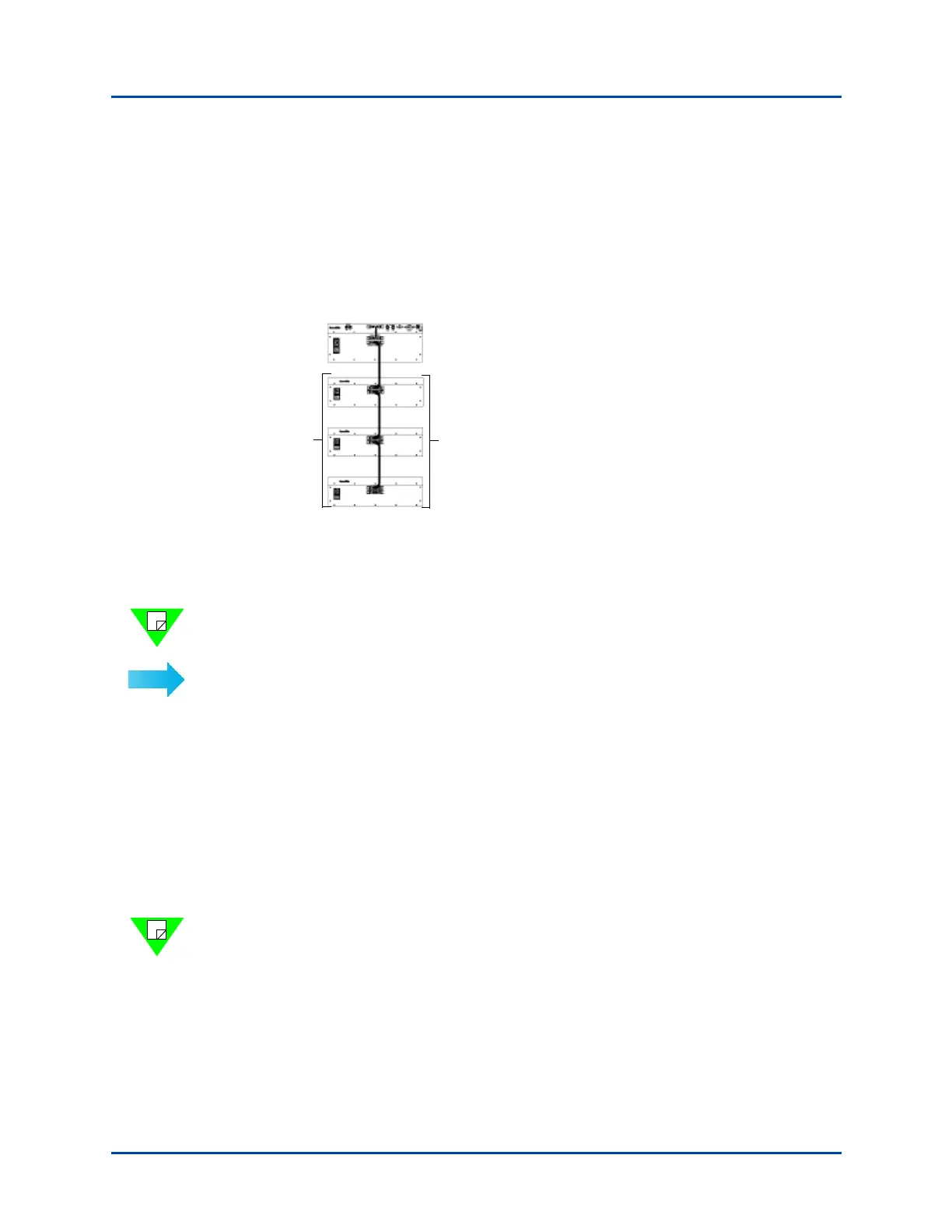
A stacking connection involves a SmartBits 2000 chassis (master controller) and up to
three units (slave units) connected vertically via DB37 connectors (see Figure A-2). A
SmartBits 2000 chassis must serve as the master controller chassis. The three slave units
in the stack can be any combination of SmartBits 10 or SmartBits 20000 chassis.
See Figure A-2 for an example of using the maximum number of units in a single stack.
Figure A-2. Example of the Multiple Chassis Stacking Order
Connect a SmartBits Stack of 80 Ports via DB37 Connectors
Note: Refer to “Procedure 4: Connect SmartBits to PC, Power, and LAN” on page 34
when making any SmartBits chassis connection.
To connect a SmartBits via DB37 connectors:
1 With the power turned off on all chassis, remove the terminator from the top chassis
(which must be a SmartBits 2000 chassis). This will be the master controller chassis
in the stack.
2 Remove all cables from the lower (slave) units in the stack.
3 Install the long SmartBits cable from the lower port (where you removed the termina-
tor) of the master controller chassis to the middle port on the lower (slave) unit. Install
the terminator in the bottom port of the slave unit.
4 The hub of the slave unit will be empty. Note that the SmartBits 10 chassis has no hub
port and can only be used as a slave.
Note: Only the master controller chassis is connected to the PC or LAN, and has a
cable on the HUB port. Only the last unit in the stack has a terminator on the bottom
port.
5 Connect third and fourth SmartBits slave units if needed.
6 When you power up the SmartBits stack (see “Setting Up and Powering Up Multiple
Chassis” on page 90, turn on the slave chassis first, then turn on the SmartBits 2000
chassis (master controller) last.
Any combination of SmartBits 10 and
SmartBits 2000 chassis
SmartBits 2000
Master
Controller
Slave
Units
Artisan Technology Group - Quality Instrumentation ... Guaranteed | (888) 88-SOURCE | www.artisantg.com



 To Next Page