Chapter 3: LED Indicators
10 Gigabit Ethernet Module LEDs
80 | SmartBits 600x/6000x Installation Guide
10 Gigabit Ethernet Module LEDs
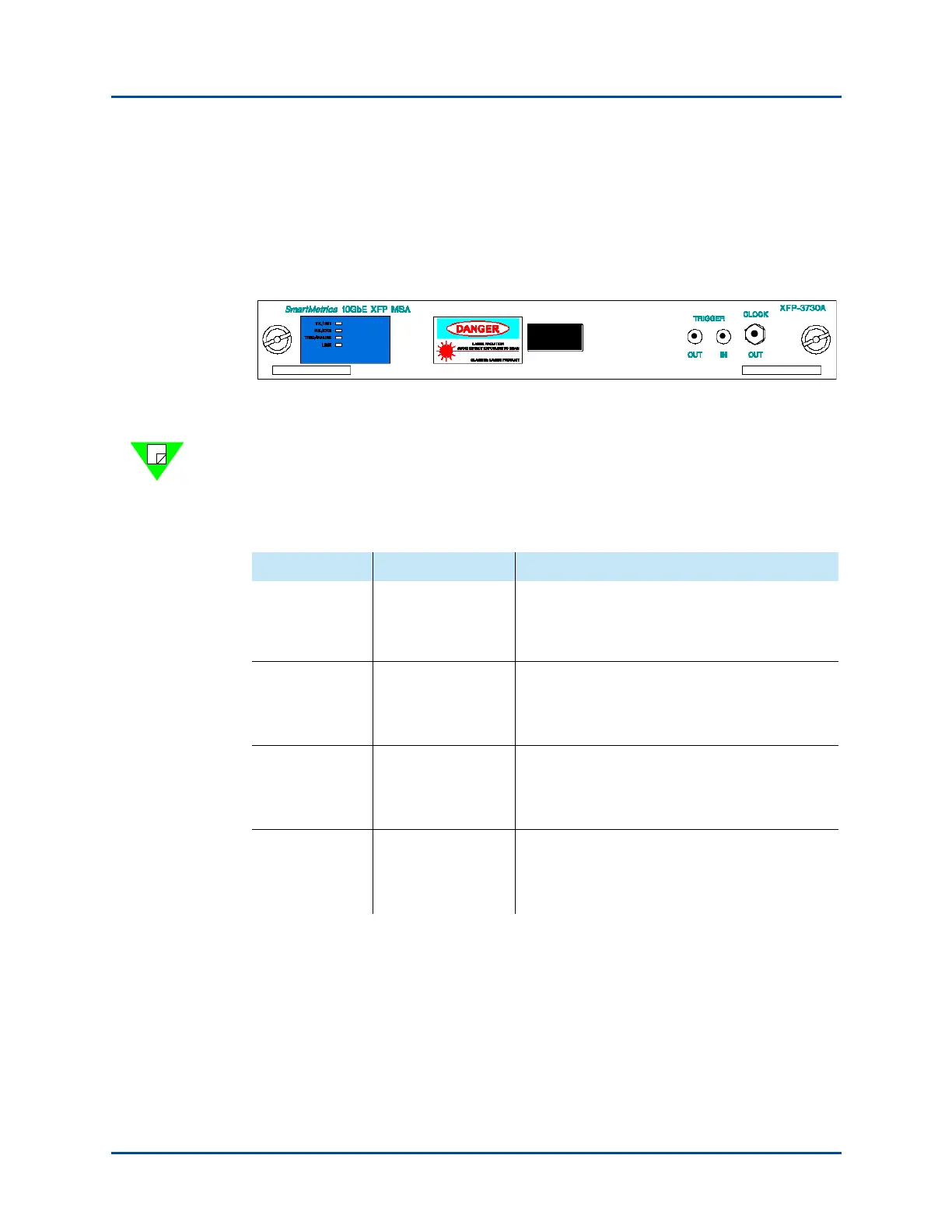
Every SmartBits 10 Gigabit module has its own LEDs, which are located on the left side
of each module’s front panel (Figure 3-8). Although the LEDs are similar for all modules,
some vary according to the features of each module. The module LEDs are described in
Table 3-8.
Figure 3-8. Example of LED Location on 10 Gigabit Modules
Note: 10 Gigabit modules are listed in Table 1-3 on page 18. For complete descriptions of
the various 10 Gigabit modules, refer to the SmartBits System Reference manual.
Table 3-8. 10 Gigabit Module LEDs
LED Color/Status Description
TX/INIT Red
Green
Off
Port not initialized.
Frame is transmitting.
Ready.
RX ERR Flashing Red
Flashing Green
Off
Rx frame is received with a CRC error.
Rx frame is received.
Not receiving.
TRIG/PAUSE Green
Yellow or Green
Off
Receiving trigger frames.
Receiving PAUSE frames.
No trigger or pause events.
LINK Green
Yellow
Off
Link up.
Loss of signal.
Empty XENPAK slot.
Artisan Technology Group - Quality Instrumentation ... Guaranteed | (888) 88-SOURCE | www.artisantg.com



 To Next Page