Chapter 4: Troubleshooting and Maintenance
Replacing Fuses in SmartBits 600x/6000B Chassis
SmartBits 600x/6000x Installation Guide | 83
Replacing Fuses in SmartBits 600x/6000B Chassis
The power supply in the SmartBits 600x/6000B chassis has a universal input that accepts
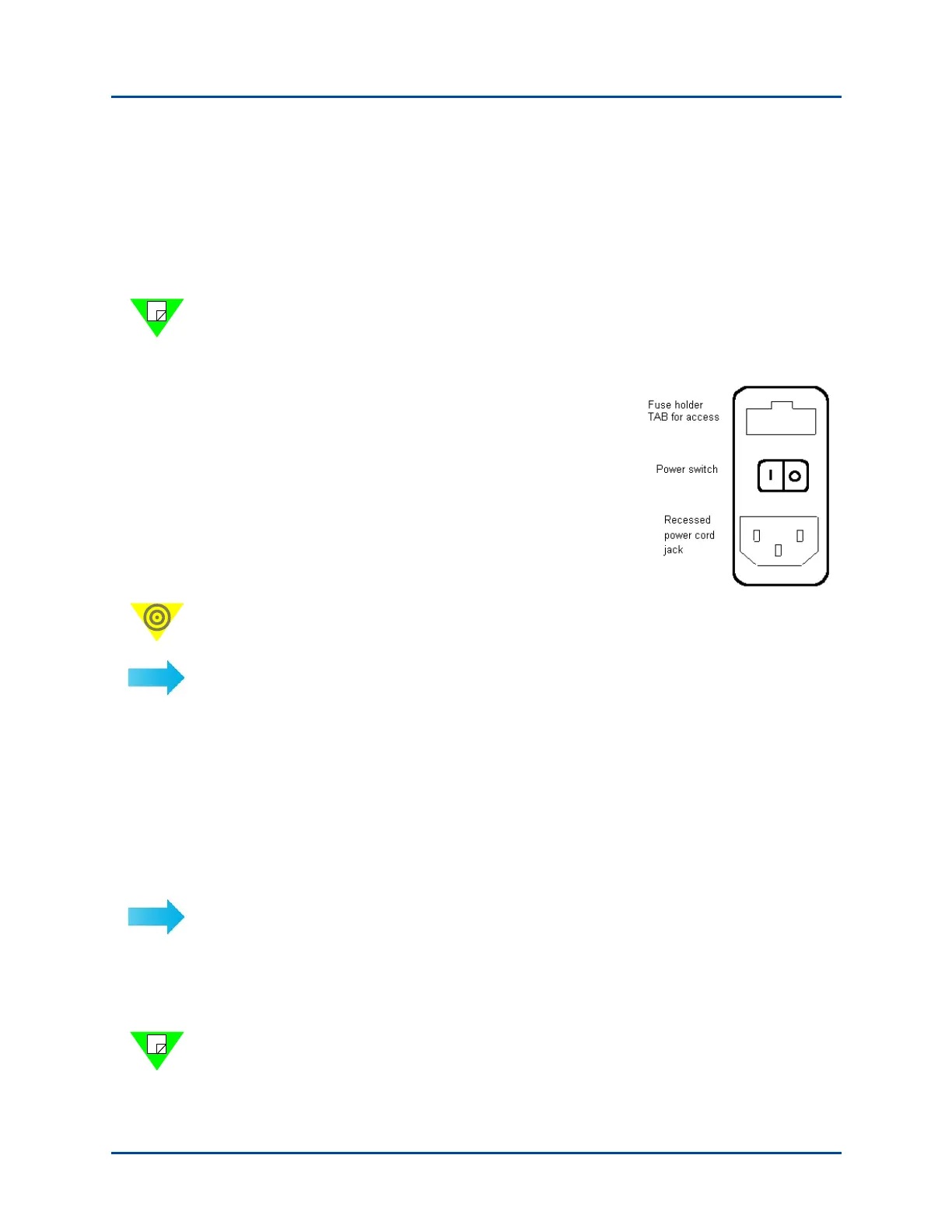
120/240 VAC requiring no selection or adjustment. The Power Supply Inlet is the main
disconnect device and is located on the rear of the chassis. It houses the power switch, fuse
holder, and a universal 3-wire instrument power cord jack. Replacement fuses are metric.
Note: The SmartBits 6000C chassis is controlled by a 15 Amp, 250V circuit breaker and
does not use fuses.
The fuse requirements for each SmartBits chassis is as follows:
• Smartbits 600x chassis: 2.0 Amp, 250V,
fast action
• SmartBits 6000B chassis: 10.0 Amp,
250V, fast action
Important: When cycling power to a SmartBits chassis, be sure to let the power stay off
for a few seconds to allow the capacitors to discharge before restoring power to the unit.
To remove the fuse holder:
1 Remove the power cord from the jack.
2 Lever out the fuse holder by prying outward on the tab using a small flat-head screw-
driver or other thin-edged tool.
SmartBits 6000C Circuit Breaker
The SmartBits 6000C chassis is controlled by a 15 Amp, 250V circuit breaker located in
the rear rocker panel and does not use fuses. This is built into the switch.
If you have a power failure:
1 Turn off the chassis (power switch at the rear of the chassis).
2 Wait 10 seconds.
3 Turn the chassis back on (power switch at the rear of the chassis).
Note: After the chassis is powered back on, make sure that the power inhibit switch
button, located on the front panel, is pressed in (see Figure 1-6 on page 16).
Artisan Technology Group - Quality Instrumentation ... Guaranteed | (888) 88-SOURCE | www.artisantg.com



 To Next Page