Chapter 2: Installation and Setup
Procedure 8: Set the IP Address
SmartBits 600x/6000x Installation Guide | 43
Setting the IP Address via HyperTerminal
The following procedure references the HyperTerminal application, which is included
with Microsoft Windows. However, you can use any equivalent ASCII terminal emulator
application.
To set the IP Address via HyperTerminal:
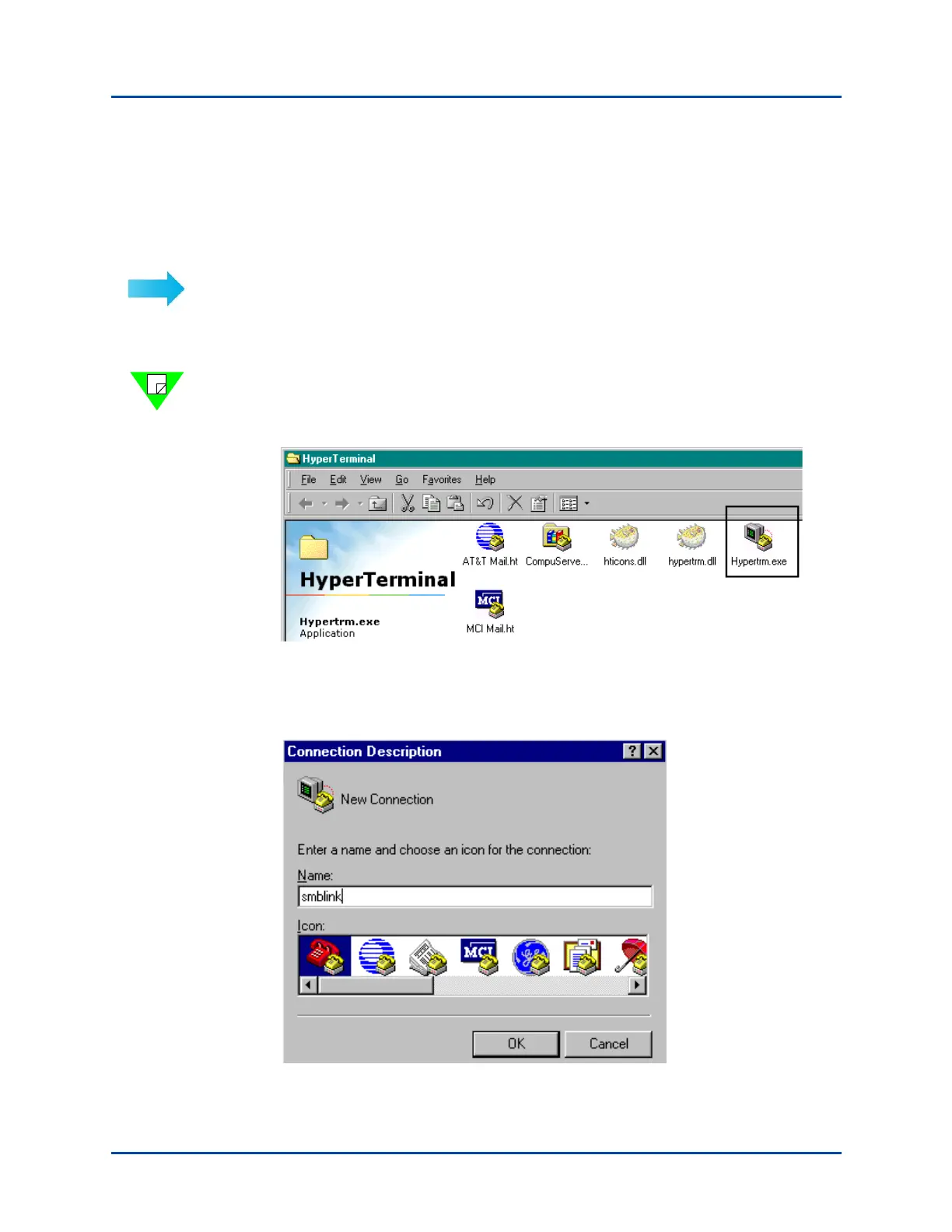
1 Select Start > Programs > Accessories > HyperTerminal. The following window
opens.
Note: Depending on the Windows version that you are running, you may see another
menu after the Start > Programs > Accessories > HyperTerminal menu. Select
HyperTerminal from that menu. This will bring you directly to Step 3.
2 Double-click on Hypertrm.exe to see the Connection Description window.
3 In the Connection Description window, enter a name for the new connection. Select
the link you are making. In this example, we are using smblink. Click OK.
Artisan Technology Group - Quality Instrumentation ... Guaranteed | (888) 88-SOURCE | www.artisantg.com



 To Next Page