Chapter 2: Installation and Setup
Procedure 8: Set the IP Address
50 | SmartBits 600x/6000x Installation Guide
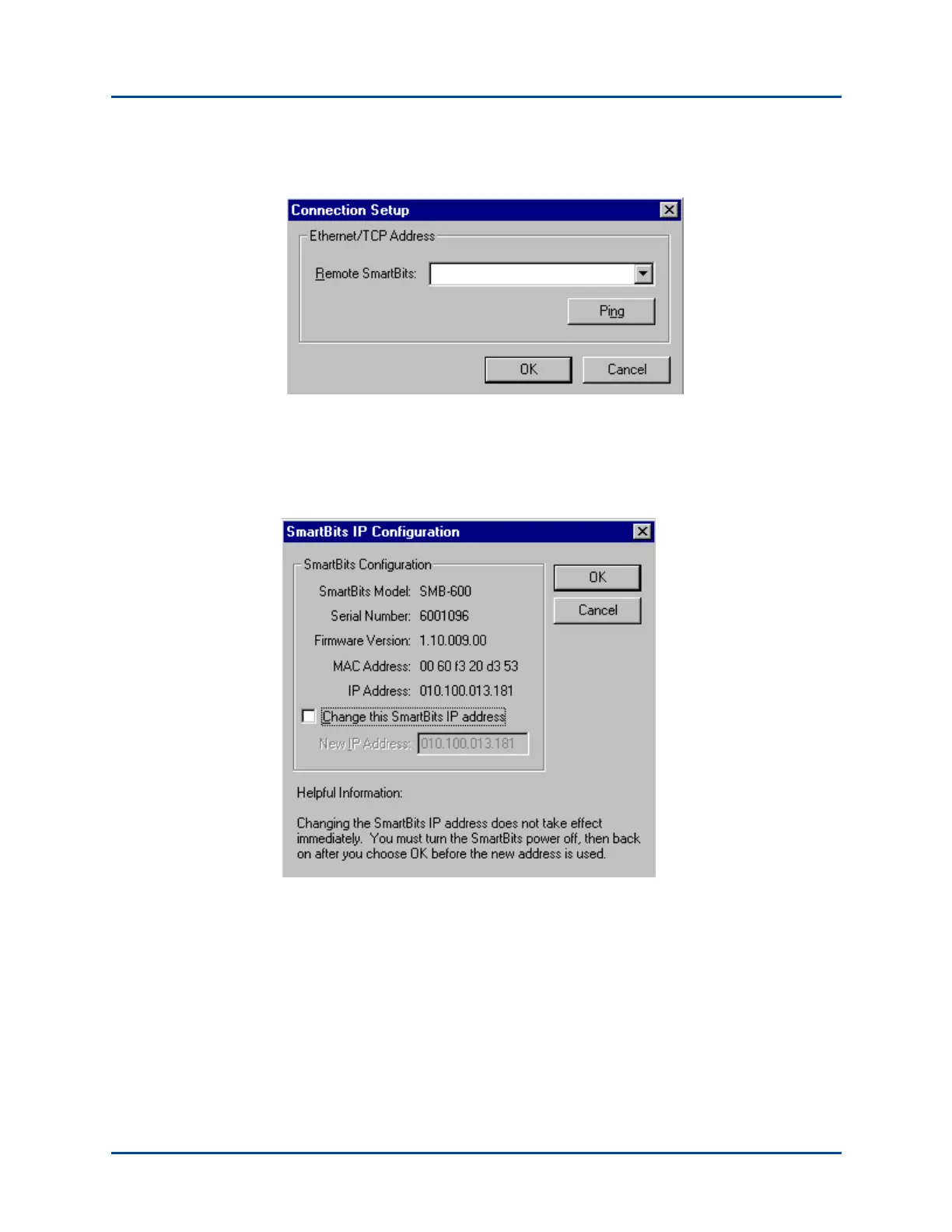
3 Select Options > Connection Setup. You will see the following window.
4 Type in the default IP Address (192.168.0.100) and click OK.
5 Select Actions > Connect or choose the Connect icon.
6 Choose Actions > Connect, then choose Admin > SmartBits IP Configuration. The
following window appears.
7 Click the box labeled Change the SmartBits IP address. Type in the IP address that
you want to assign and click OK.
8 Choose Actions > Disconnect.
9 For the changes to take effect, reset the SmartBits chassis.
Artisan Technology Group - Quality Instrumentation ... Guaranteed | (888) 88-SOURCE | www.artisantg.com



 To Next Page