Chapter 2: Installation and Setup
Procedure 11: Connect SmartBits to an Application
66 | SmartBits 600x/6000x Installation Guide
3 To change or enter chassis IP address, the application must be offline (disconnected
from any chassis). To disconnect from other chassis, choose Actions > Disconnect.
4 Specify the IP address via the Connection Setup command of an application (located
under the Options menu).
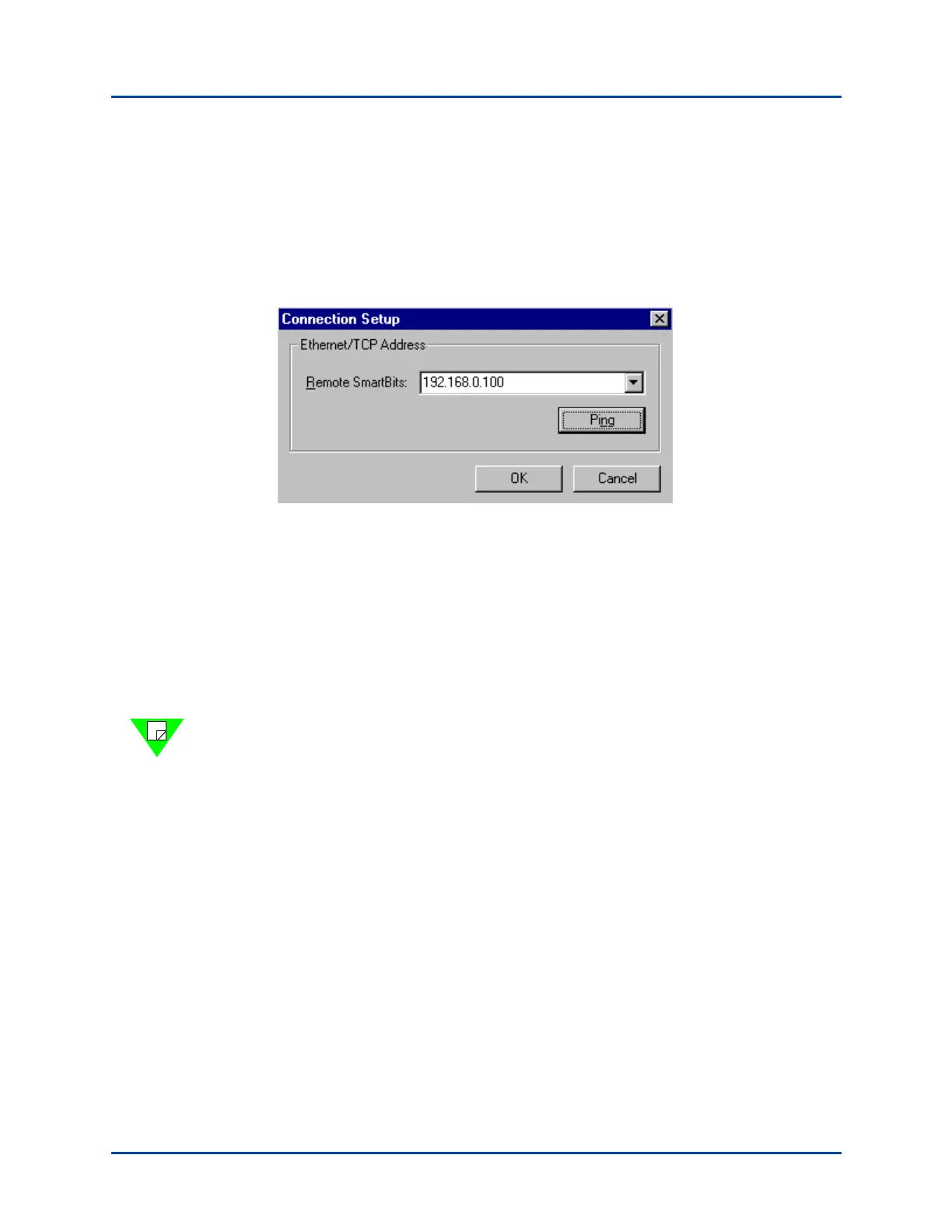
For example, in SmartWindow, select Options > Connection Setup from the menu
bar. The Connection Setup window appears (see below).
5 Type in the IP address and select Ping.
6 For the Remote Host address, enter the SmartBits IP address that you loaded into
SmartBits in “Procedure 7: Start SmartWindow” on page 38.
7 Ensure that the TCP port value is set to 16385.
8 Click OK to close the Connection Setup window.
9 Select Actions > Connect to connect to the specific chassis. If a message box with
“Unable to reach remote host” is displayed, refer to Chapter 4, “Troubleshooting and
Maintenance.”
Note: If you close SmartWindow now and then re-open it, the application will
automatically try to connect to the IP address last specified in the Connection Setup
window.
Artisan Technology Group - Quality Instrumentation ... Guaranteed | (888) 88-SOURCE | www.artisantg.com



 To Next Page