4
4
-
-
6
6
2
2
9
9
5
5
0
0
2
2
X
X
A
A
S
S
o
o
l
l
o
o
a
a
n
n
d
d
C
C
u
u
t
t
s
s
P
P
a
a
n
n
e
e
l
l
R
R
e
e
p
p
l
l
a
a
c
c
e
e
m
m
e
e
n
n
t
t
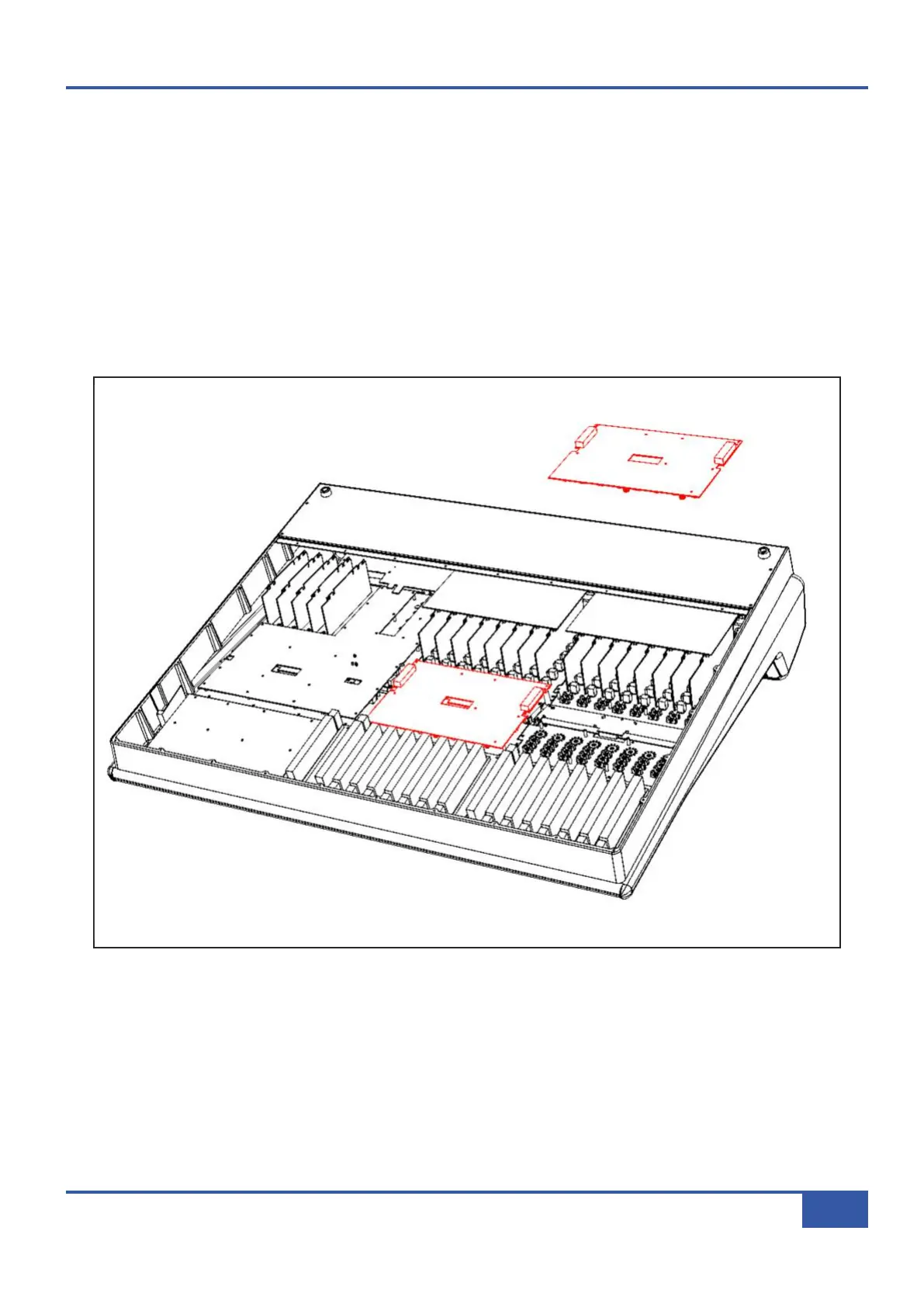
• There are two 629502XA assemblies in the Matrix console, one for channels 1-8 the second for channels 9-16. Remove
the knobs caps from the assembly to be removed.
• Follow instruction #1 for the base plate removal.
•
Using a #1 Pozidrive screwdriver, remove the 12 black pan head screws from the 629502XA assembly and lift the assembly
clear of the console.
• Unplug the eight fader and motor connections and the external ribbon cables from the 629502XA.
• Fit new assembly and secure in place.
• Reconnect all cables, refer to the wiring diagram in at the end of this section for further details.
• Refit the back panel, rotate the console and replace and knob caps.
Appendix G - Service
123
Matrix Owner’s Manual



 To Next Page