1
1
0
0
-
-
6
6
2
2
9
9
5
5
0
0
7
7
X
X
D
D
H
H
e
e
a
a
d
d
p
p
h
h
o
o
n
n
e
e
/
/
i
i
J
J
a
a
c
c
k
k
P
P
a
a
n
n
e
e
l
l
R
R
e
e
p
p
l
l
a
a
c
c
e
e
m
m
e
e
n
n
t
t
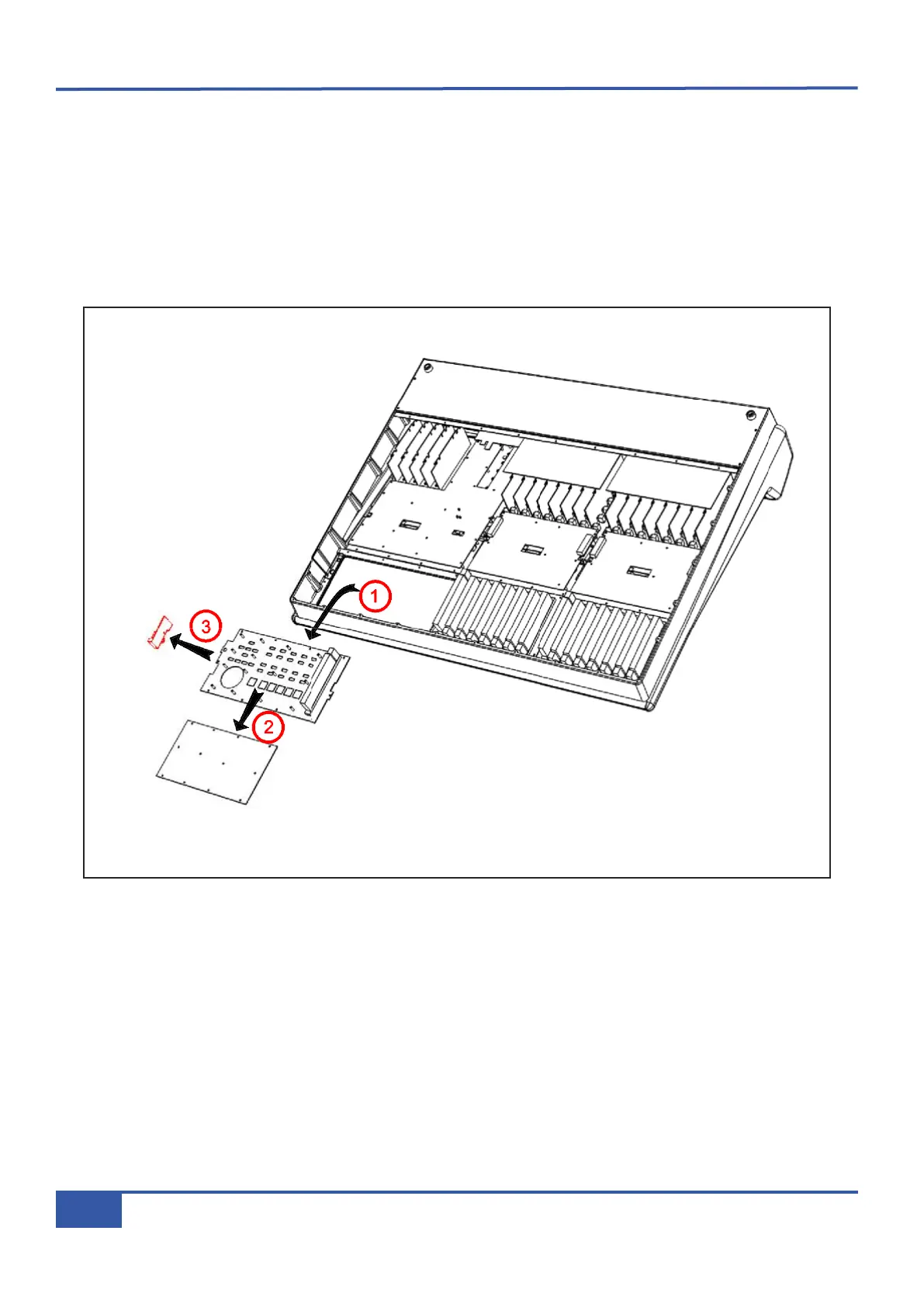
• Follow instruction #9 for the removal of the 629507XA motion control panel.
• Remove the ten screws securing the mounting plate to the frame.
• Remove the mounting plate, unplugging loom AB from the headphone assembly as you raise the panel.
• Remove the screw securing the headphone PCB to the mounting plate.
• Remove the nut from the headphone jack socket.
•
Fit the replacement assembly and reassemble the console.
Appendix G - Service
128
Matrix Owner’s Manual



 To Next Page