V
V
U
U
M
M
e
e
t
t
e
e
r
r
c
c
a
a
l
l
i
i
b
b
r
r
a
a
t
t
i
i
o
o
n
n
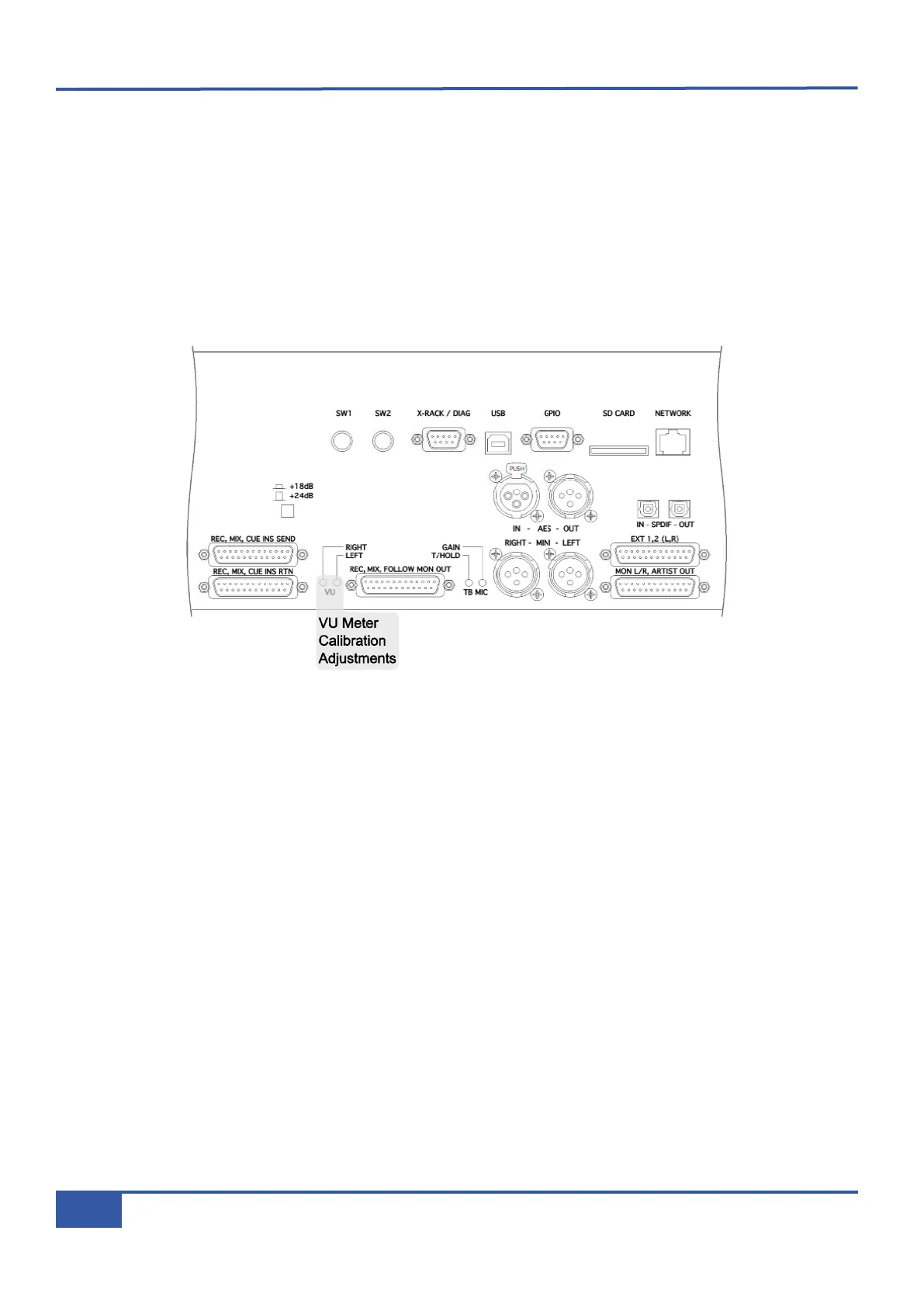
• Route a calibrated 0 VU source to the left Mix insert return. Alternatively, connect a level meter to the console’s Mix
b
us output, route a tone to the Mix bus and set the master fader to give a reading of 0 VU on the output.
•
Deselect the Mix insert sum function.
• Deselect the VU meter –10dB function.
• Locate the VU meter trim pot at the rear of the console. Using a trim tool, or small flat blade screwdriver, adjust the trim
pot to align the left VU meter needle with the 0 VU legend.
• Repeat for the procedure for the right meter.
Appendix G - Service
140
Matrix Owner’s Manual



 To Next Page